Release archive
SparkLayer release notes from June 2022 to September 2025, newest first. For the last 12 months of updates, see What's new.
Improvements
-
Shopify - Languages: support for product data translations
SparkLayer now has the ability to sync product data translations and show product data in the customer's language. This is currently only supported for Shopify stores. Please contact us if you'd like us to enable it on your store. Learn more about languages and custom text
-
Shopify - Number of Cart Lines Supported
Previously we had a limit of 250, we now support 350 line items or 500 line items (by request due to the performance of the Shopify APIs).
-
BigCommerce - Support for Combined Order Limit Rules
You can now use both SparkLayer’s product minimum and maximum order limit rules alongside the native BigCommerce rules, giving greater order management flexibility.
-
BigCommerce - Support for Custom Order Visible ID
You can now use a custom order ID instead of the standard BigCommerce-generated ID. This is useful for matching order numbers with back-office systems (e.g. ERP) to ensure consistency across platforms.
-
BigCommerce - Discount Rules Based on Product Properties
Discount rules can now check additional BigCommerce product properties when determining if a discount should be applied, such as; categories, brand ID, condition, UPC and search keywords.
-
Wix - Removal of RRP Field from Sync
The RRP field has been removed from syncing to prevent it from displaying on frontend widgets. A product resync will be required for the change to take effect.
-
Barcodes - Available on Invoices, Quotes & Emails
You can now add barcodes on Invoices, Quote PDFs and emails.
-
Sales Agent - “Submit Quote” button update
Sales Agents will now see a “Submit Quote” button instead of “Request Quote” during the quoting process, making the action clearer.
-
SparkLayer Core Script - Enhanced Error Codes
Error codes have been added for custom SparkLayer Options hook issues, making it easier for you to identify and resolve the cause of errors more quickly.
-
Activity Section - Quote Status Update
The Activity section now shows the “Quote Status” instead of “Quote”, with the column below displaying the actual status (e.g. Awaiting merchant”).
-
ERP Integration updates - Cin7, Brightpearl, Linnworks & Unleashed
Our ERP integrations have been improved so you can now view connection status, last sync, and any issues via Settings → Integrations → Partner Integrations, making it easier to resolve data syncing problems.
Improvements
Use custom order IDs
It's now possible to use a custom order ID instead of the standard order ID generated from Shopify. A typical use-case is customising the Order ID to match order numbers generated from a back-office system (e.g. an ERP), ensuring consistency across systems.
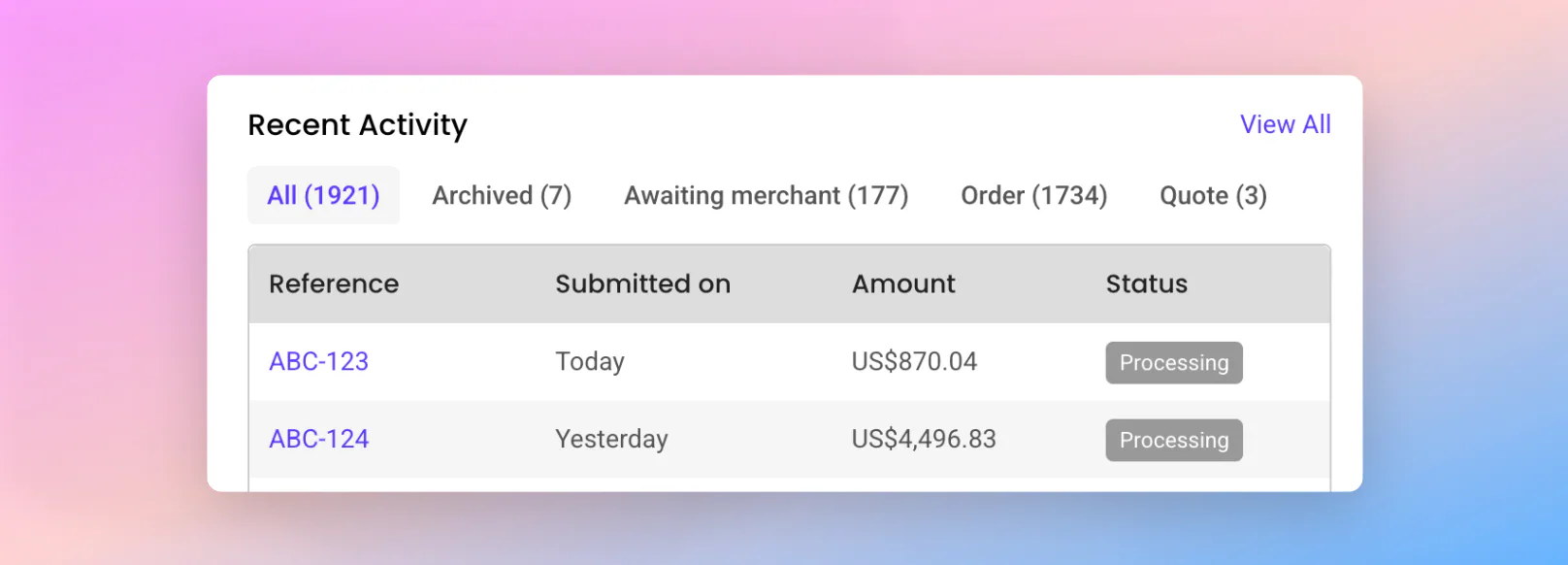
When the "Visible ID" is set, this will then take effect when the customer views their orders from the My Account Interface. To enable this, please see Shopify metafields & data mapping.
Show a message at a cart line-item level
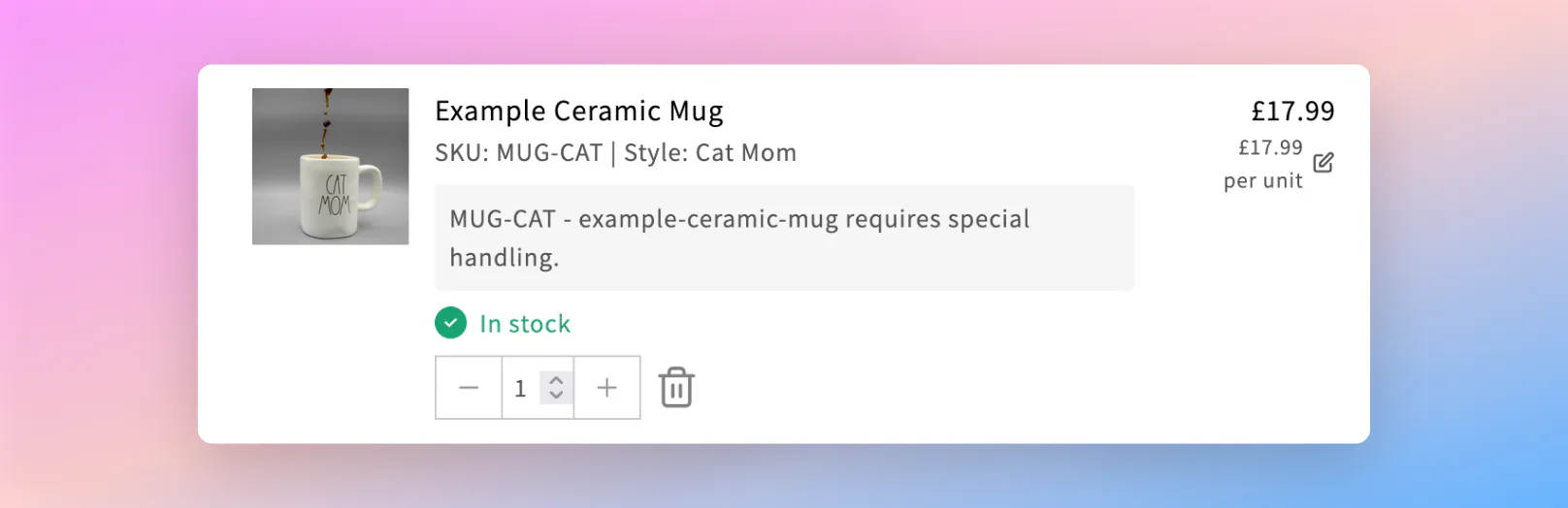
Extending upon our Custom Slots ("Targets") , you can now display a custom slot on a cart line-item level, such as a message that references the product name and ID ("slug"). This gives a powerful new way to add further customisation to the shopping cart for your B2B customers.
NewDiscount Engine Improvements
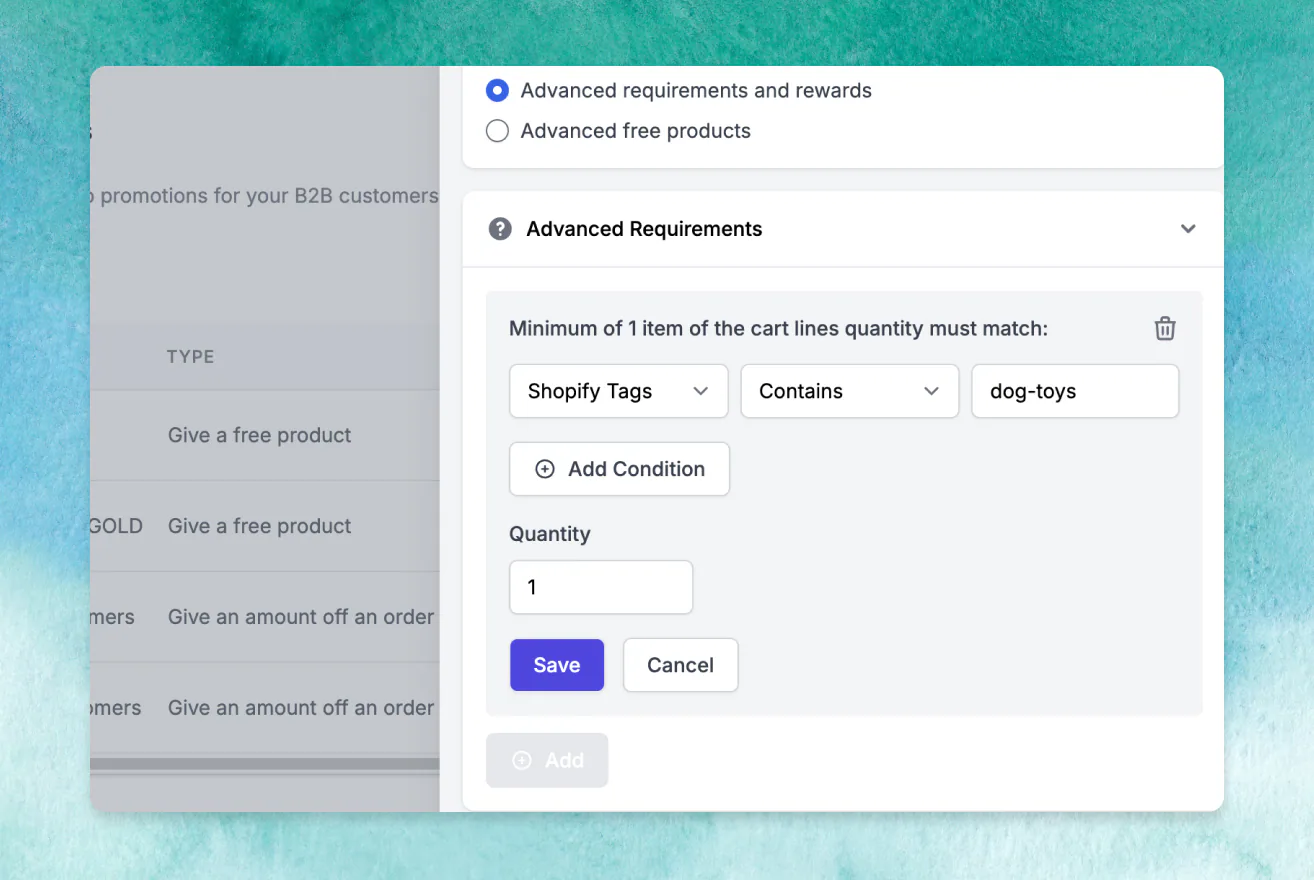
We're excited to announce a range of major improvements to the SparkLayer Discount Engine, including the ability to:
- Set advanced requirements and rewards. Learn more about discounts
- More extensive "free products" promotions. Learn more about discounts
The updates now allow you to configure discounts that apply on more advanced criteria such as matching a specific "tag" or "vendor" (within Shopify), and the ability to set rewards that include multiple free products. These changes now position SparkLayer as having one of the most advanced B2B promotions engines available - we look forward to seeing how creative our customers will be using this! Learn more about discounts
Improvements
-
Invoices - Option to display RRP
You can now choose to show the Recommended Retail Price (RRP) on SparkLayer Invoices, giving your customers greater visibility on pricing.
-
Cart - Clearer messaging when stock is limited
Customers will now see clearer messaging if they try to add more items to their cart than are available in stock, helping reduce confusion during the ordering process.
NewKatana Integration
We're excited to announce our official integration with Katana, a leading inventory management solution!
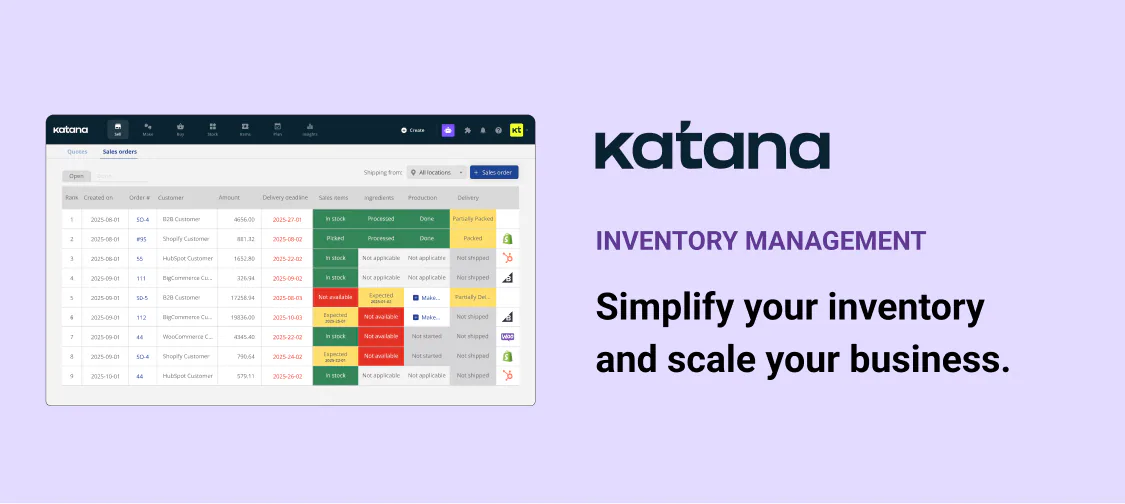
If you're using Katana to manage your back-office operation, you can now integrate your B2B pricing and customer data directly with SparkLayer. Learn more in Katana
NewOnboarding Landing Page
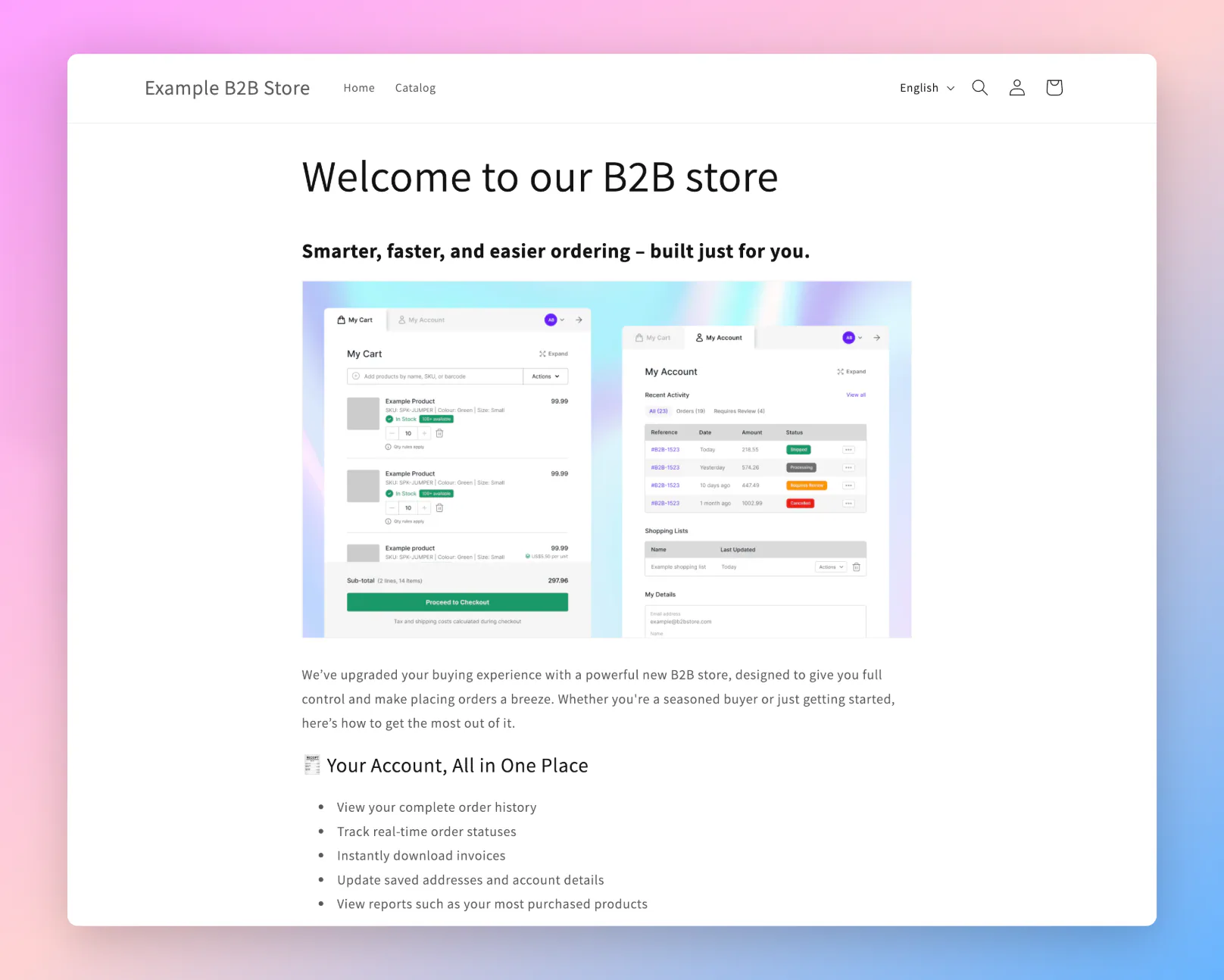
A great way to encourage your customers to use your new B2B store is to explain the benefits. To help you get started, you can use our ready-made "onboarding landing page" that gives a great overview of the features to your customers. Learn more about launching SparkLayer
Improvements
-
My Account - Tax Display
When a customer places an order, they can now see their full tax breakdown when viewing their order details within the My Account Interface
-
Shopify - New Customer Accounts URL redirect
If you're using Shopify Customer Accounts, you can now configure which URL to send a customer to directly via your Shopify admin. In your Shopify admin, go to Settings, Checkout, and within Configurations (opens in a new tab), click "Customize" and you'll see a new field "Redirect Path" within the "B2B Customers Redirect" extension.
-
Checkout – Support for Tax ID Requirements
Merchants can now collect the required tax ID details at checkout, ensuring orders to countries with strict import rules can be completed in Shopify. Learn more about cart and checkout options
-
CSV file upload
When importing a CSV file into the My Cart Interface, products will be added to the cart in the same order as listed in the CSV file.
-
New Languages
We now have support for Latvian on the Frontend Interfaces
-
Duplicate Discounts
It's now possible to create multiple discounts with the same configurations, making setup faster for similar pricing rules. Learn more about discounts
-
Checkout - Option to disable
You can now fully disable the checkout process and only show the "Request Quote" option, ideal for quote-only workflows. Learn more about customer groups
-
Sales Agent - Auto sign-in after Customer Creation
Sales agents are now automatically signed in as the customer after creating them, removing the need to search and impersonate separately.
NewSparkLayer Intelligent Cart
SparkLayer Intelligent Cart introduces a revolutionary new way for your B2B customers and sales teams to build orders quickly and effortlessly using the power of AI.
The magic lies in its simplicity: files and emails containing order details (such as SKUs, barcodes, and quantities) can be uploaded or emailed directly to SparkLayer, instantly creating a shopping cart. In addition, live barcode scanning is supported, providing powerful, fast ways to build orders without manually browsing and searching for product. Learn how Intelligent Cart works in Intelligent Cart (AI).
Version 3.8
NewCart Search
We've just given our search tool a massive upgrade, making it even easier for your customers to add items to an order!
The Search tool allows customers to search by a range of criteria including product name, product SKU, product variant name, SKU, and barcode.
The tool also handles mis-spellings and "partial matching", ensuring results are delivered where possible and allowing for a more user-friendly search. To learn more about how it works and how to enable it, see My Cart.
NewThe SparkLayer Quoting Engine
We’re excited to announce the launch of the new SparkLayer Quoting Engine , designed to transform how your sales team and wholesale customers manage quotes.
Built to simplify the entire "quote-to-order" process, it helps reduce manual work, speed up order conversion, and create a better buying experience.
With the SparkLayer Quoting Engine, you can:
- Let customers build and submit quote requests directly from your store
- Enable your sales team to edit quotes, apply discounts, and set expiry dates
- Keep all communication in one place with a shared conversation timeline
- Seamlessly convert approved quotes into ready-to-process orders
- Notify customers and sales teams automatically with emails and special workflows
- ... and a lot more!
Whether you’re handling high-volume B2B orders or need more control over pricing negotiations, the SparkLayer Quoting Engine brings everything into one streamlined flow, all designed to save time, reduce friction, and strengthen customer relationships.
If you'd like to give it a try, head over to the plan page in the SparkLayer Dashboard (opens in a new tab) where you can add it to an existing plan or as an exclusive addon. You can also learn more about how it works in Quoting Engine.
Improvements
-
Integration with Intuitive Shipping
We've released our new integration with shipping application, Intuitive Shipping making it even easier to connect SparkLayer to their dynamic shipping rate solution
-
Pre-orders and stock display
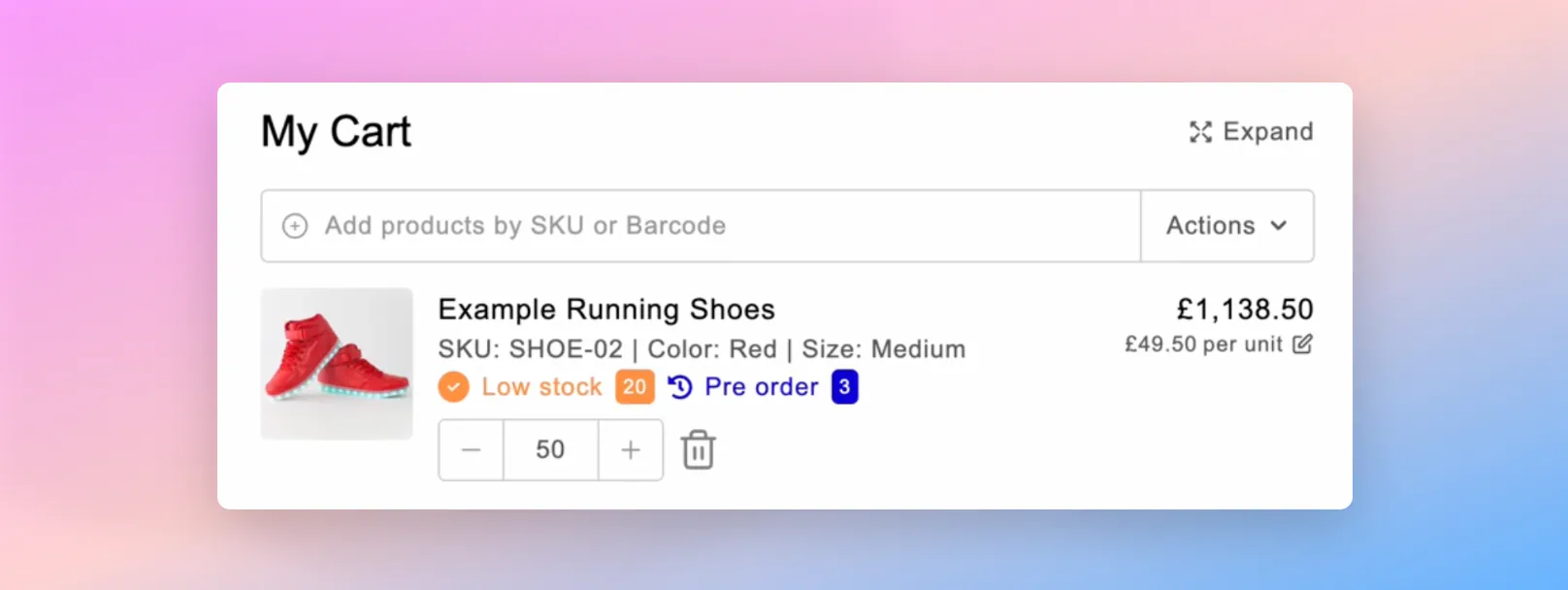
We've improved how stock is shown in the My Cart Interface when a product is on pre-order. If a customer orders more than is in active stock, it will now clearly show what stock is available and what is on pre-order
NewSparkLayer Analytics
We're excited to announce a major advancement in how you can report on your B2B sales and performance! We’ve partnered with the leading analytics experts, Conjura, to add unparalleled operational and sales visibility to your SparkLayer account.
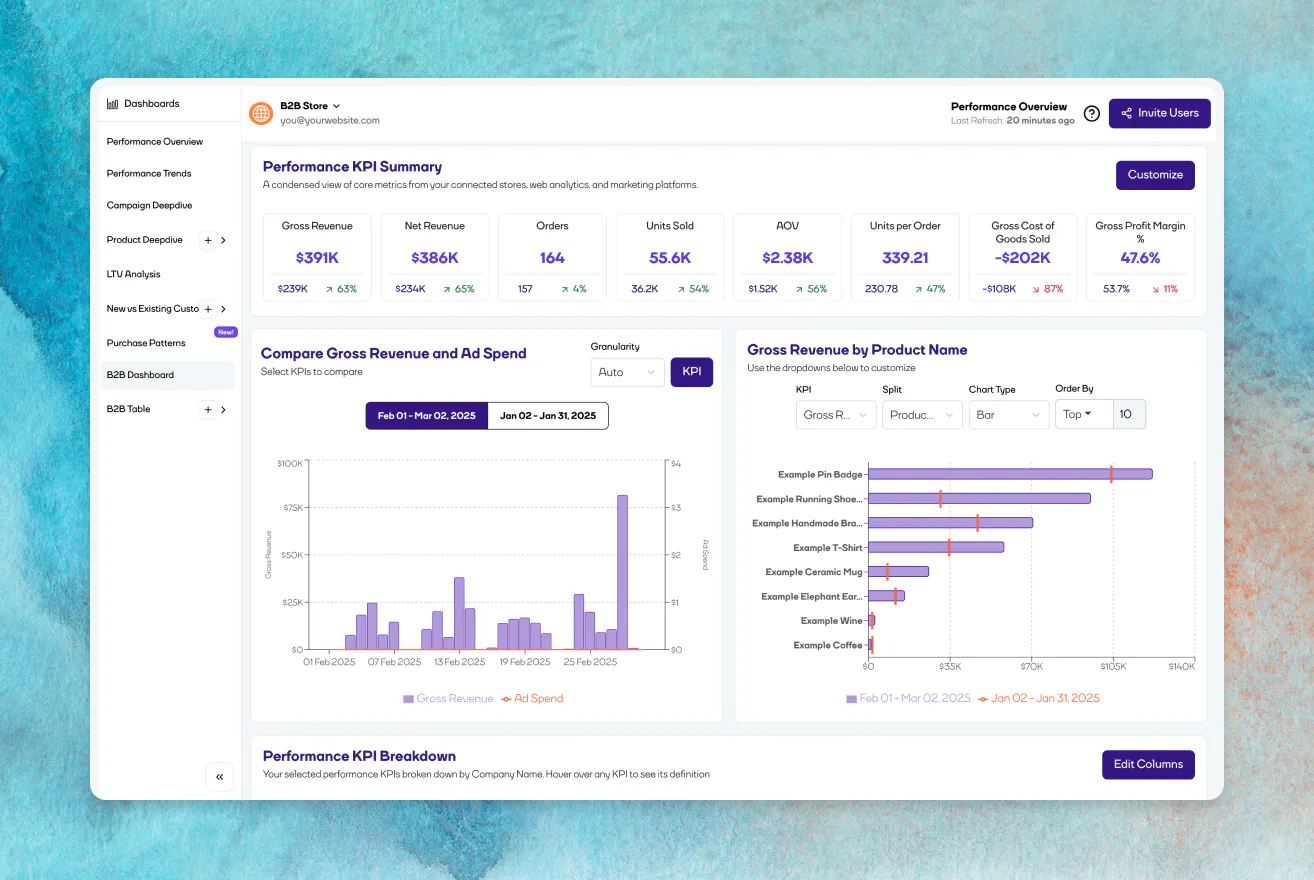
Learn more about SparkLayer analytics (opens in a new tab), where you can also arrange a demo to see how it can fit your business needs.
NewAutomatic metafield creation
Metafields are a powerful way to customise the functionality of your B2B store, allowing you to configure additional data such as pack sizing, rrp prices, and much more. With our latest update, we've made it really easy to quickly add metafields to your Shopify store without needing to manually configure them within your Shopify admin.
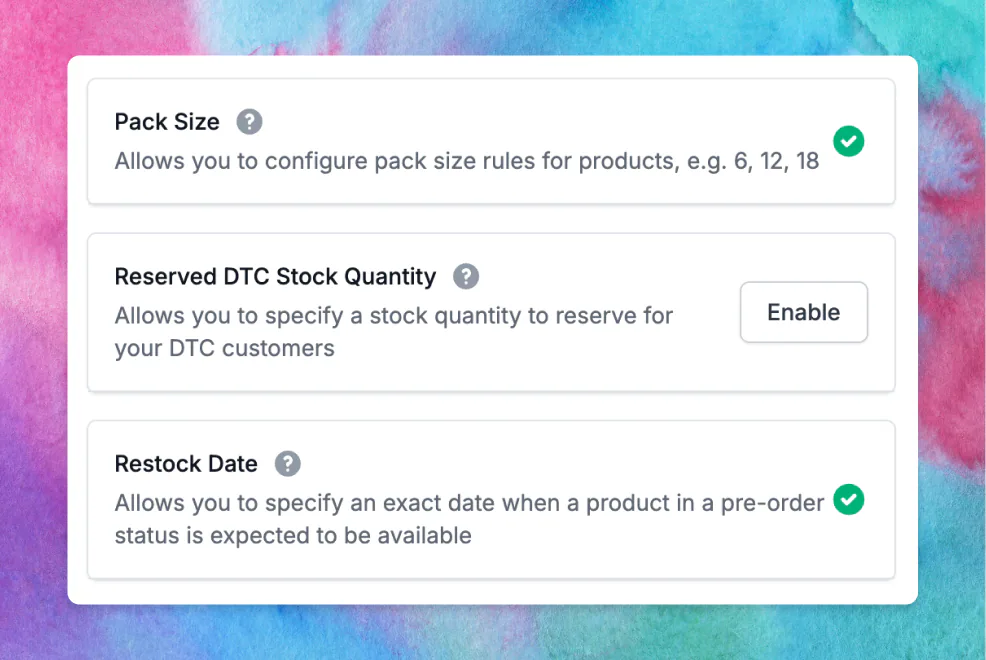
To get started, head over to the SparkLayer Dashboard (opens in a new tab) or learn more in Metafields.
NewImproved Shopify B2B Login Page
We've greatly improved our free Shopify B2B Registration & Login template, making it really easy for you to add a login and signup form to your Shopify store.
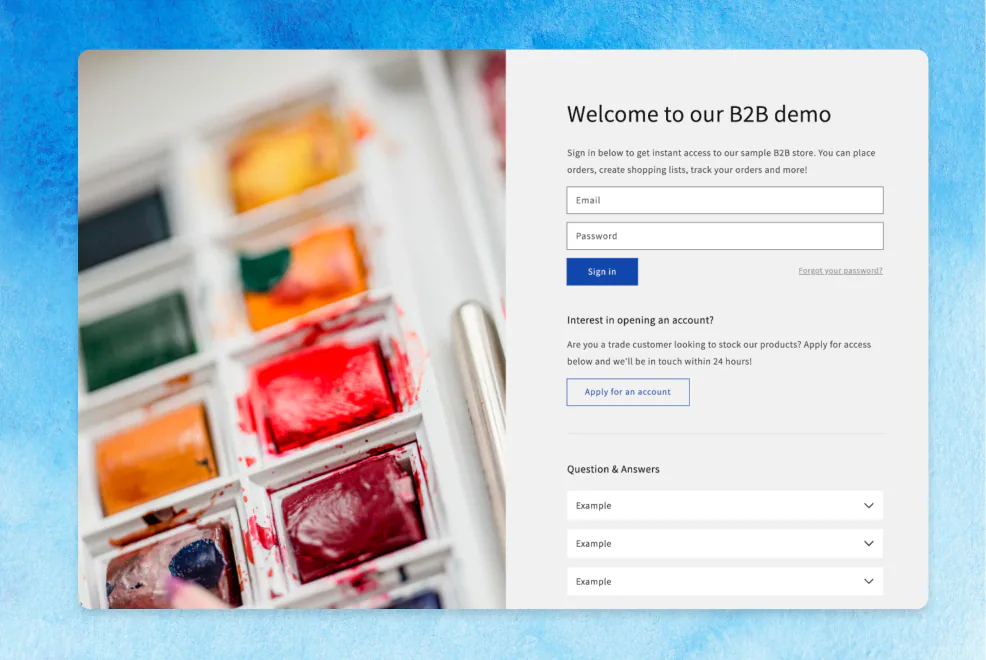
The improvements include full control over the design and content, the ability to set different actions when a customer applies, and much more! Learn more in Shopify B2B registration & login
Improvements
- We've added the following additional Custom Slots ("Targets")
- Cart Shipping Step
- Cart Payment Step
- Account > Purchase Summary Header
- Account > Purchase Summary Footer
- For our SDK, we've added a
onCartLoadas an additional function that can be used when the cart is loaded. Read more in SDK guide.
Version 3.6
NewSales Agents - Add custom item
We've released a major improvement to our Sales Agent Ordering tool that your sales team are going to love - the ability to add custom items to a B2B order!
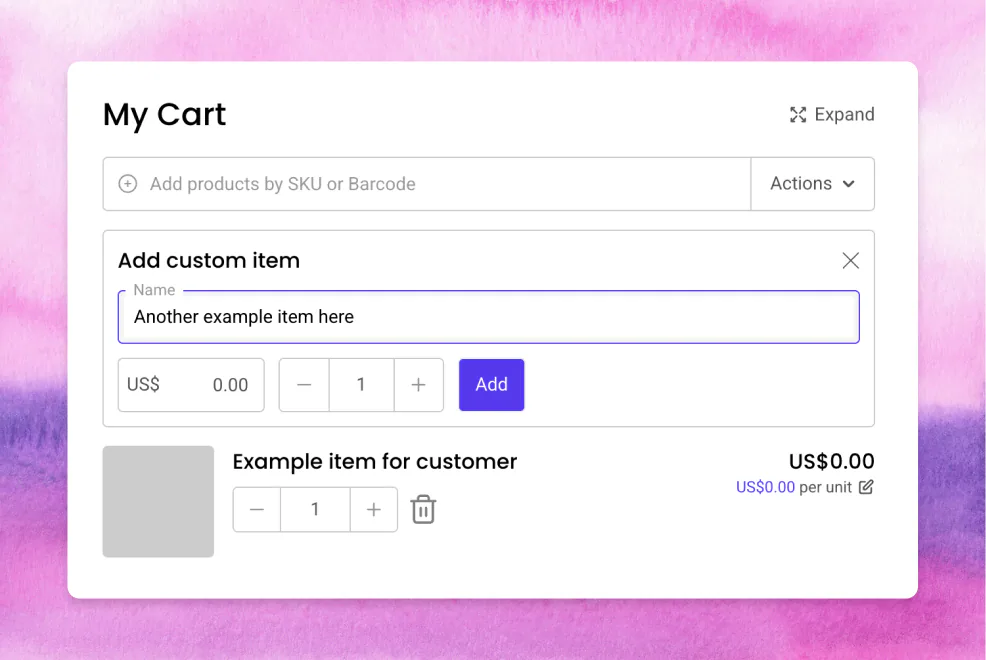
Our new "Add custom item" feature lets your sales agents add additional items to a customer's order that sit outside of your general product catalogue. Use-cases could include adding custom instructions or details specific to an order, additional products (that don't have a specific SKU), or any custom item that needs to be associated with an order. Items can be added at a specific cost or at a zero cost value. Learn more in Sales agent ordering
Improvements
-
My Account - Order details
When viewing an order from the My Account Interface, products that have variants (e.g. colour, size) will show the full variant information (previously this wasn't visible).
NewSparkLayer Invoices
It's here... one of our most requested features of all time has arrived: SparkLayer Invoices!
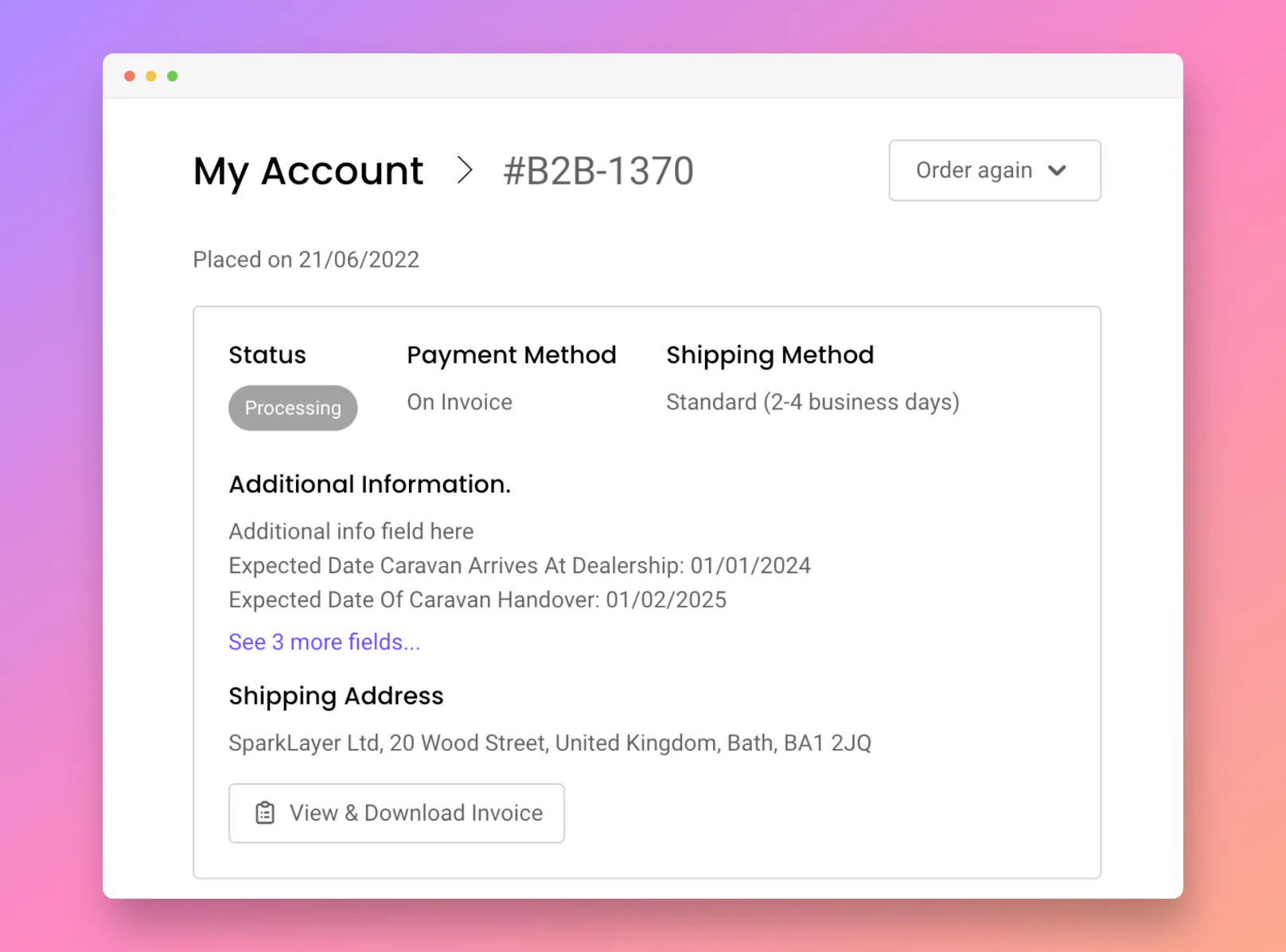
The SparkLayer Invoices feature allows you to automatically generate professional invoices that your customers can easily download, directly from their My Account.
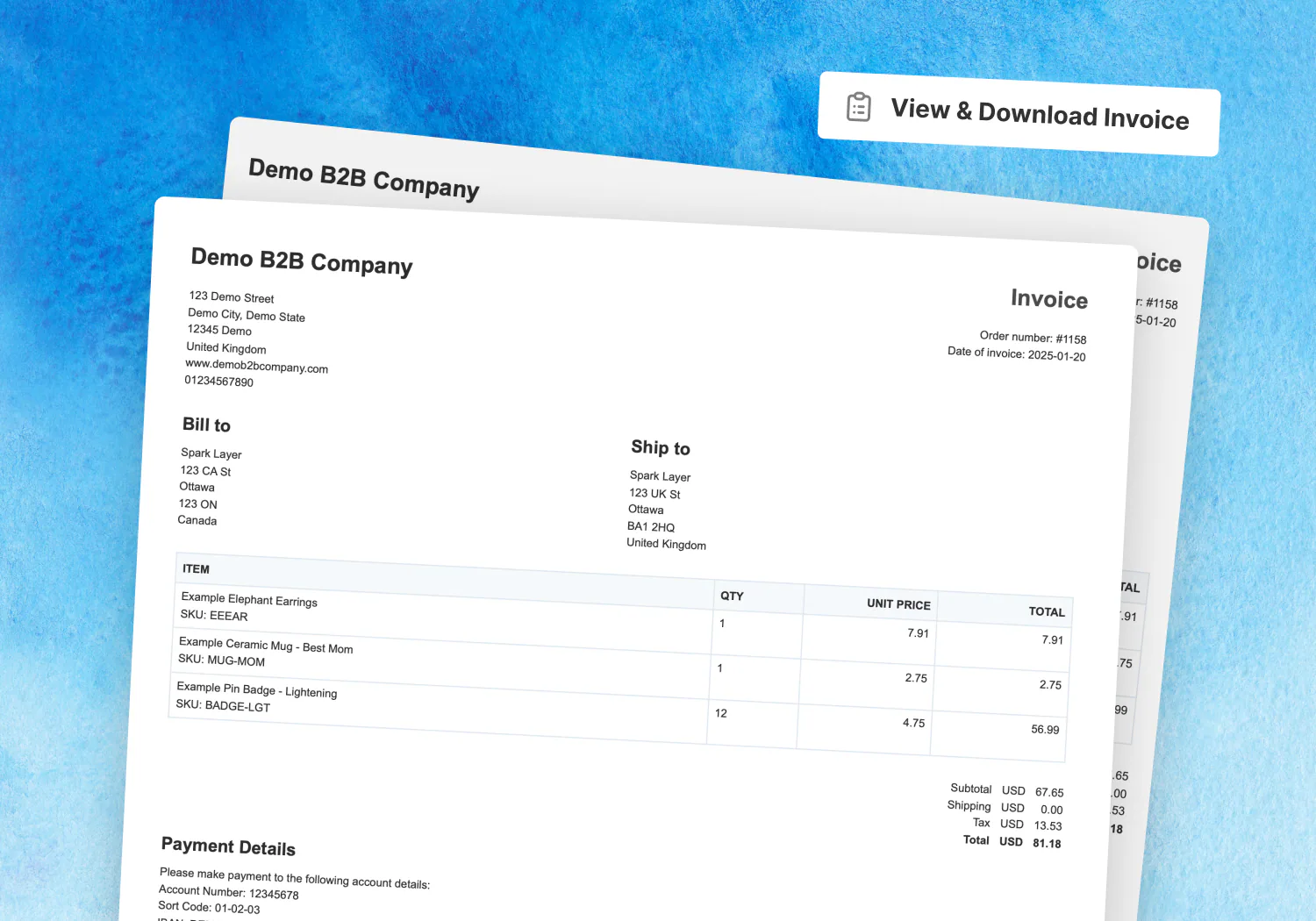
SparkLayer's invoicing feature removes the need for third-party invoicing tools or apps and offers a seamless way to manage and share invoices with your B2B customers. Once you've enabled invoices via the setting detailed above, the process for viewing and downloading invoices is simple for your customers: they view and download them from My Account.
Interested in trying out SparkLayer Invoices? Learn more in Invoices.
Version 3.3
NewShipping discounts
It's now possible to set shipping discounts when using SparkLayer Discounts! This has been one of our most requested features for our Discount Engine, and it gives you the option to set a range of different shipping discount types. From percentage off and fixed discounts, through to setting a specific shipping cost when the discount is applied.
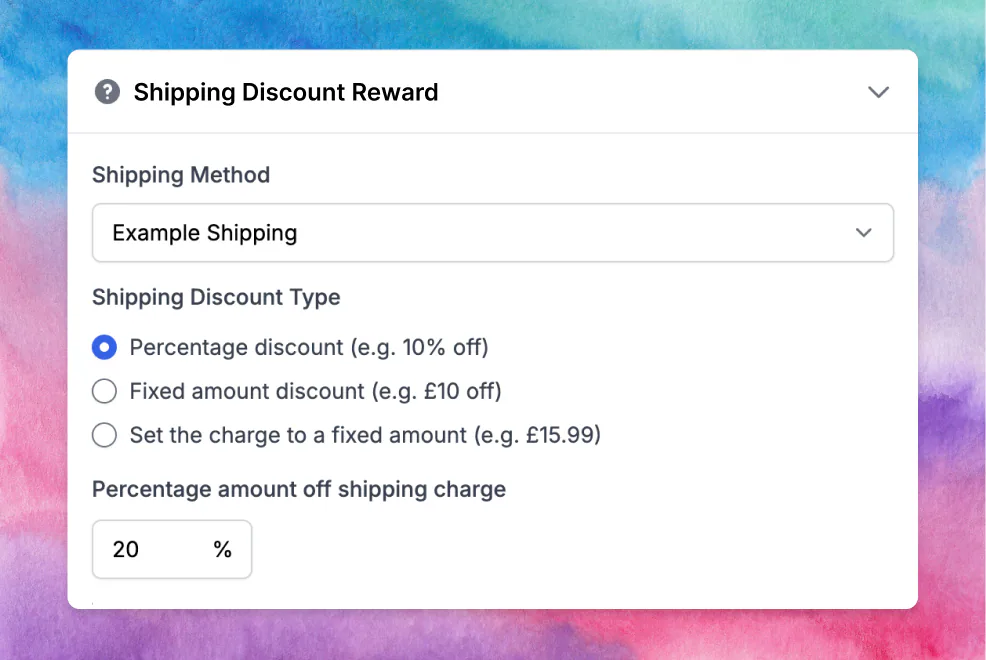
Using this feature does require enabling the SparkLayer shipping system and you can learn more in Discounts.
Improvements
-
Sales Agents - Creating New Customers
For Sales Agents with "Administrator" privileges, when inviting a new customer via SparkLayer, it's now possible to disable the "Invite" email that is sent to the customer. This is available for all merchants using Shopify. Learn more in Sales agent ordering
Version 3.2
NewShow RRP prices only (for in-store shopping)
If you manage orders in physical locations with customers (e.g. in store), it's possible to enable a setting that sets the SparkLayer Frontend Interfaces to only show the RRP (MSRP) prices when browsing and adding items to an order.
This is especially useful if you need to "obscure" your B2B prices from view and you only want to show the full retail prices.
Use-cases could include:
- In-store customer visits where an order needs to be placed and the customer must only be able to see the retail (RRP) prices
- Sales teams who are placing orders on behalf of customers (e.g. on the road) and only the retail (RRP) prices must be seen
Learn more about how this works in How prices are shown.
NewSales agents - custom shipping methods
One of the most requested features for our Sales Agent Ordering tool is to allow sales agents to make changes to the shipping costs during the checkout. We've now released the ability for sales agents to set custom shipping prices for any orders they place on behalf of their customers.
To learn more about how this works, see Sales agent ordering.
NewOrder searching and filtering by date
It's now possible for B2B customers to search and filter orders by date range within the My Account Interface. This is a great way to quickly see orders based on specific criteria and time period, making it easier to keep track of order activity.
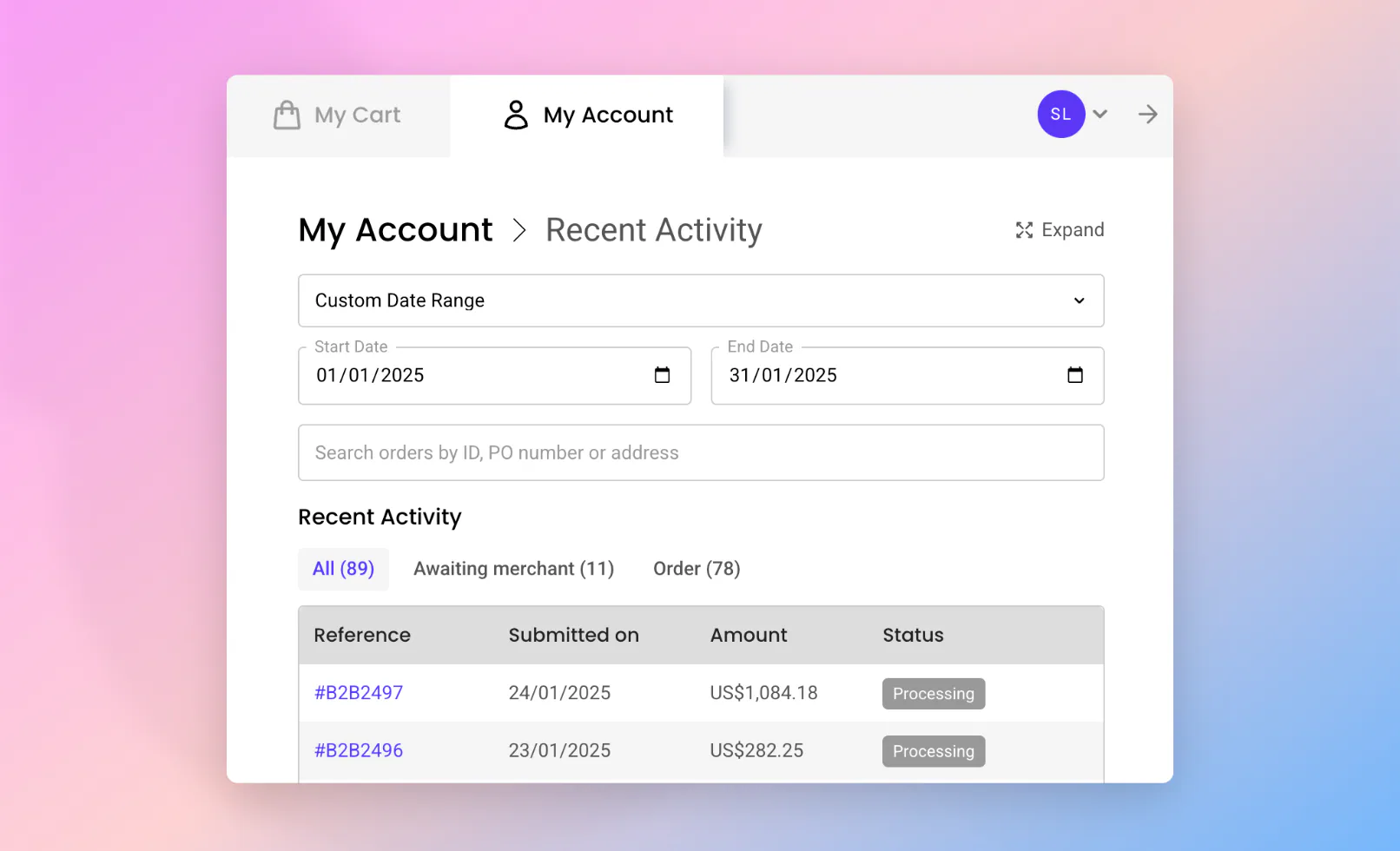
To see this in action, click "View All" within "Recent Activity" and you'll see the option to search and filter your orders.
Improvements
Mobile layout improvements
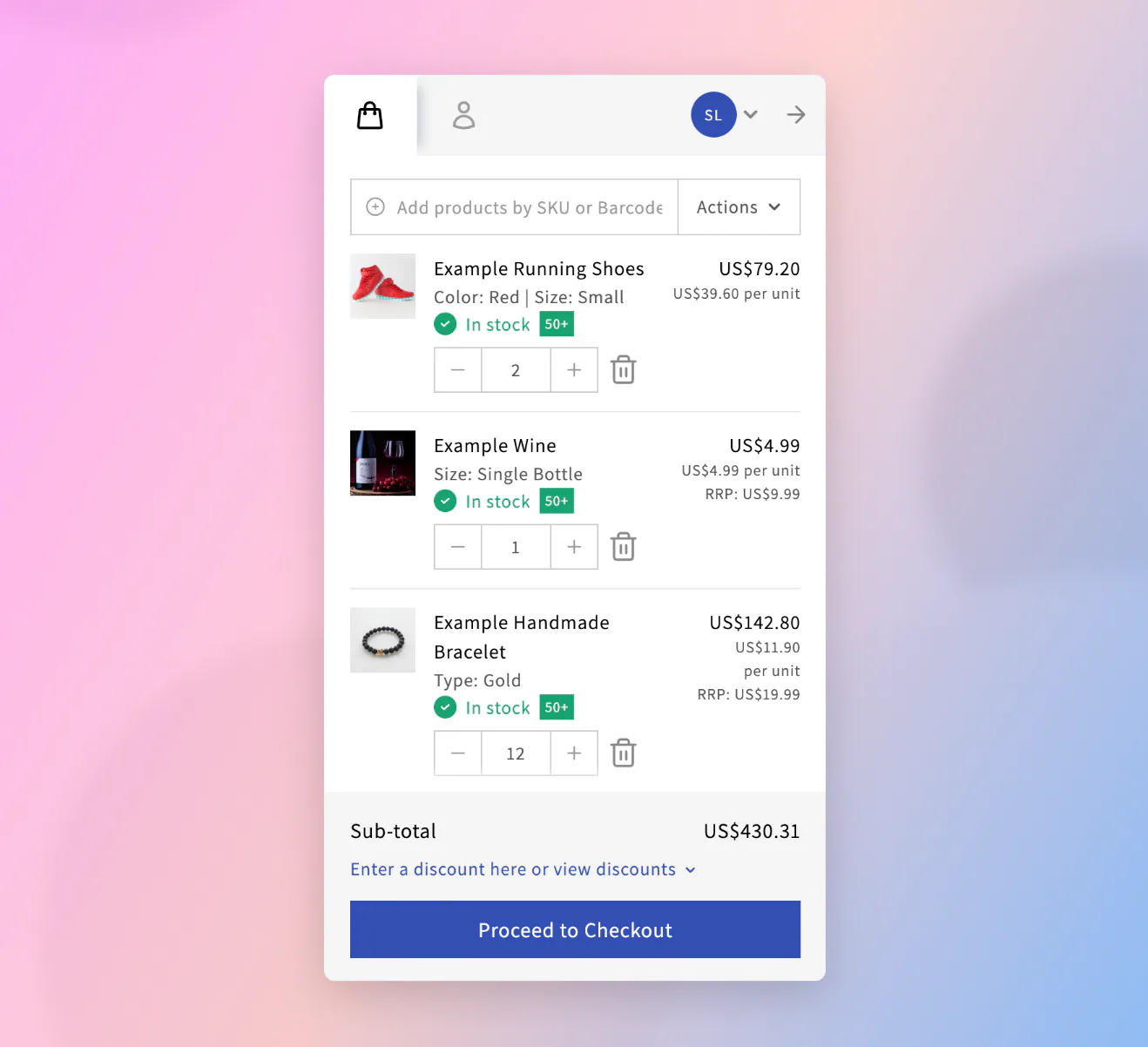
We've made improvements to the Cart & Checkout to better support smaller (mobile) devices. When a B2B customer is using SparkLayer on these devices, the interface will now show more line items and offer an easier way to navigate between checkout steps.
Shopify - improved handling of B2B prices
Please note
From 1st February 2025, this feature is enabled by default. If you started using SparkLayer before this date and you'd like to enable this on your Shopfy store, please contact us and our team will action this for you.
This is an optional feature and it is not mandatory to enable.
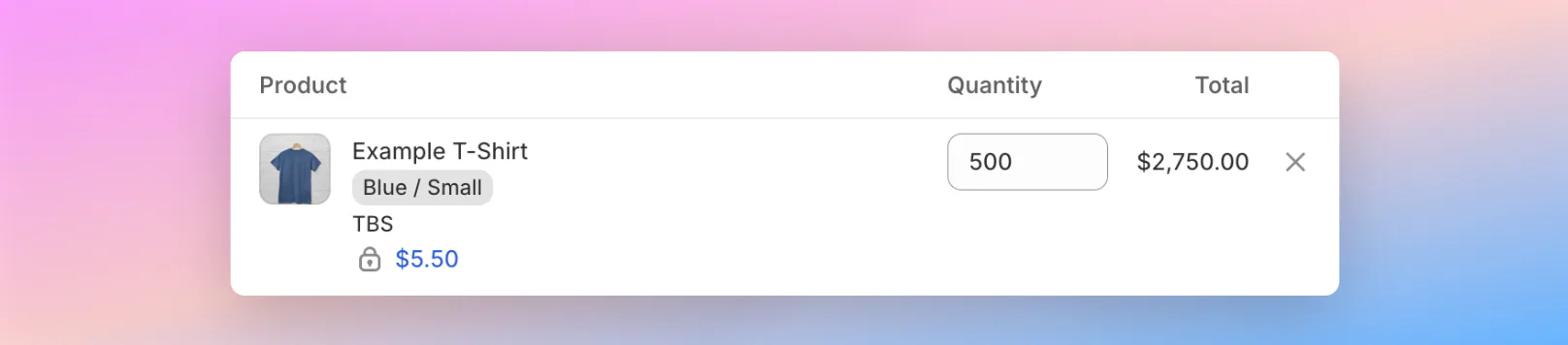
We've improved how SparkLayer handles pricing in Shopify, removing the need for B2B pricing to be applied as a "discount". When a B2B customer now places an order, the price shown against a product will exactly match the B2B pricing you set via SparkLayer Pricing.
To illustrate the difference, the screenshot below shows how pricing was calculated previously (using a discount against the line item product price)
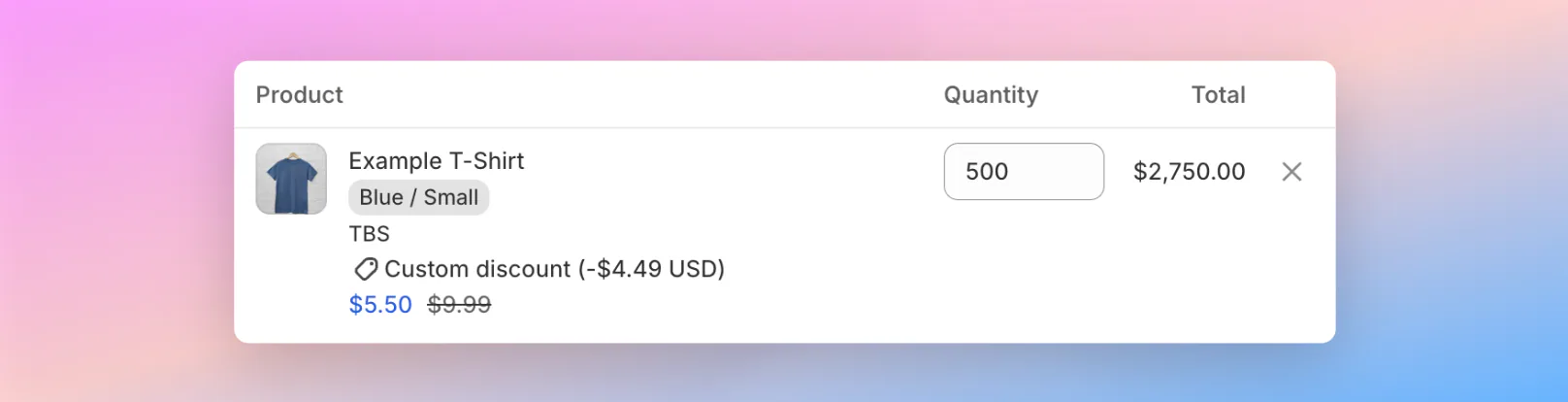
With the latest change, the price shown will exactly match your B2B pricing without needing to apply a discount.
Shopify - support for new customer accounts
If you're using Shopify and you'd prefer to use Shopify's new "Customer Account" feature, SparkLayer is now fully compatible. This means that SparkLayer can now work with Shopify stores that use either new "Customer Accounts" or classic "Legacy Accounts". To learn more, read Installing SparkLayer on Shopify.
NewChange ownership status in the Dashboard
If you have multiple users invited to your Dashboard, you can now easily transfer ownership to another user. This is especially useful if you're initially setting up SparkLayer and you want another user to manage the ongoing account management.
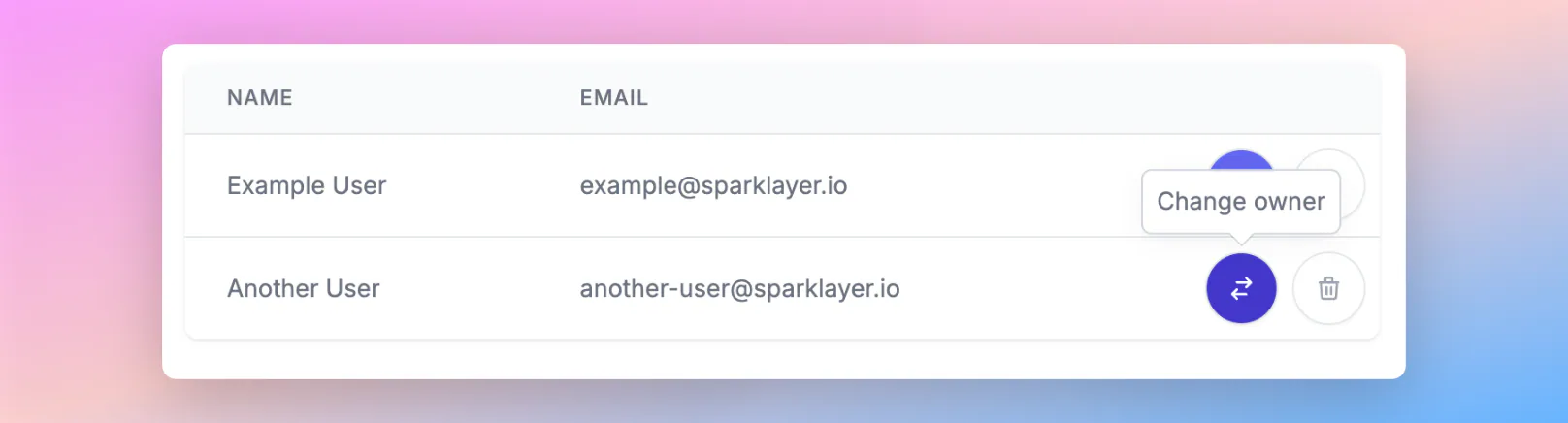
To learn more about how this works, head over to Account settings.
NewIntegrating Google Analytics with SparkLayer
If you're looking to track key events in Google Analytics (GA4) or Google Tag Manager (GTM) through SparkLayer, you can now set this up directly in your integration. This will help you capture valuable B2B events like "add to cart" "checkout," and "purchase" actions. Learn more in Technical information
NewNew Email Notifications for Company Users
We've now added the ability for Company Users to receive emails when "Limited Users" submit an order for a review. Email notifications are sent to both the "main" and "limited" Company Users at key stages of the order review process, without requiring them to be logged in. You can learn more about how this works in Company users
NewProduct Matrix Interface
We've introduced a major update to our Frontend Interfaces that now lets you convert your product pages into a special "product matrix" table view, making it even easier for your customers to order products!
If your products come in multiple variant types (e.g. colour and size), it's a great way to allow customers to quickly see all variants available and purchase them. To learn more about how this works, please see Product matrix.
NewOrder details
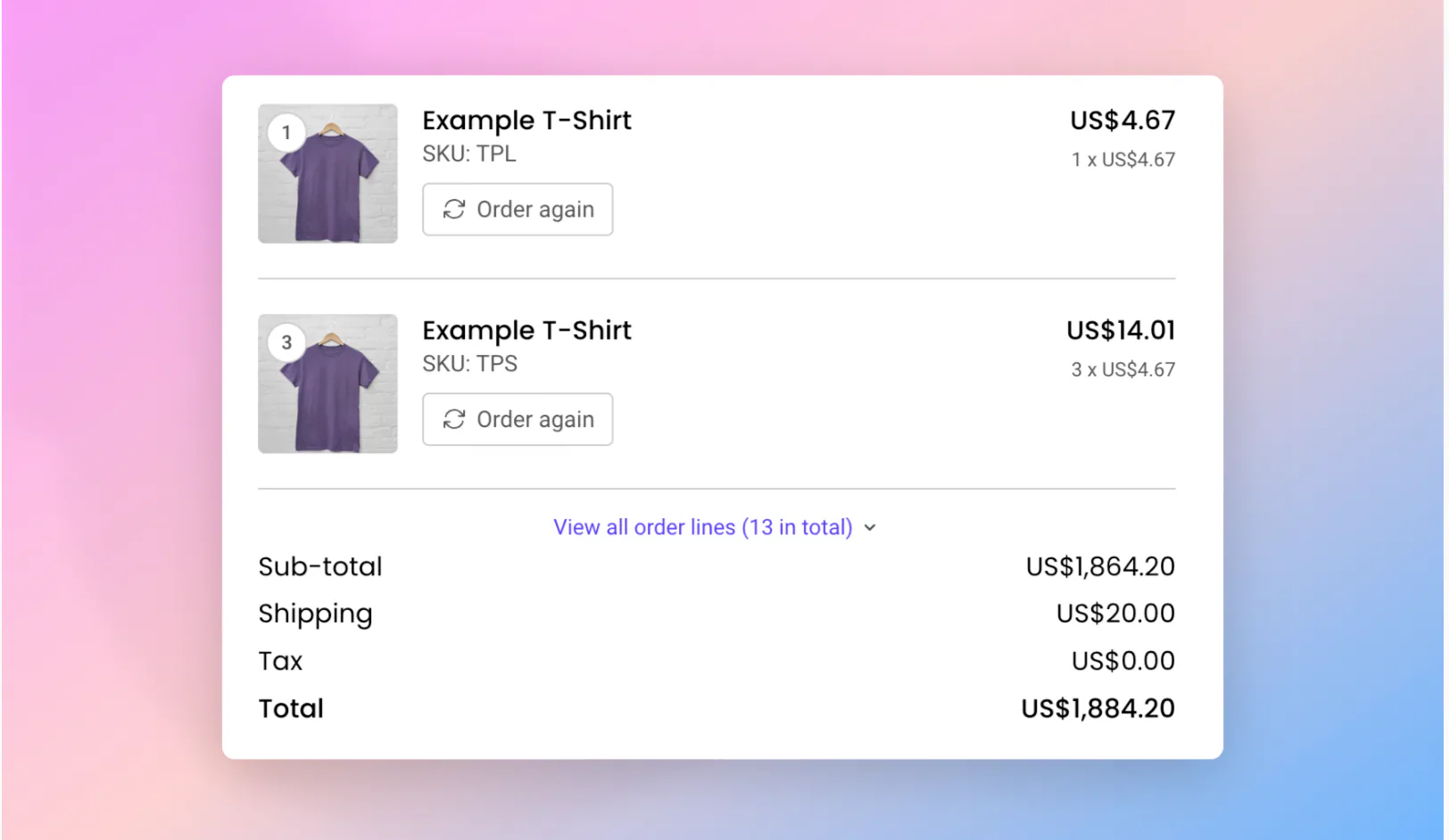
When viewing an order within the My Account Interface, if an order has more than 10 unique items, a "View all" link will now show allowing the customer to see all items in one go.
NewCustom checkout fields - support for new fields
If you need to collect additional data from your B2B customers during the checkout, our custom checkout fields now supports the ability to add drop-down menus ("select" menus).
For example, you may want to give customers a list of options to choose from to include in their order and it's even possible to group the options with different headings. You can learn more about how this works in Cart & checkout.
NewStock display improvements
Please note
This feature requires being on the latest version of SparkLayer. To benefit from our latest updates, please upgrade your SparkLayer Core Script.
It's possible to display stock levels to your B2B customers when they browse your store, giving them visibility of your inventory. Our latest update now gives you even more flexibility and has a number of major improvements.
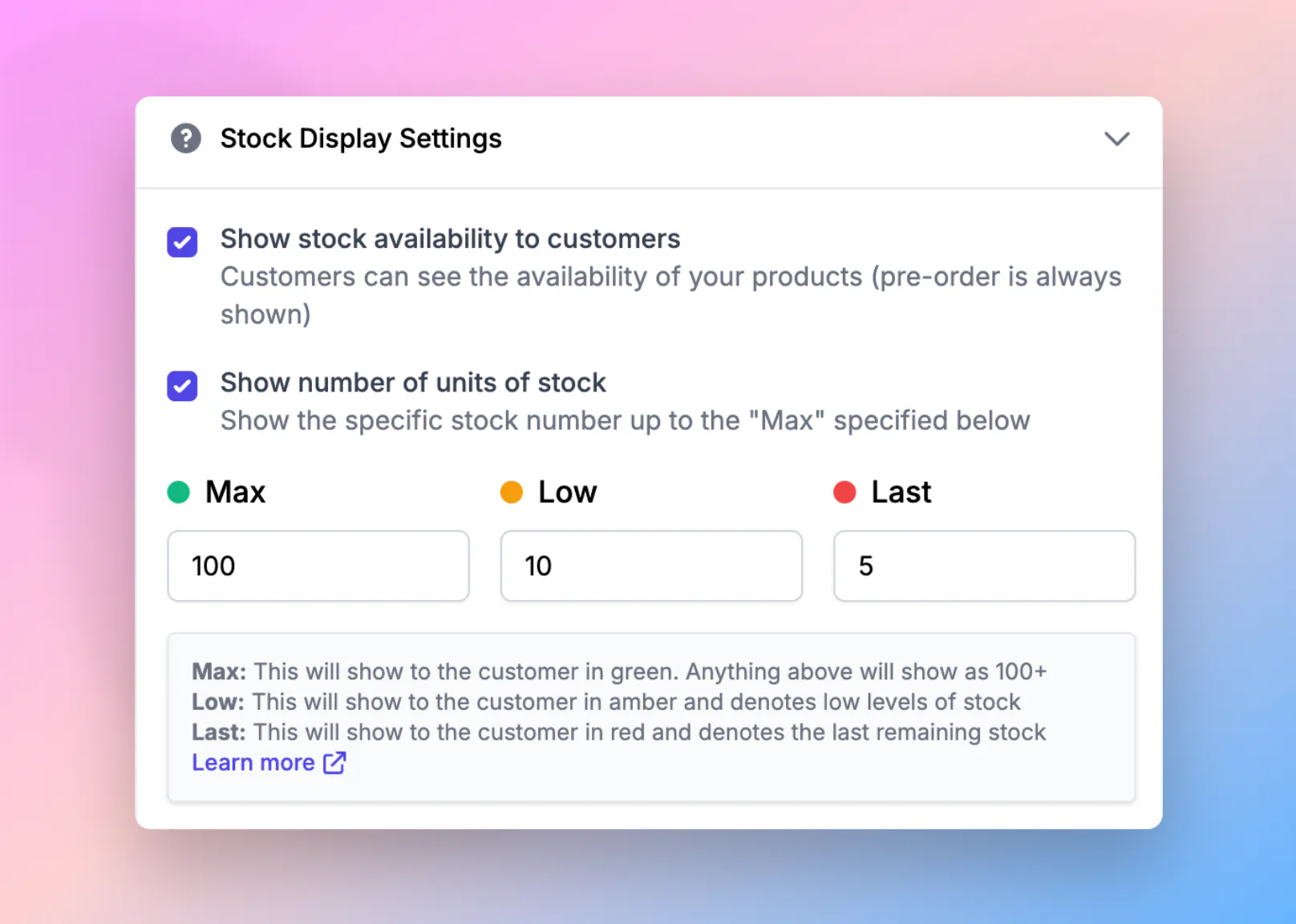
Firstly, it's now possible to display stock levels on a per-customer group basis. For example, you may have some customer groups that you don't want to show inventory to or you may want to configure specific stock settings.
You can also now hide and show the specific inventory count and just show a stock status (e.g. In stock versus In stock [100 available].) Beyond this, we've also simplified how you can manage max/low/last stock levels and you can learn more in Customers.
Improvements
-
My Account Addresses
When adding or editing an address within the My Account area, the
First NameandLast Namefields are now mandatory.
NewLine Item Tax Support
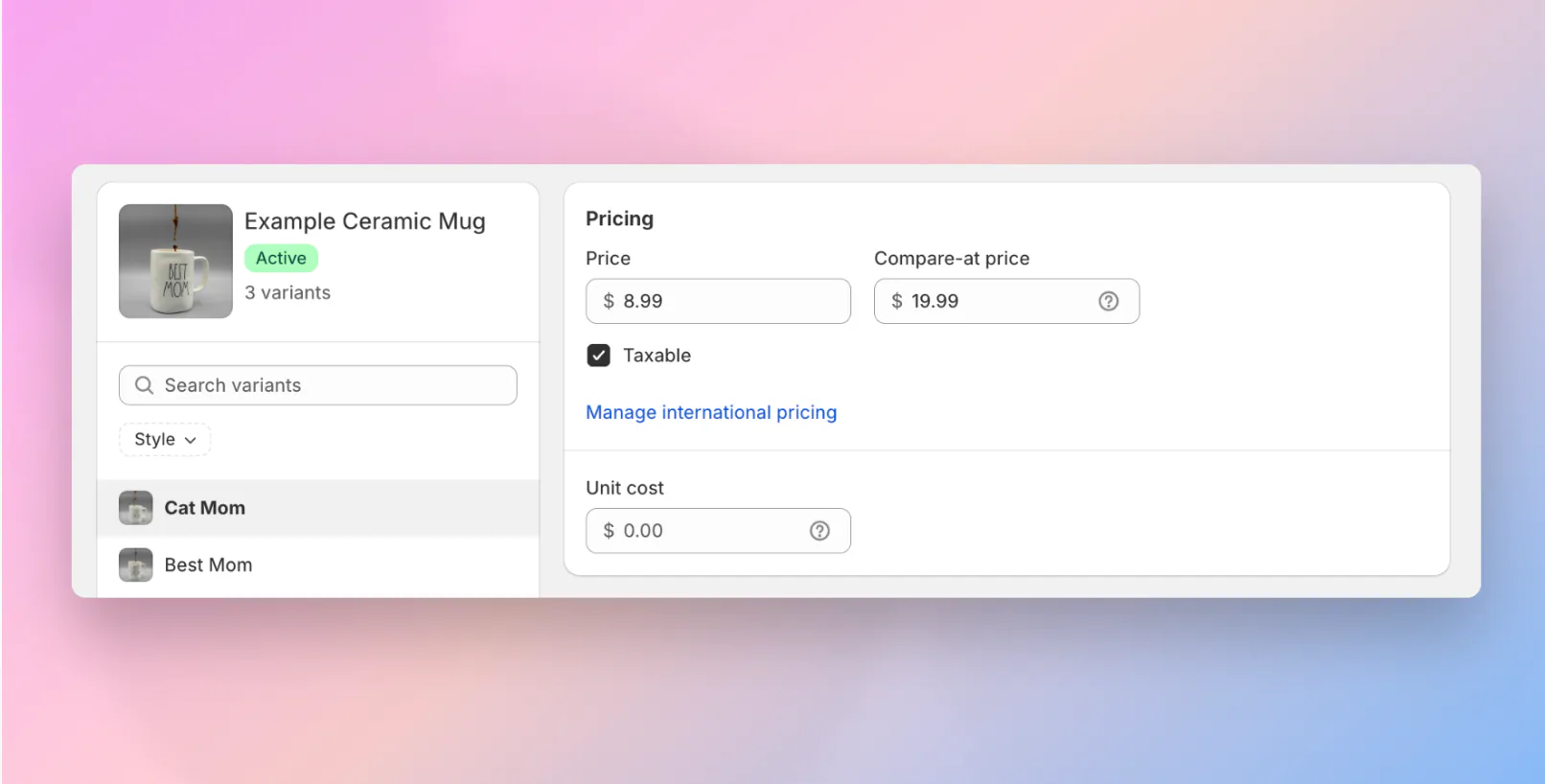
If you sell products that have different tax requirements, you'll like our latest update! We've just released full support for "line item tax", ensuring your B2B customers see fully accurate tax calculations when checking out.
This feature is ideal if you have more complex tax requirements for your catalogue (e.g. you're selling coffee, children's clothing, or products that have varying tax obligations).
You can see a full overview of how it works in How tax works at checkout.
Improvements
-
Sales Agents within the SparkLayer Dashboard
Based on customer feedback, we've made it easier to access Sales Agents within the SparkLayer Dashboard. You'll see this in the main navigation when signing in, or you can open Sales Agents in the SparkLayer Dashboard (opens in a new tab).
NewB2B Discount Engine!
It's here... our most request feature EVER! The SparkLayer Discount Engine.
Our new Discount Engine immediately unlocks a range of discount rules, with more to come in the future. Right now, you'll be able to set up:
- Order-level discounts: eg, spend $1,000 and get 10% off, spend $2,000 and get 15% off
- Percentage and fixed discounts: eg, 20% off an order total, $100 off an order total
- Coupon codes: eg, enter code NEWCUSTOMER and get 5% off
- Scheduled discounts: eg, start discount today and end it on a specific date and time
- Customer-specific discounts: eg, only allow customer group ‘b2b-vip’ qualify for the discount
You can see a full overview of what’s possible in Discounts.
NewCustom slots (add custom code)
Custom slots have arrived! You can now add custom code to a range of the SparkLayer Frontend Interfaces allowing you to customise the B2B experience for your customers.
It's a great way to further enhance your B2B customer experience and use-cases could include displaying promotional messages, links to pages within your store, and much more! Learn more about custom slots
Improvements
-
Purchase history re-ordering
When viewing the Purchase History in the My Account Interface, you can now add individual items directly to any order
NewFile uploads (checkout and product-level)
We're excited to announce the launch of one of our top 5 most requested features, file uploads! As of today, your B2B customers can now upload file attachments during the checkout process, allowing you to capture additional information such as Purchase Orders, custom files (e.g. for personalisation) and much more.
And there's more! In addition to file uploads during the checkout, you can now configure product-level file uploads! Learn more in Cart & checkout.
NewStock location support ("inventory locations')
As brands scale their operations and build out more advanced inventory management processes, it’s very common to see multiple ‘locations’ where inventory is managed. This could be based on geographic location (eg by country) or by more niche use cases specific to a brand’s internal workflows, like routing stock based on what type of customer is ordering.
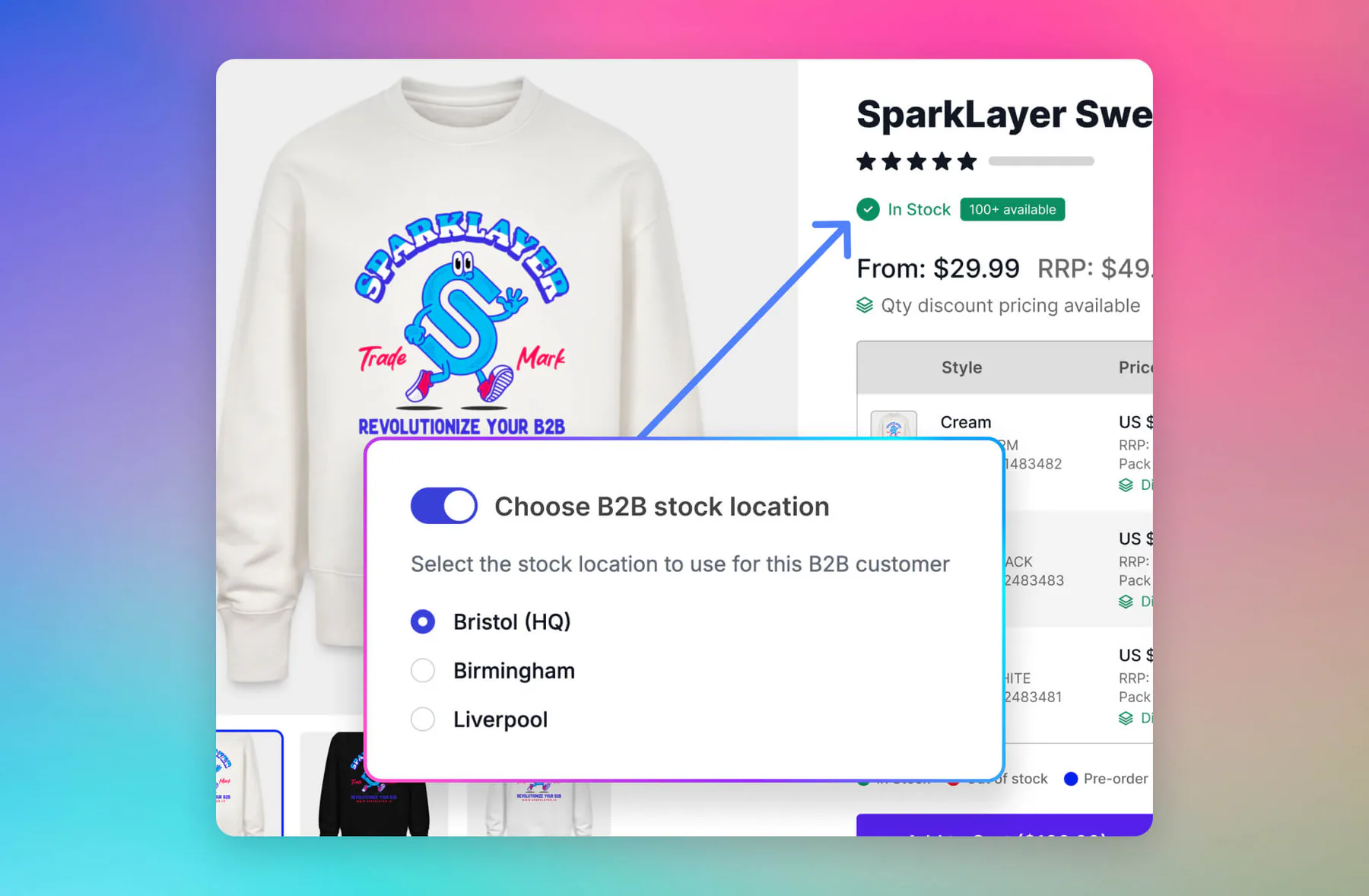
Stock locations allow you to specify which stock (or "inventory") locations you want your B2B customers to use stock from. If your B2B store is set up with multiple stock locations (e.g. by geography), it's a great way to ensure your B2B customers are purchasing stock from the correct locations. Learn more in Customers
NewNew Customer Groups interface
We've just released a major improvement to the Customers area of the SparkLayer Dashboard (opens in a new tab), making it easier to manage your B2B customer rules! We've completely reworked how your customer groups are displayed with a new and improved way to quickly manage all your customer groups settings from one place.
The update also includes new visibility of "customer group inheritance", allowing you to see which rules are being used from another customer group. Head over to the new Customer Groups area (opens in a new tab)!
Improvements
-
Price list improvements:
It's now possible to set up a price list to support a 100% discount against an automatic price source (e.g. your Shopify retail prices). This is useful if you have a requirement to allow specific B2B customers to purchase products at a zero-rated cost (e.g. $0.00)
-
My account credit limits now support multi-currency
If you're store is set up to allow multiple currencies for your B2B customers and you're using credit limits and account balances, you can now configure these specific to the customer's currency (e.g. GBP, EUR, USD)
NewProduct Customisations
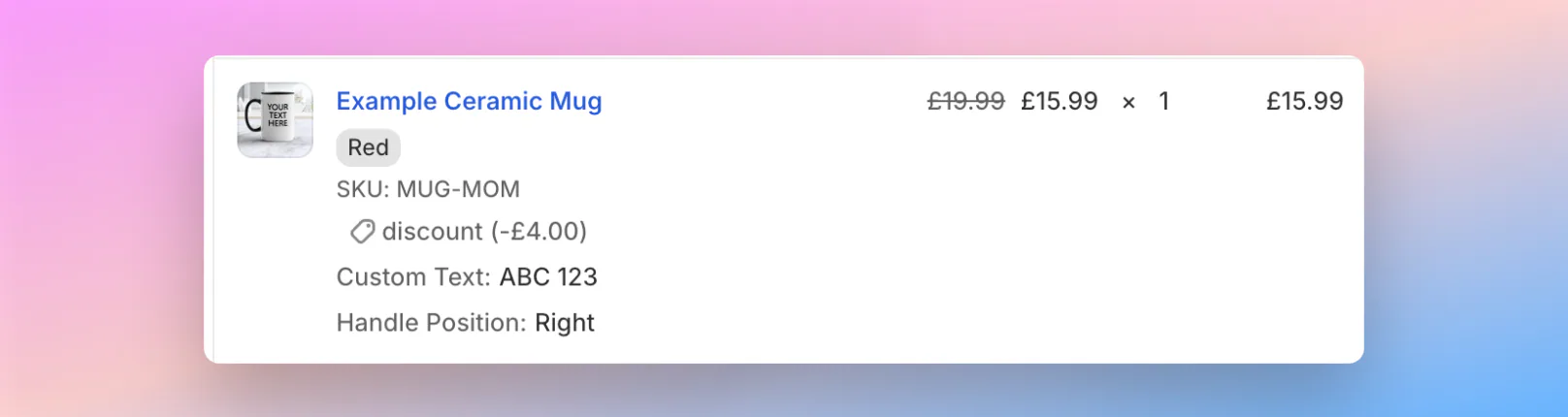
If you sell products that require "customisations" such as custom text or any other unique requirements, you'll like our latest update! We've just released the ability to support customised products via the SparkLayer JavaScript SDK.
This allows your B2B customers to add customised text to products within their order and the information is sent through to your eCommerce platform when an order is placed.
Please note
This is an advanced configuration of SparkLayer and will require a developer to implement on a store that requires this feature. Please refer to our JavaScript SDK for full details.
New"Draft order" visibility in My Account
We've just released a major improvement to the My Account Interface that gives your B2B customers much better visibility on orders they place. Previously, if a customer placed an order via payment methods such as "Pay on Account" or "Pay by Invoice" these wouldn't show in the My Account until the order was marked as "Completed". Now, as soon as an order is placed, these will show with a new status "Awaiting Merchant".
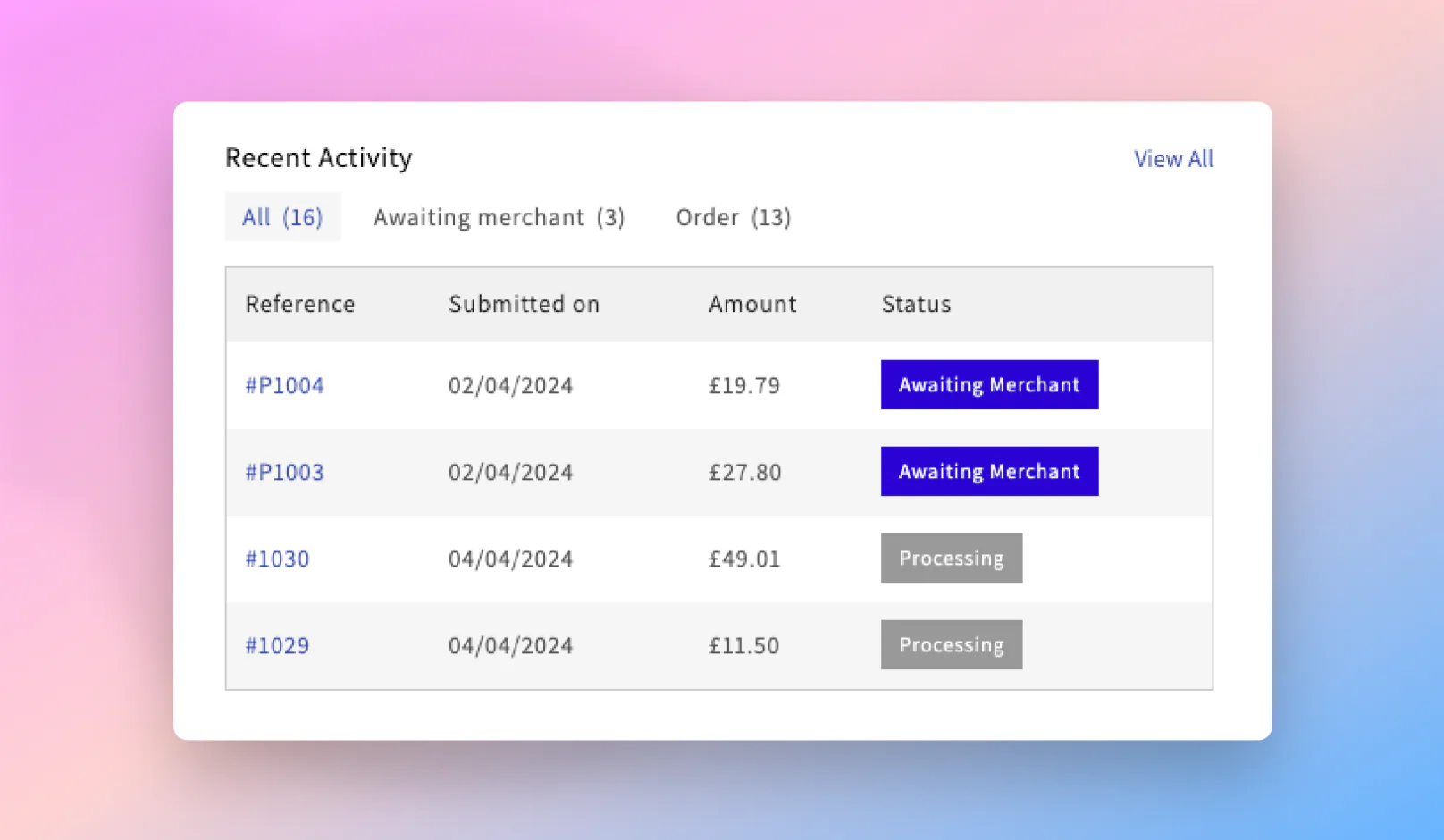
When you (the merchant) completes the order, these will then change to standard order statuses such as "Processing", "Shipped", etc. You can learn more about order status in My Account.
Improvements
-
Purchase numbers to support new order types
Inline with the "Draft order visibility in My Account" above, you can now set "Purchase numbers" to indicate orders that are currently in review. Learn more about dashboard settings
-
Support for Shopify web pixels
SparkLayer now supports the new Shopify web pixel tracking system (opens in a new tab). This will in time replace the need to use the SparkLayer checkout script (opens in a new tab) when implementing SparkLayer on Shopify.
-
Language support for Japanese
We've added Japanese as an option in our available languages.
NewCompany Order Approvals
We're excited to announce a major update to our Company Users functionality: order approvals that let teams set role-based permissions!
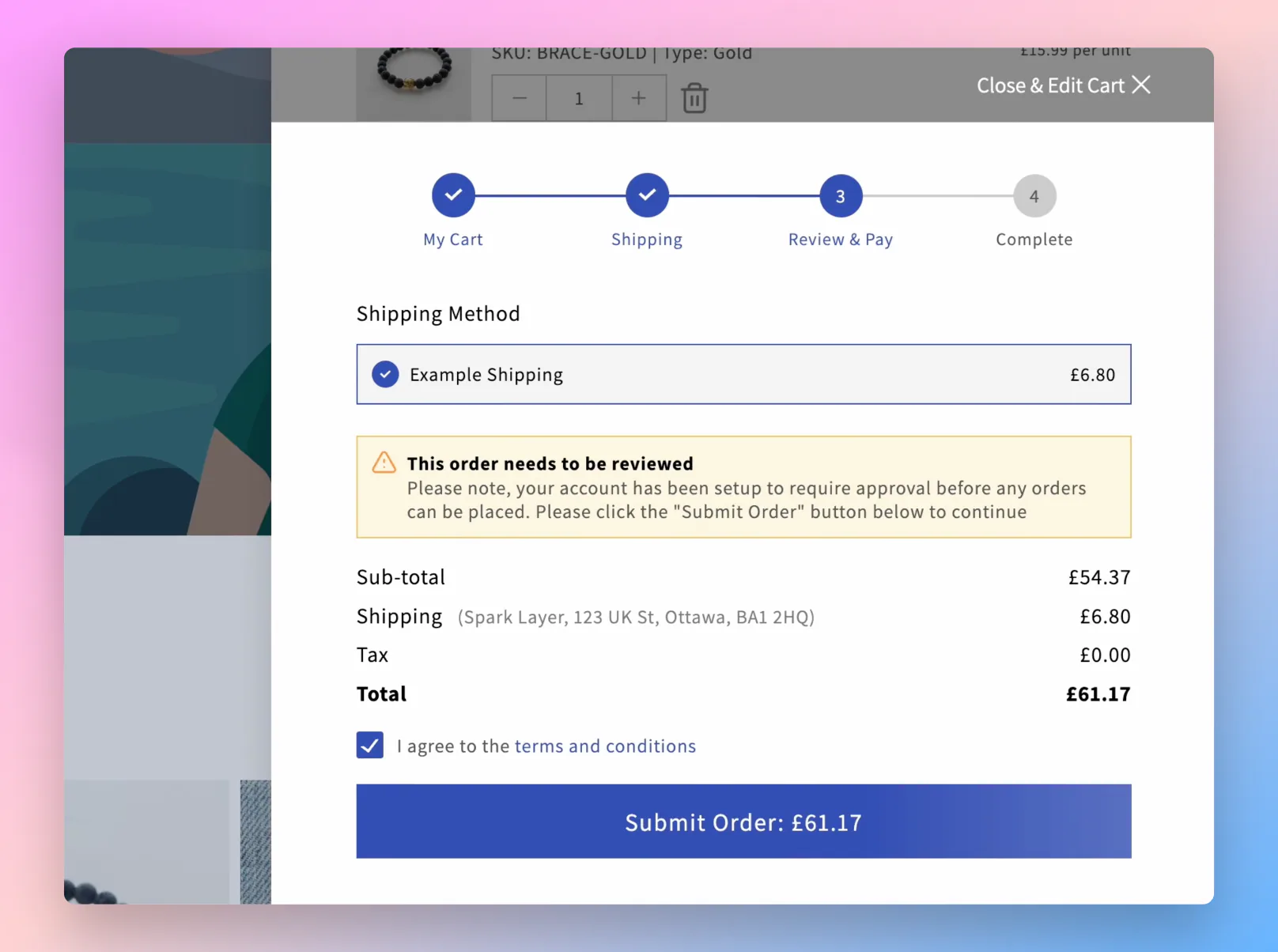
Via our Company Users feature, B2B customers can invite colleagues and set powerful role-based controls on what they can and can’t do (e.g. some can add items to an order, whereas others can complete the order to be fulfilled). Please note, this feature will be launched later in March.
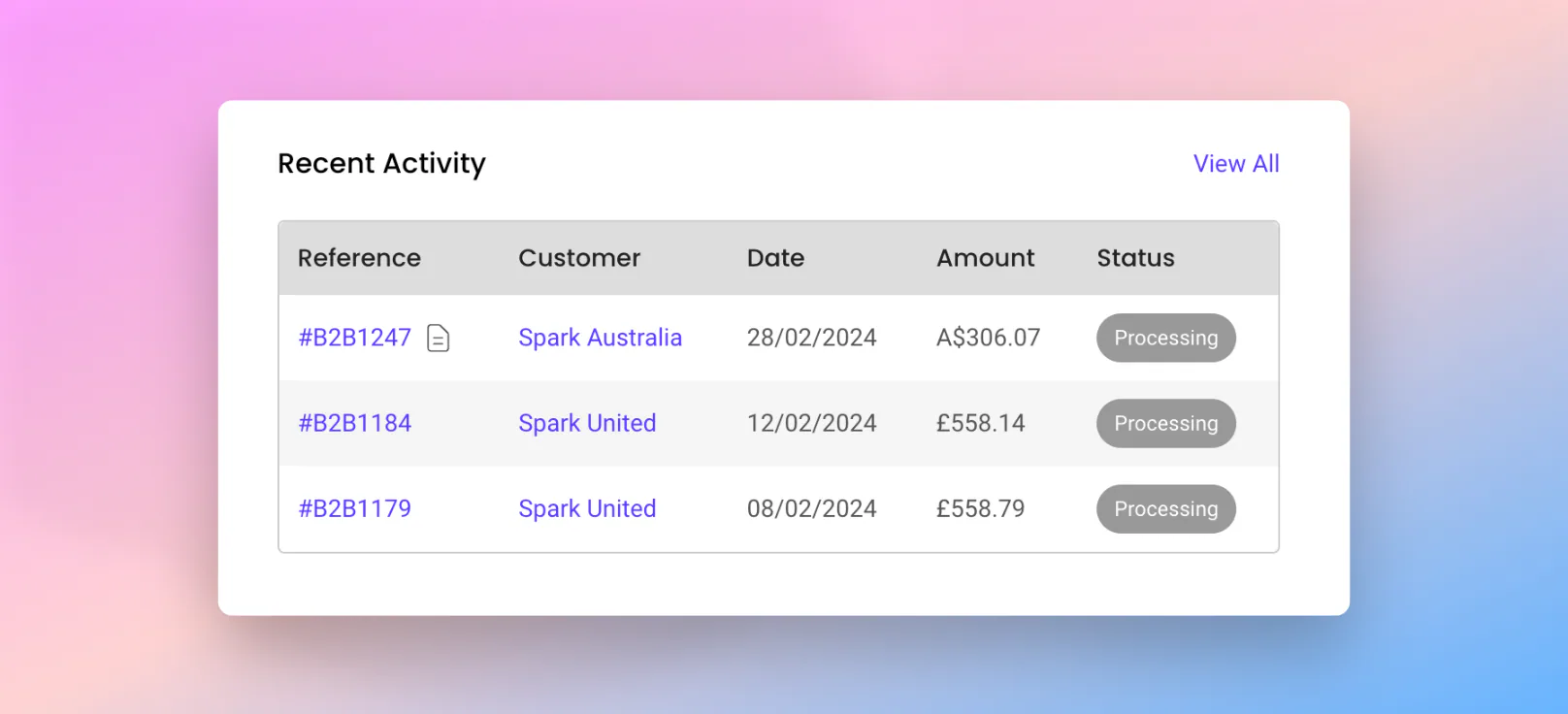
NewSales agent order history
We've released a much requested improve to our Sales Agent Ordering feature. Sales Agents can now view recent order history pertaining to customer accounts they manage. When a sales agent logs in, they'll see this new section on the sales agent search interface.
NewSales Agent - Setting overwrites
It's now possible for Sales Agents (with "Administrator" access) to overwrite product settings such as pack sizing and min/max product quantities. When signed in as a customer, free form quantities can be entered to increment or decrement the line item level quantities. Learn more in Sales agent ordering.
NewMy Cart - CSV file upload
If your customers make use of the CSV file upload feature, they can now upload CSVs using a barcode as the primary identifier. This works in addition to use a SKU.

Improvements
-
My Cart - show stock status
If you've configured SparkLayer to show stock levels, the My Cart Interface will automatically show the stock status for any items added. It's a great way to give customers more visibility of the specific inventory levels of items in their order.
-
Product Card - Hide Prices
It's now possible to hide the total price from showing on the Product Card Interface if you'd prefer to keep this hidden. Learn more about product display
-
Product Stock - Hide inventory count
If you have Stock Display turned on, you can now selectively hide the specific inventory count from showing. Learn more about stock display
-
Dashboard Price List - upload multiple CSV files
It's now possible to upload multiple CSV price lists at once when managing your B2B price lists. Learn more.
-
Cin7 Core integration - multi-currency
We've upgraded our Cin7 Core integration to now better support stores that have a multi-currency setup. Please contact our support team to learn more.
-
Loading interfaces
We've improved the loading interfaces that show when the Frontend Interfaces first load on a page, making for a smoother experience.
NewDashboard usability improvements
As part of our ongoing improvements to the SparkLayer Dashboard (opens in a new tab), we've released our first major update to make managing your B2B configurations even easier. For the Price Lists and Shipping sections of the dashboard, you'll see a new and improved way to create and manage your settings with our new "slide out" feature.
In the very near future, we'll be rolling out a brand new Customer Groups section that will bring some major improvements to how you manage your B2B customers. Stay tuned!
New"Purchase status" improvements
Under the hood, we've made some major improvements to how SparkLayer handles "purchases" (essentially orders that can have different statuses). This will allow SparkLayer to handle purchase types such as orders that may require review (e.g. a Draft order), orders that may require approval, and a range of other statuses that may be relevant to your B2B operation. In next month's update, we'll be sharing how this works and what it will unlock for our customers!
Improvements
-
Frontend interfaces - "Cart" terminology
We've updated the terminology for "Order" to "Cart" to make it more obvious to customers that products are added to a shopping list. This change will apply to any buttons and titles used in the Frontend Interfaces. This text can also be modified should you want to adjust to anything else. Learn more about languages and custom text
-
Frontend Interfaces - Notifications
We've improved the display of notifications within the frontend interfaces for actions such as "success", "information", and "warning" messages, ensuring a more consistent look and feel.
NewPurchase history reports
Our headline update this month is the release of our new My Account reporting tool that gives your B2B customers even easier (and faster!) ways to place B2B orders!
The first report we've released is the new "Purchase history by time period" which gives customers a breakdown of all products they've purchased over a period of time (e.g. by quarter, by month, by week). The best part? In a matter of clicks, they can re-order an entire range of products and then proceed through the checkout to complete their order.
It's a great way to allow your customers to more rapidly repeat-order and easily see products they've purchased from your store. Learn more about the My Account interface
NewCustom payment method messaging
On the final step of the My Cart Interface, Review & Pay, it's now possible to display a "custom payment messages" that let you add additional details about a payment method.
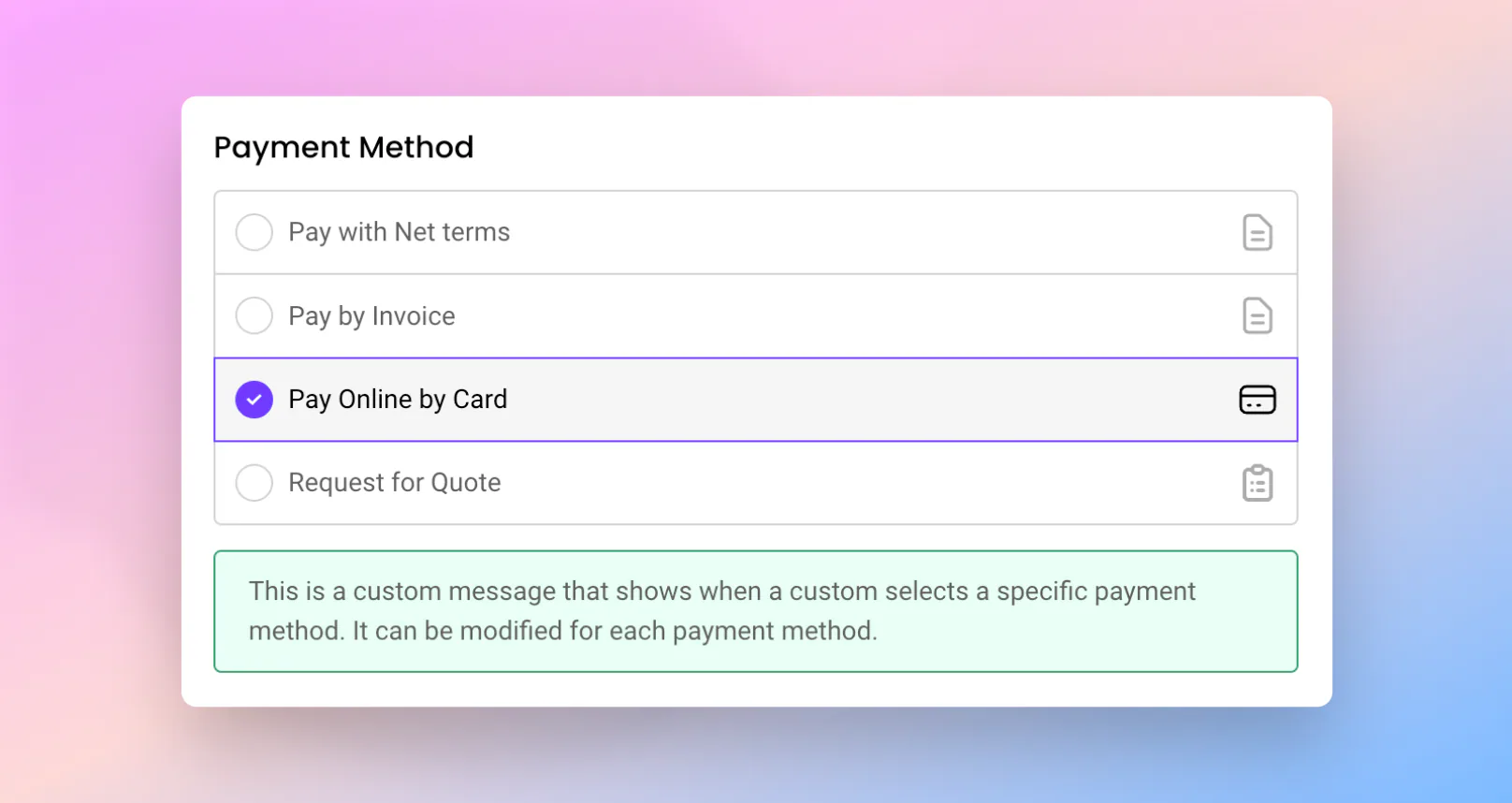
For example, if a customer is paying by "Pay by Invoice", you could add some additional text to inform them on how this process works. Learn more about cart and checkout options
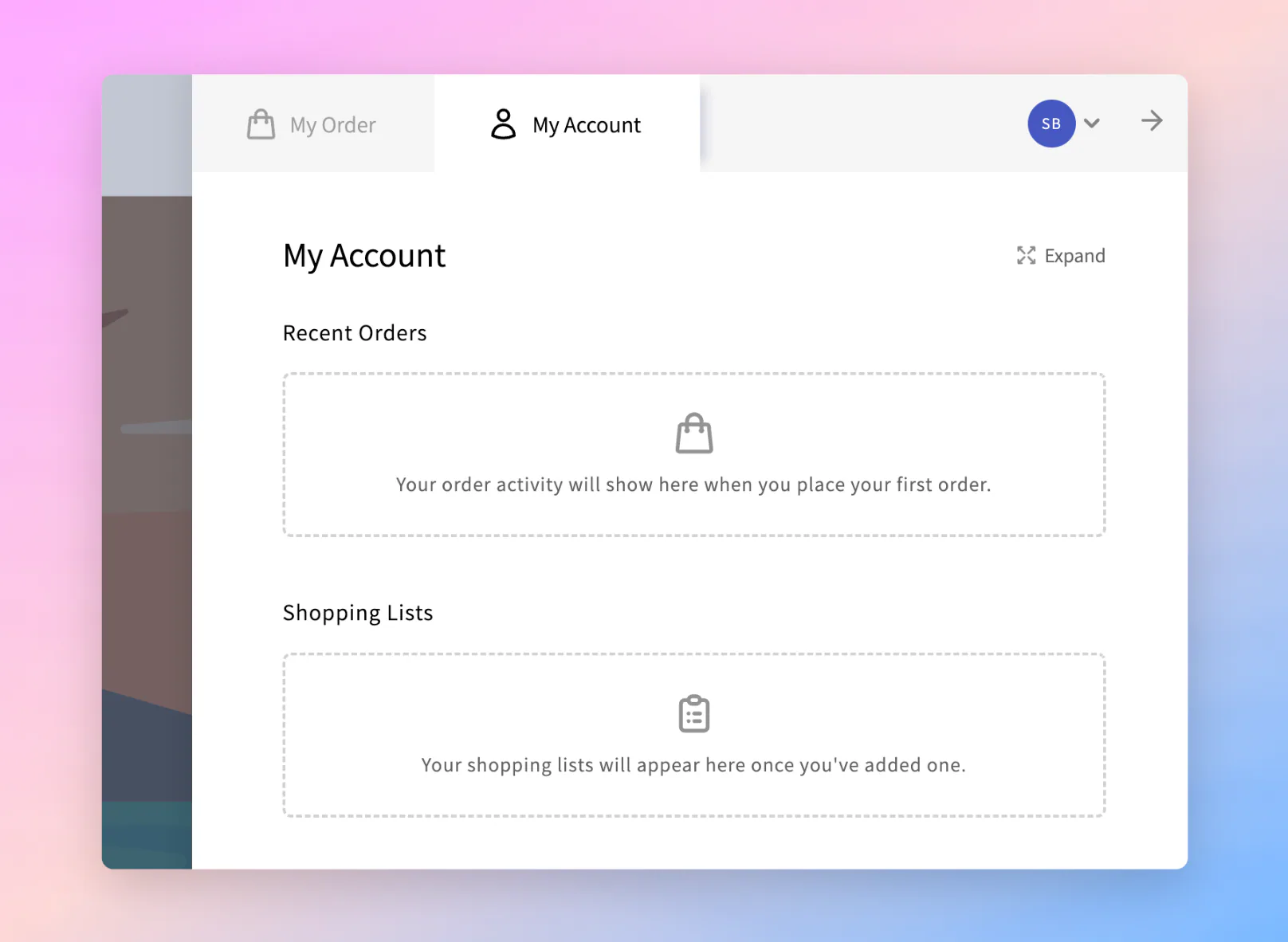
NewImproved messaging within the My Account and My Order
When your B2B customers haven't completed certain actions (e.g. placed an order, saved a shopping list), we've improved the messaging and how this looks to give a more consistent feel and experience. You'll see the same style of "empty state" messaging appear in both the My Account Interface and My Cart Interface.
Improvements
-
Sales Agents - "Recently Access Accounts"
When a sales agent logs in, they can now see their most recently accessed accounts, making it easier to login as a customer (this works based on their browser session).
-
Sales Agents - Search improvements
We've extended the sales agent customer search to now include additional data sources: the default billing postcode (Zip code), first line of address, and city
-
Sales Agents - Customers created by sales agents
When a sales agent now creates a new customer on the fly, this will automatically assign any "b2b" tags assigned to the sales agent themselves. This now makes it easier to filter and segment by sales agent created customers within Shopify or BigCommerce.
-
My Account - Order History "RRP" pricing
When viewing an order within the My Account area, if a product has RRP pricing configured, you'll see this show next to the main B2B price.
-
Price Lists - support for 4 decimal places
When setting up an automatic price list (e.g. 50% off your retail prices), you can now specify up to 4 decimal places (e.g. 24.1245%)
-
Product Cards - selectively hide variant drop-downs
By default, the Product Card Interface will show any variants (such as colour and size) and allow the customer to change them. If you'd prefer, you can now hide specific variant groups you don't want to show, giving you more flexibility on what's shown to your customers. Learn more about product display
NewBarcode support
We're pleased to announce the launch of one of our most highly requested features, barcode support! If you're using barcodes within your eCommerce platform (e.g. Shopify), you can now display these to customers via our Frontend Interfaces and even allow customers to search by barcode in the My Cart Interface.
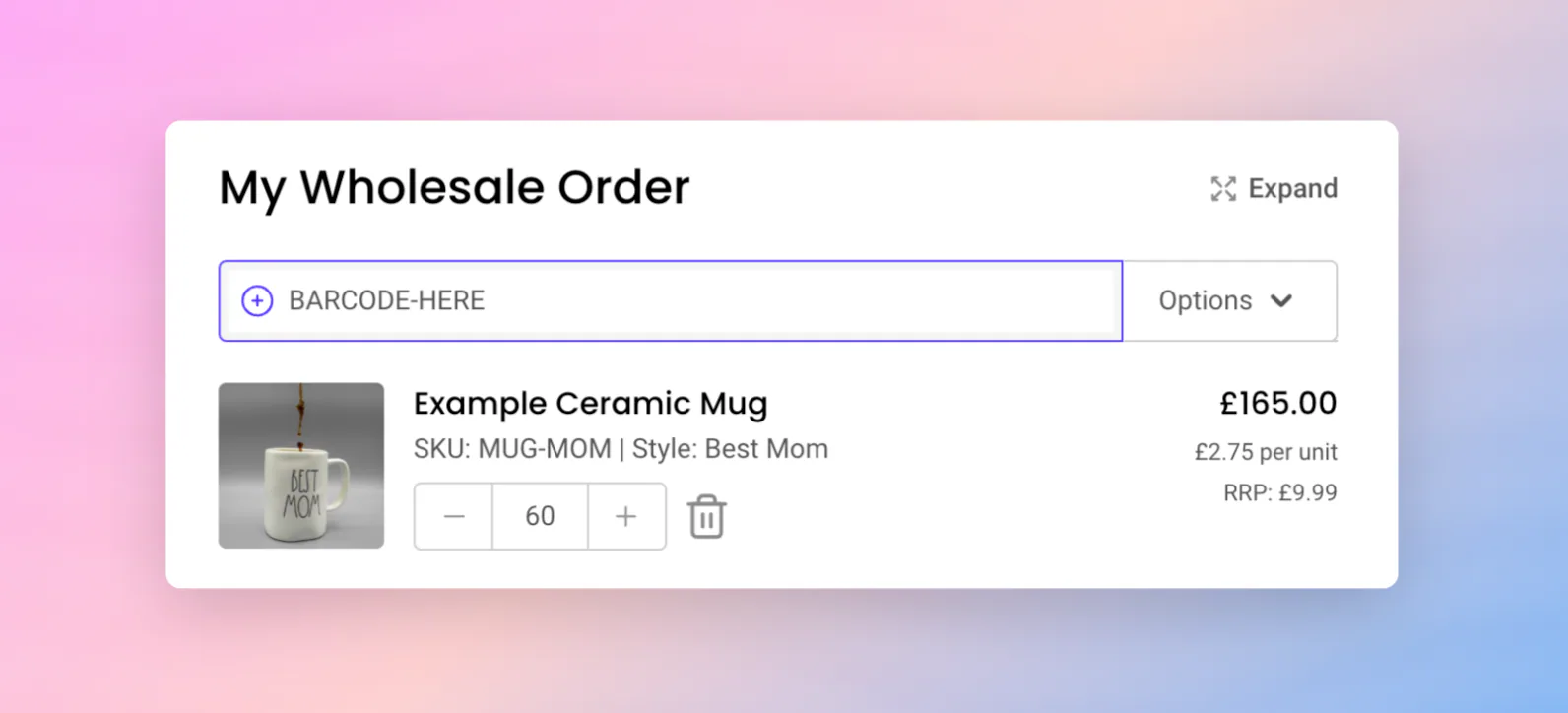
You can also take this a step further and integrate SparkLayer with your barcode scanning system, to really automate the creation of B2B orders.
To learn more about activating barcodes, read How products are shown.
NewUnit of measure pricing
SparkLayer now supports the option to configure your pricing with units of measure, allowing you to offer discounted prices based on specific purchasing quantities.
It's a great way to allow customers to order in pre-defined units such as boxes, pallets, or cases. When setting these up, you can then specify how pricing works for these specific units, as well as handle units that 'fall outside' these. Learn more in Quantity pricing & settings
Improvements
-
Quantity price display in the My Order widget
If you have quantity pricing set up, customers can now see the details of how quantity pricing works directly from the My Cart Interface
-
My Order CSV Import
You can now overwrite the default column headers in the CSV file import available to customers in the My Account Interface. This allows you to overwrite the default
skuandqtythat is currently available. Learn more in My Cart -
Product percentage savings
If you're using quantity pricing, you can now customise how the "Savings" column handles percentage savings with the option to add additional decimal places (e.g. 33.12% off instead of 33% off)
-
Messaging consistency
We've improved messaging within the My Cart Interface so that any actions that add items to an order (e.g. a CSV file import, a shopping list), the customer will be shown a notification message informing them if any products cannot be added
NewCustom shipping messages
A common use-case we see with our customers is shipping rates needing updating after an order is placed. Perhaps you need to perform your own checks on the order or negotiate the final shipping cost. Our latest update to our shipping system allows you to set "custom messages" against shipping rules, allowing you to give more visibility to your B2B customers should the shipping costs need amending.
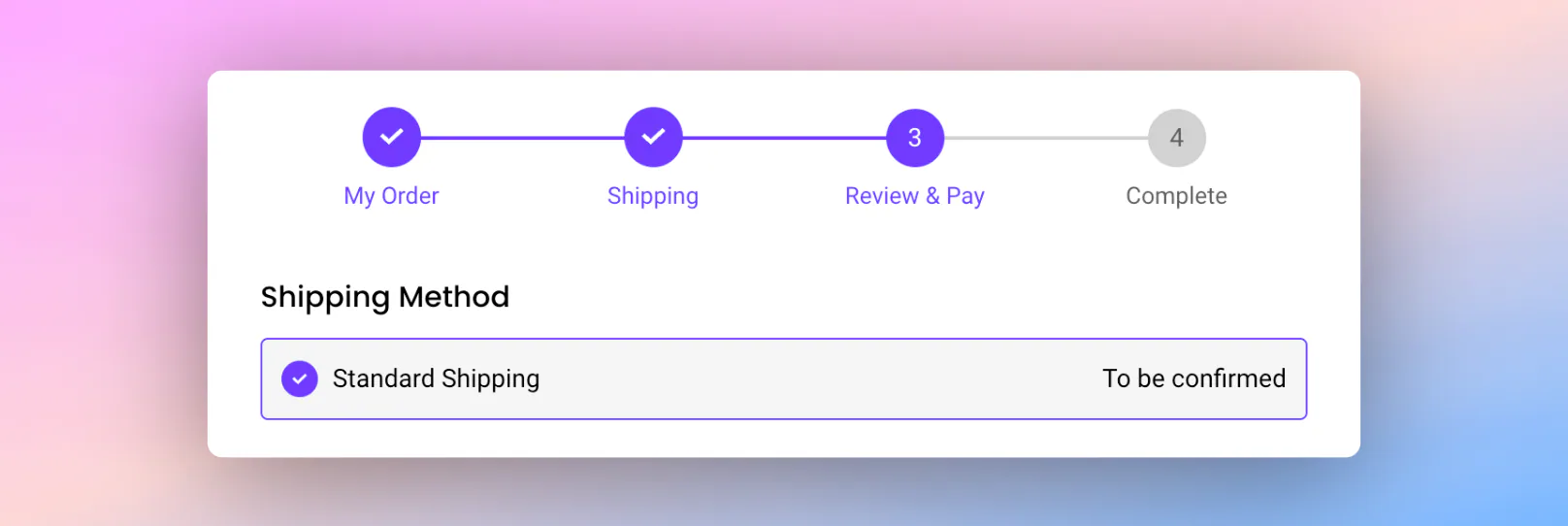
You can learn more about how custom shipping messages work in Shipping rules.
NewProduct Page "All Variants" Mode
If your products come in multiple variant types (e.g. colour and size), you're going to like this update! You can now enable a special "All Variants" mode on the Product Detail Interface that allows your B2B customers to see all available variants in one go. Learn more in How products are shown.
NewOrder Limits by Quantity
Alongside the ability to set order total limits for your B2B customers, you can now set order quantity limits! For example, you may require customers to have a minimum of 100 items in their order before they can checkout, or they cannot purchase more than 1,000 items.
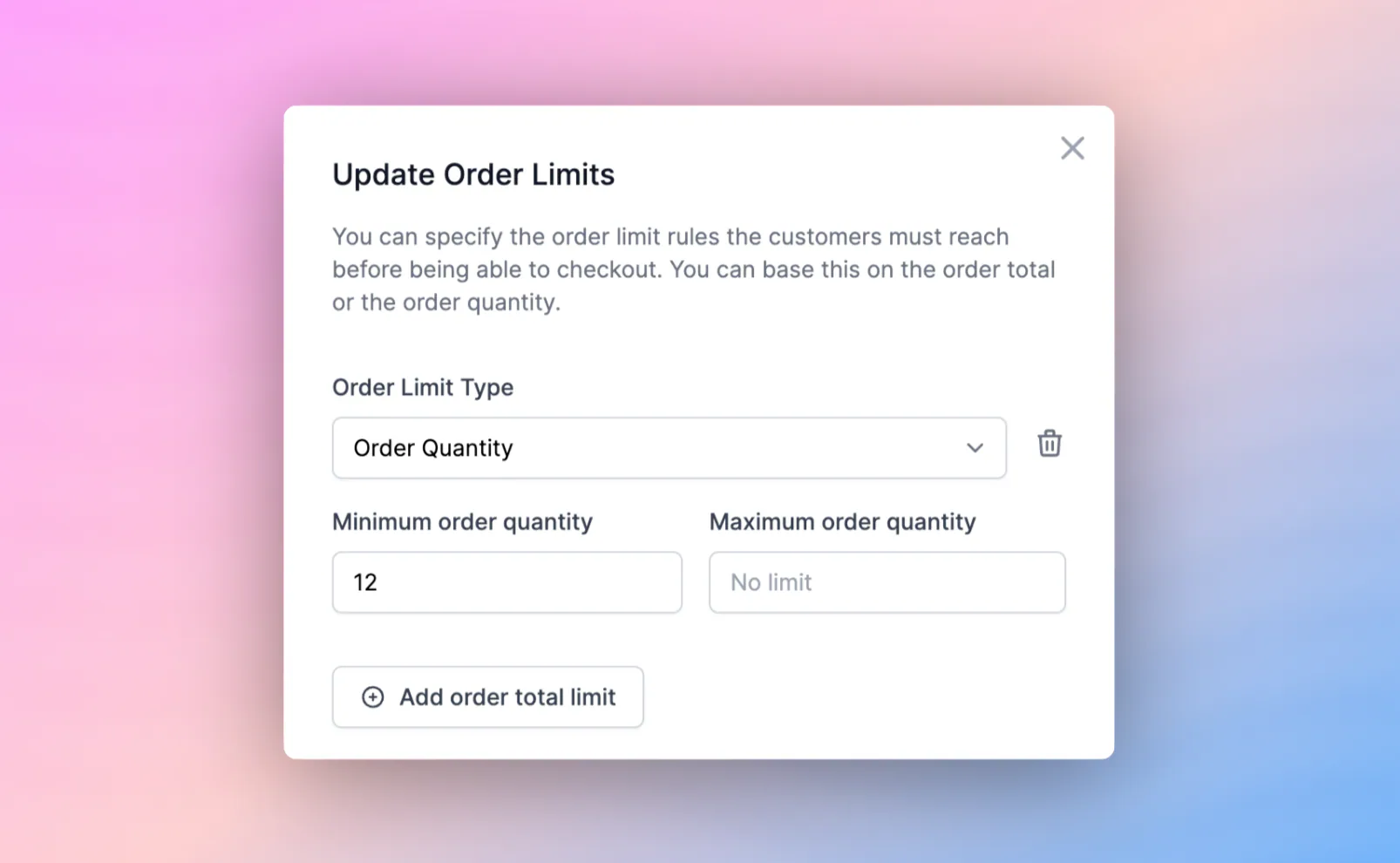
Our latest update allows you to set order quantity limits for any of your Customer Groups and you can even combine order quantity and order total rules! Learn more about customer groups
Improvements
-
CSV Import - messaging
We've improved the feedback messaging customers see if not all items in a CSV file import can be added to an order, allowing them to scroll the list of affected products if the list is very long
-
Price Lists - auto-assigning
If you're creating a price list for the first time, you can choose to 'auto-assign' the price list to your default B2B customer group
-
Product widgets - RRP text styling
You can now additional text styling to the RRP price such as adding a strike-through or customising the colour. You can now use new CSS variables
--spark-pricing-rrp-decorationand--spark-pricing-rrp-color
NewBigCommerce Integration
It's here... the SparkLayer & BigCommerce integration! Now BigCommerce merchants can integrate SparkLayer into their eCommerce stores and benefit from our feature-rich B2B solution. We're very excited to be part of the BigCommerce ecosystem and continue our mission to help brands grow their B2B businesses! Learn more in BigCommerce.
NewSales Agents Improvements
We’re pleased to announce a range of major updates to our Sales Agent tool, that now makes it an even more powerful tool for B2B sales teams to use. And for merchants looking at levelling-up their B2B processes, it’s now even easier to onboard their sales team and bring more automation to their B2B processes. Let’s dive into the new features!
1.Inline Price Editing
Our built-in powerful B2B pricing engine lets customers see their exact B2B pricing rules when they login. However, what if a Sales Agent needs to make an ad-hoc change to a price or apply a discount to a range of products in one go? With our instant price editing feature, Sales Agents can now edit pricing “inline”, allowing them to edit prices in real-time before placing an order. Learn more in Sales agent ordering
2. Create new customers
This new feature lets Sales Agents rapidly add a new customer and begin placing orders for them right away. It’s particularly useful if a Sales Agent is on the road meeting new customers, or at a trade show needing to place orders there and then with a customer. Learn more in Sales agent ordering
3. Place Sales Agent Orders
Now, Sales Agents can not only add products to their personal orders but also complete the checkout process independently. Whether it's for buying a product for an upcoming customer demonstration or making a personal purchase at a preferential rate, this update now gives them the ability to do this!
Please note
The above Sales Agent Ordering updates are available to all customers on the Growth, Pro, and Enterprise plans.
Improvements
-
Product widgets - Dark Mode
We've extended the available design customisations for customers using the dark mode look and feel for the SparkLayer product page widgets
-
Shipping - Percentage of Net Total
You can now set shipping rates based on a percentage of the customer's order total, e.g. 20%
-
Dashboard - Team Invitations
We've made inviting team members easier with a new, streamlined process for becoming part of a team. Learn more about account settings
-
My Order - Product SKU search
We've updated the user interface for the SKU search on the My Cart Interface to display a new icon (a plus symbol instead of a search icon)
-
Error messages now have reference codes
If you ever encounter an error saying "Sorry, an unknown error has occurred", this will now include a reference code number. You can see the list of common error codes in Troubleshooting/
NewShopify Onboarding Dashboard
If you're using your Shopify admin to keep tabs of your SparkLayer installation process, you'll like our latest update!
We've now greatly improved the interface, making it easier to see the key onboarding steps, learn about available features, and quickly access the main SparkLayer Dashboard (opens in a new tab) to complete your onboarding process.
NewRestricting billing address modifications
By default, you can allow customers to edit and manage addresses via their My Account area. If you'd prefer to restrict them from editing their billing address, you can now enable this via the Configurations area (opens in a new tab) of the SparkLayer Dashboard.

Improvements
-
Product widgets - single variant products
If you have single variant products on your website, you can now display the full variant name in the table-view mode
-
CSS styling controls
We've now added the ability to customise the "Order Complete" checkmark icon colour that shows to customers once an order is placed
-
Price Lists admin
If you now try to download a "manual price list" that hasn't had prices uploaded, you'll be prompted with a message (rather than downloading a blank file previously)
NewCheckout address editing
We're pleased to announce one of our most requested features - checkout address editing! Customers can now add new addresses directly from the My Cart Interface, making it even faster to choose shipping addresses and complete an order
This new feature can also help streamline and compliment any drop-shipping activities your customers may be doing. To learn more about how it works, see My Cart.
NewSet minimum and maximum order limits
To add more flexibility to your ordering rules, we've now released the ability to set both minimum and maximum order requirements for your customer groups.
Based on the rules you set, you can now more easily restrict customers from being able to checkout until they meet the order requirements. To learn more, see Customers.
NewCustom checkout message
On the final step of the My Cart Interface, Review & Pay, it's now possible to display a "custom checkout message" that lets you inform customers of any special notes or information they need to be aware of.
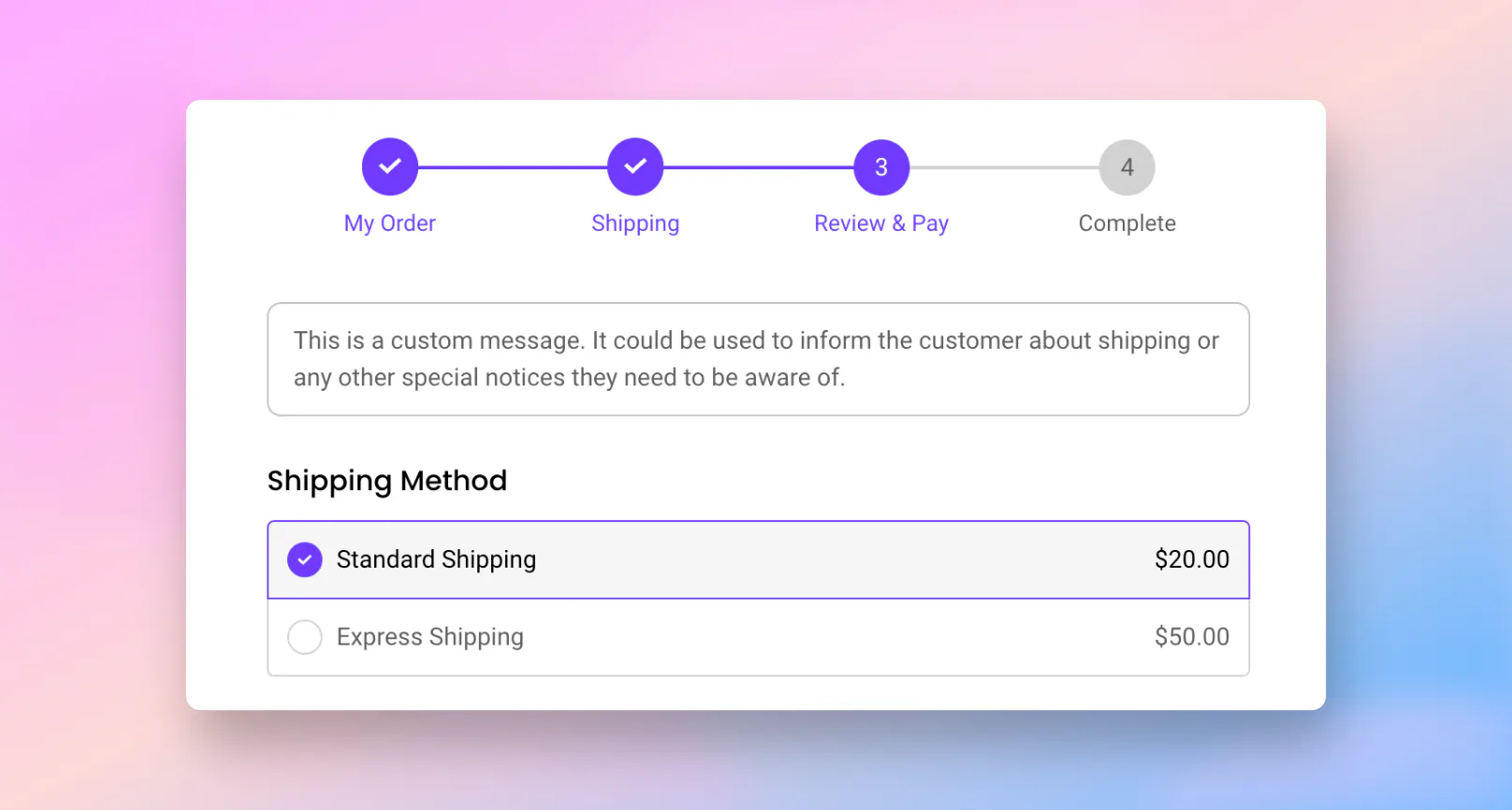
It's a great way to highlight information about shipping, payment, or anything else! Learn more about cart and checkout options.
Improvements
-
My Order - displaying RRP price
If you've set up rrp pricing for your products, you can now display the RRP price within the My Cart Interface
-
My Order - selecting a payment method
If a customer has pre-selected a payment method (e.g. Pay by Invoice) and subsequently makes changes to their order, the payment method will now be pre-selected (rather than resetting back to the default payment method)
-
Product widgets - handling for "Unavailable"
If all variants of a product are set as "Unavailable" (i.e. they have no B2B pricing set), the Product Detail Interface and Product Card Interface will now hide the "Add to Order" button from showing to a customer
-
Product cards - improved handling for variants
If your products have multiple levels of variants (e.g. colour and size), the Product Card Interface will now only show available variants based on availability and "disable" variants that cannot be added to an order
-
My Account - "Financials" section
If you have credit terms set up for your B2B customers but you'd prefer to hide the "Financials" section from the My Account Interface, you can now do this via a new configuration. Learn more about the My Account interface
-
Dashboard - Shipping
You can now more easily edit and delete shipping rules directly from the Shipping area of the SparkLayer Dashboard
NewDisplay custom fields within the My Account
Within the My Account Interface, it's now possible to show "custom fields" allowing you to add additional information that you want your B2B customers to see. For example, you may want to include details of their sale agent contact, website address, or anything else!

Setting custom fields for the My Details area works in a very similar way to the custom checkout fields feature and you can learn more in our Account & addresses.
NewUpload invoices to an order
When viewing an order, in addition to the order details (such as products ordered, order status, address), it's now possible to attach an invoice against an order that the customer can subsequently download.

Once the invoice has been uploaded, your customers can then view the invoice by viewing their order details within the My Account Interface.
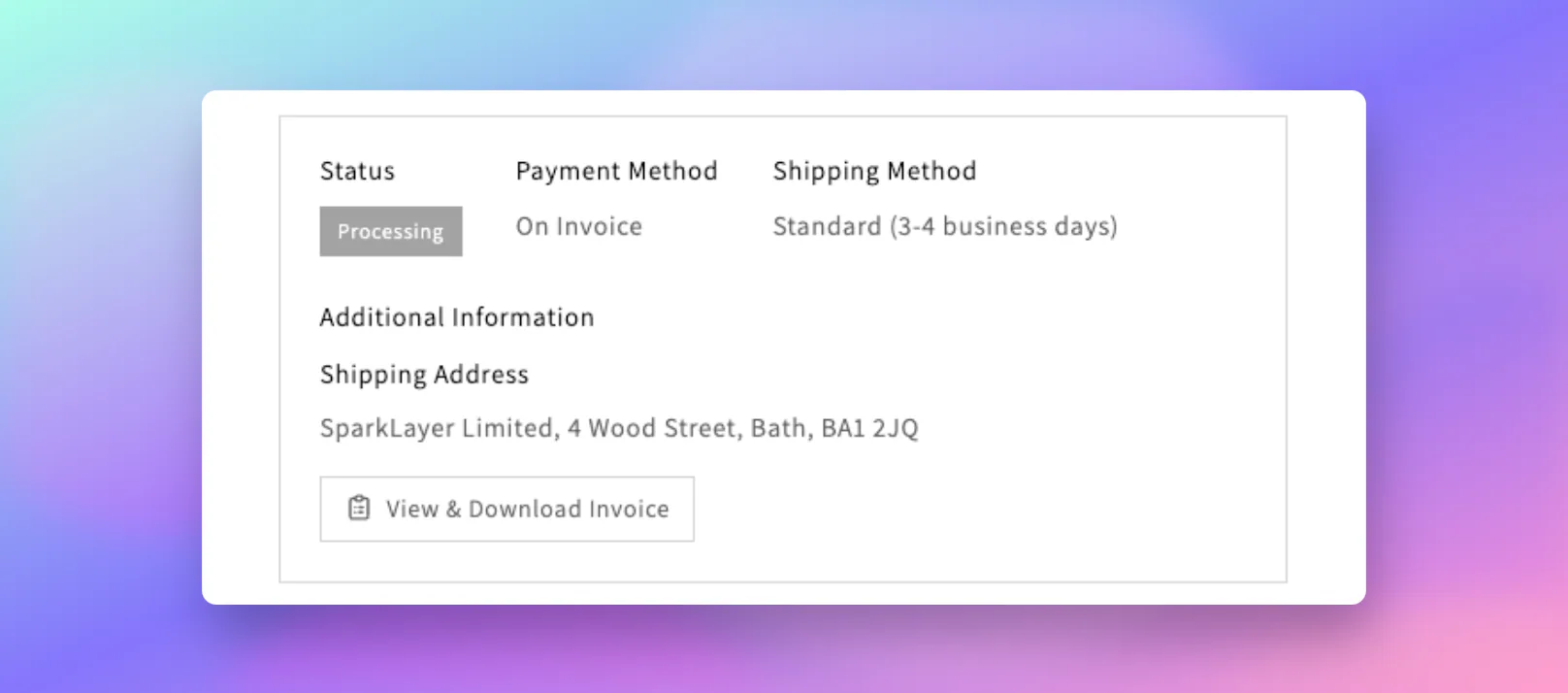
You can learn more about how to set this up in Credit, net terms & invoicing.
Improvements
-
Price lists - clearing prices
You can now "clear" price lists within the SparkLayer Dashboard (opens in a new tab)for any price lists that you've manually uploaded (via a CSV). This is especially useful if you want to remove existing price list data and re-upload it.
-
My Order - uploading CSV data
Within the My Cart Interface, you can now paste in CSV data to quickly populate an order. This works alongside the existing CSV file upload feature. Learn more in My Cart.
-
Product cards - display stock level and SKU
Within the Product Card Interface, you can now optionally display a live stock level and SKU (product code). Learn more about product display
-
Checkout validation
You can now define more granular rules for validating whether a customer is allowed to proceed to checkout. Learn more in out JavaScript SDK.
NewIntegration with experience platform, Pack
Speed and performance have always been at the heart of how we’ve built SparkLayer: from how we manage the complexities of B2B pricing in a scalable way, through to ensuring that the end B2B customer gets the smoothest possible experience when placing orders online.Today, we're thrilled to announce our latest partnership that takes this a step further, as we launch our official integration with Pack! Learn more about (opens in a new tab) our partnership.

NewConfigure net payment terms more easily
We've just made setting customer net payment terms even easier! If you're using the SparkLayer "Pay on Account" payment method, you can now set up specific net payment terms for a customer and have this automatically populate the payment terms in Shopify.
Improvements
-
Address book - phone numbers
When adding an address in the My Account area, you can now optionally make customers specify a phone number. This will then be included in the customer's details if they proceed to place an order
-
Address book - billing & shipping address
When adding an address in the My Account area, customers can now specify if they want the address to be their default Billing and/or default Shipping address. This is useful if they require different addresses when placing an order
NewThe new B2B Price Engine
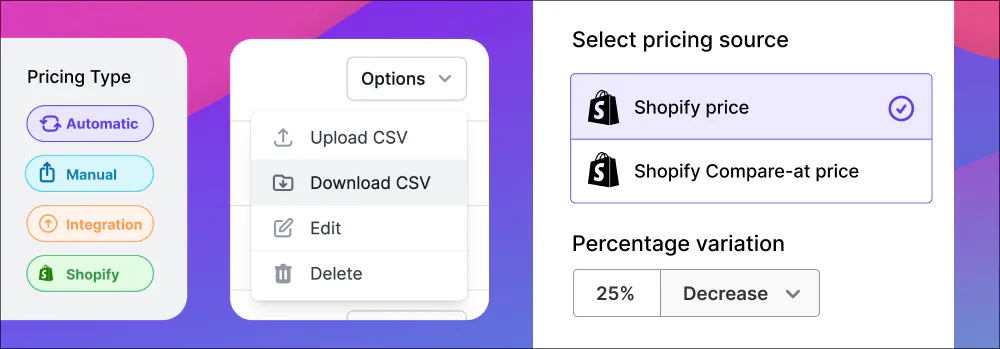
We’re excited to announce the launch of one of our most anticipated updates, our new Price Engine that gives SparkLayer customers powerful new ways to automate and streamline their B2B pricing rules!

Previously, SparkLayer gave customers the ability to manage pricing via CSV uploads and, for more complex integrations, automating pricing via the SparkLayer API. With the new Price Engine, SparkLayer customers can now:
- Use pricing from their eCommerce platform (e.g. Shopify) to create automatic B2B pricing (e.g. set B2B prices to be 20% off Shopify prices)
- Set up automatic pricing based off other price lists (e.g. 50% off your default price list)
- Quickly download price lists to make edits and then easily re-upload
- Edit pricing “inline" with our Price Editor Tool
- Import manual prices more quickly, with a major performance boost
Learn more in our recent announcement (opens in a new tab) or see how it works in Pricing.
Improvements
-
Product widgets
You can now optionally display the RRP prices anywhere on your storefront with our new RRP price widget
-
Performance improvements
We've made a range of improvements under the hood to speed up the process of importing pricing into SparkLayer
NewThe new Price Editor
The Price Editor tool compliments the pricing import tool, allowing you to easily add and edit pricing in a more "ad hoc" manner. For example, perhaps you need to edit a single price for product and add a new one, and you'd prefer not to upload a new CSV file to do this.

The Price Editor tool works by letting you search for a product SKU and then edit and add pricing inline, allowing you to rapid modify your B2B pricing. Our team has been busily working on our major pricing engine update (coming soon!) and we've also released the following improvements.
Improvements
-
Languages
We've added support for Hebrew and Georgian to the SparkLayer Frontend. See all languages we support.
-
SDK updates
If you're using our JavaScript SDK to build more custom interfaces, you can now reference the total weight of an order. This is useful if you want to hide/show messaging based on a customer's order contents reaching a certain weight threshold.
-
Performance improvements
We've made a range of improvements under the hood to speed up the process of importing pricing into SparkLayer
NewCheckout Custom Fields
Checkout Custom Fields give you the ability to capture additional information from the customer when they checkout. We've released two enhancements that give even more flexibility to how you set these up as well as new ways to display this data to customers.
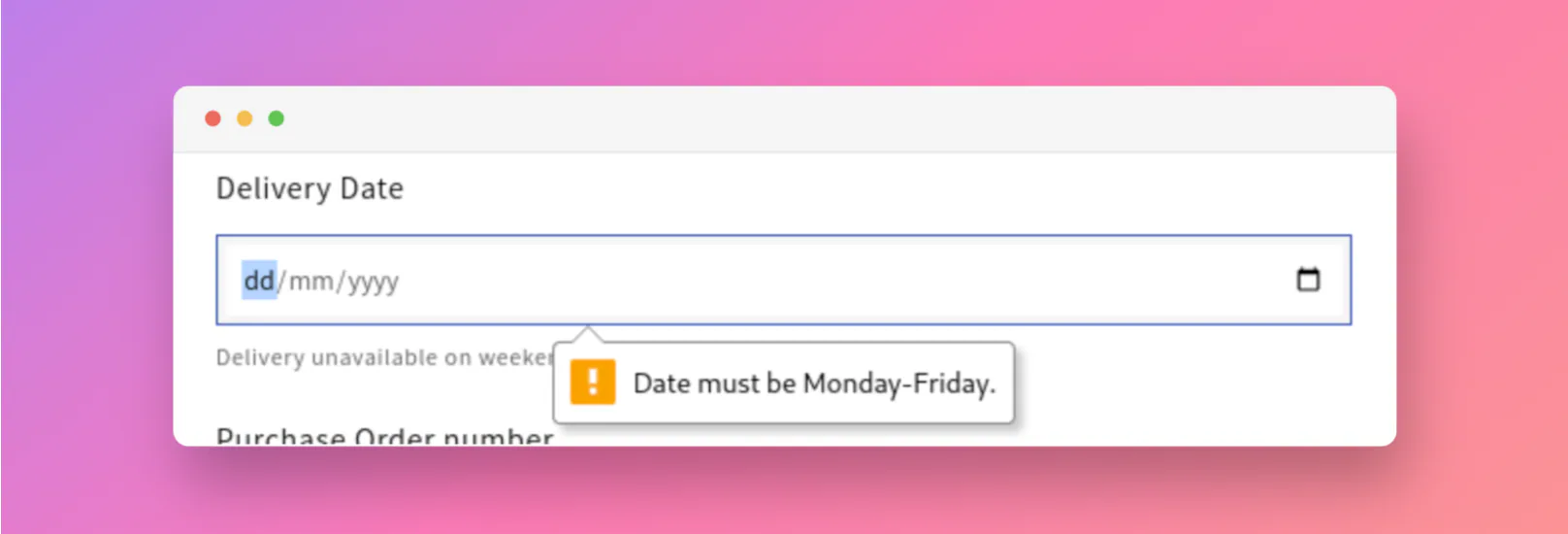
It's now possible to set validation rules within Checkout Custom Fields allowing you to apply restrictions to fields such as dates (for example, blocking customers from selecting a weekend).
Improvements
-
Data Sync area
We've released a new area to the SparkLayer Dashboard called Data Sync that combines both product and customer data sent from Shopify.
-
Payment methods
It's now possible to change the order that payment methods show during the checkout as well as set the default.
-
Stock level key
You can now display the stock level key on desktop by using the CSS variable
--spark-pdp-stock-key-desktop: flex -
Cart notification
You can optionally hide the progress bar by using the CSS variable
--spark-toast-animation-display: none
NewCompany Users
It's here! One of our most anticipated product updates, Company Users, is now available! Company Users is a brand new tool that’s designed to improve the B2B purchasing and account management flow within an organisation. Sometimes referred to as "B2B account management", it allows companies to create teams of users (i.e. Company Users) that can share specific actions within their account.
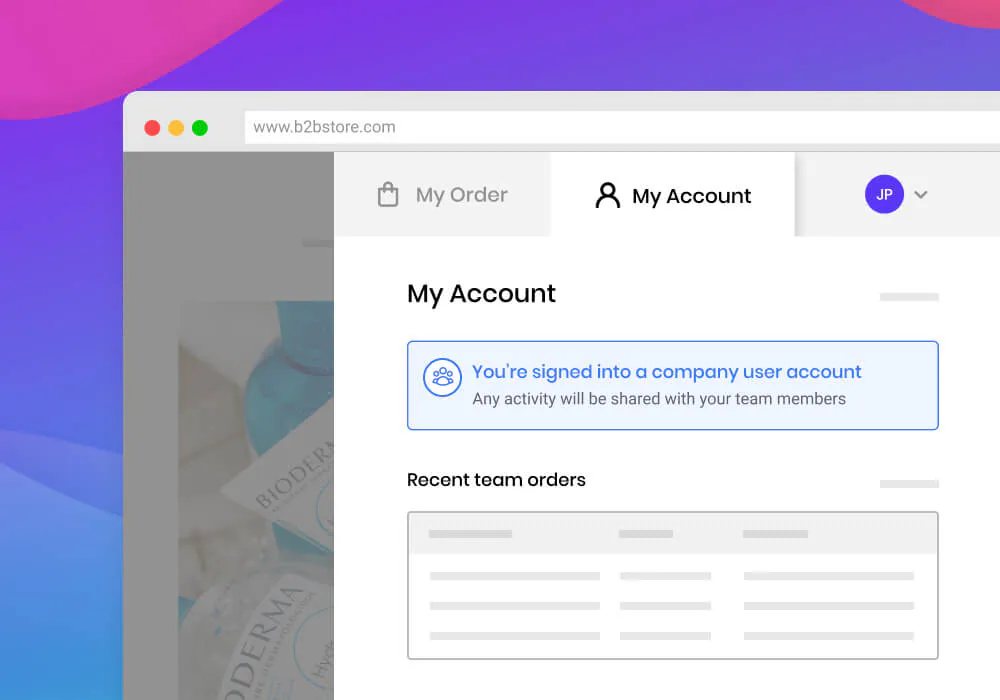
From placing orders and tracking their status, repeat ordering previous orders, through to creating shopping lists and sharing address books. What sets the SparkLayer Company Users tool apart is how simple it is to use. Inline with our approach to make the B2B experience self-service, customers themselves can create their own teams right from within their My Account area. There’s no need to request the store owner to manage this on their behalf, the customers themselves have full control over the process. Learn more about Company Users.
Improvements
-
Multi-currency support
We've made some major improvements to how SparkLayer works with Shopify Markets/multi-currency meaning you can manage this all within a single Shopify store.
-
My Account Re-ordering
When viewing a completed order in the My Account area, it's now possible to re-order items on a product-by-product basis.
-
The SparkLayer Dashboard
We've made a number of interface improvements including the ability to edit and delete customer groups.
NewDEAR Systems Integration
We’re pleased to release our latest integration with DEAR Systems. DEAR Systems has long held the reputation as being the system of choice for established and fast-growing brands, providing a centralised location to manage inventory, orders, warehousing, fulfilment, accounting, and more.
The SparkLayer integration works by connecting to the merchant's DEAR Systems account to access B2B data such as product pricing and price lists as well as synchronising B2B customer data.
Improvements
-
SparkLayer Quick Order
Customers will now see a running total of ‘lines’ and ‘items’ next to the sub-total. This makes it easier for them to see the size of their B2B order
-
Dark mode
For merchants using a ‘dark’ theme, we’ve Improved support for dark mode on collection pages
-
Right-to-Left mode: SparkLayer now supports countries/languages that require “right-to-left” (or RTL)
-
Language editing
We’ve made it easier to manage language updates with a simpler way to add text overwrites within your storefront
-
Language translation support
We’ve added support for Romanian and Arabic.
New1-click Shopify B2B theme install
If you're using SparkLayer on Shopify, you may be aware of Shopify's latest theme, Dawn (opens in a new tab). With our new 1-click B2B theme install, any merchant using SparkLayer can now instantly install our B2B-optimised version of the Shopify Dawn theme and get up and running with their B2B store in a matter of minutes. Best of all, no code changes are required to set this up.
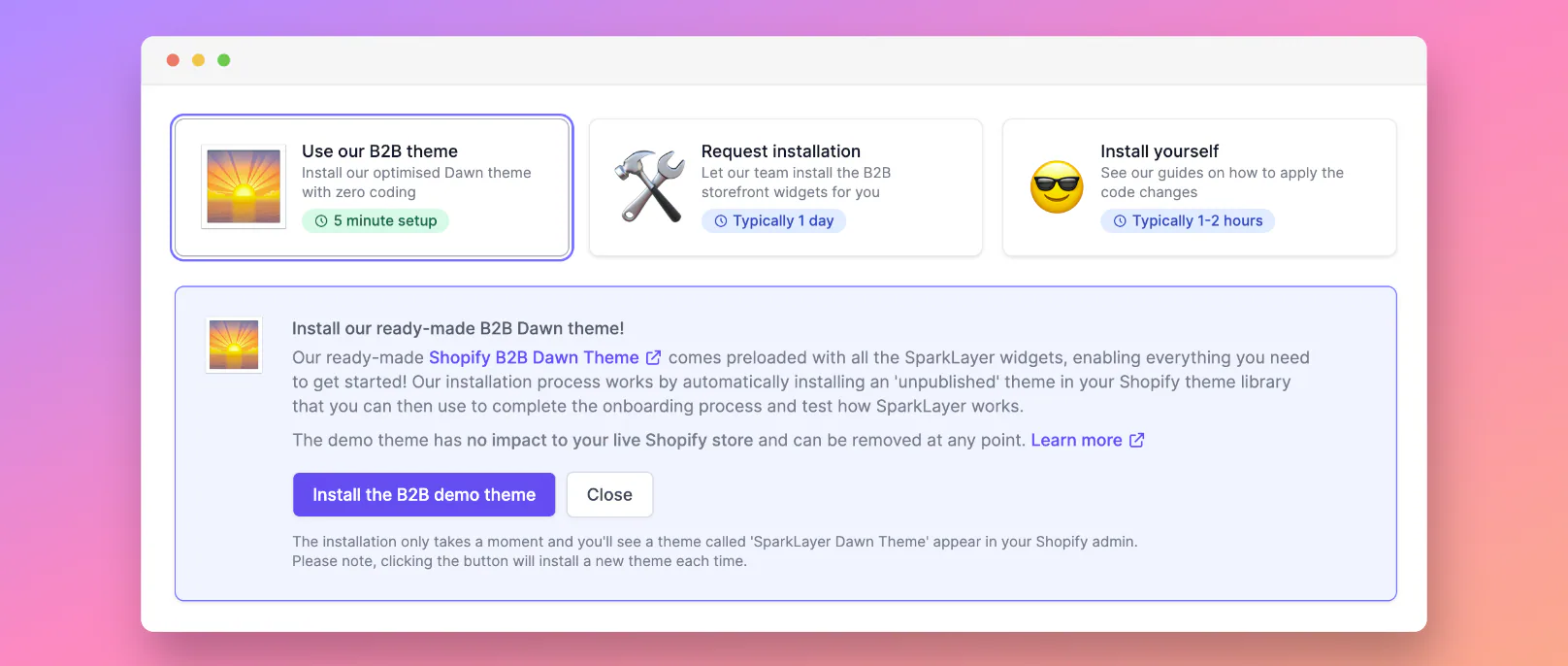
It's a great way to test how SparkLayer works before installing it on a live Shopify theme or you could even use it as the basis for your next B2B store! To get started, go to the SparkLayer Dashboard (opens in a new tab).
Improvements
-
Product page widget
The product page widget currently shows a special 'table' view for products that have variants (e.g. size, colour). You can now render the same 'table' view for single variant products by adapting the product widget code.
-
Product settings
We've updated our documentation on product settings including how it's possible to set products (and variants) to not be "sellable" to B2B customers and even how to fully hide products (and variants) from showing with a special "display" setting.
-
Tiered pricing
By default, if you have tiered pricing set up, the pricing will be applied across all variants of a product. You can now set this to only apply to specific variants via a new setting within the SparkLayer Dashboard.
-
Pack sizing
The product detail page widget now supports a 'Pack price' that gives customers a cost for all products within a pack.
-
Product widgets customisations
We've enabled additional design customisation settings including button and input styling.
-
Line item limits
With Shopify's line item limit of ~ 250 items, we've now included special notifications within the SparkLayer Quick Order if customers exceed this limit
-
Dashboard product data
You can now search by SKU within the Data look up tool in the SparkLayer Dashboard.
-
Brightpearl integration
We've made improvements to the handling of customer address syncing for BrightPearl, including phone numbers and company names.
NewConfigure "custom dates" for backorder products
With support already for backordering/pre-ordering built into SparkLayer, we’re excited to announce our latest update, "custom dates" that can be set for backorder products."Custom dates" allow you to set an exact date when the product is expected to be available. It’s a great way to give the end customer better visibility of when to expect receipt of the products on order, and helps deliver an overall better customer experience.
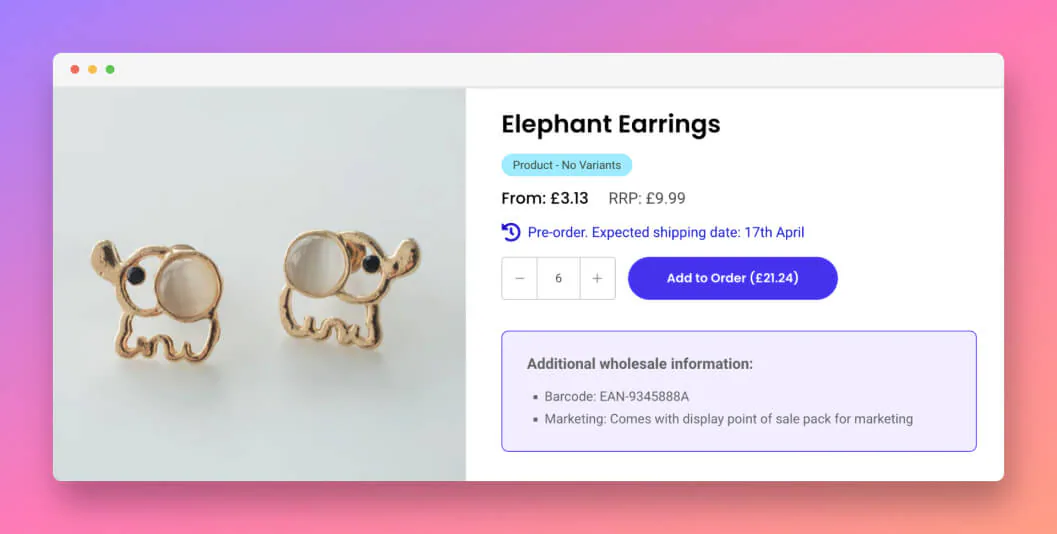
Use-cases could include:
- Setting a "due in" date of when you're expecting the product to be in stock
- Setting an "estimated shipping" date of when you're expecting the product to ship
Improvements
-
Product page tiered pricing
If you're using tiered pricing, the information table shown to customers on a product page will now include pack sizing. For example, if your tiered pricing starts at 6 units, this will be shown as the first in the list.
-
Product page widget
We've improved the interface of the product page widget to hide the initial variant dropdown if a product only has a single option within it.
-
Product card variants
If a product has variants that don't have prices assigned, these will be shown last in the purchasing dropdown on the product card widget
-
My account area
If you're using our account balance feature, you can now optionally hide any reference to 'credit' if you don't set a credit limit against a customer.
-
CSV import
The SparkLayer Quick Order Interface now has improved messaging for customers using the CSV import tool, making it clearer when a product isn't able to be imported due to stock limitations.
NewCustom Fields during the checkout
Our latest update includes the much anticipated 'custom fields' feature that allows you to add additional data capture fields during the checkout process.
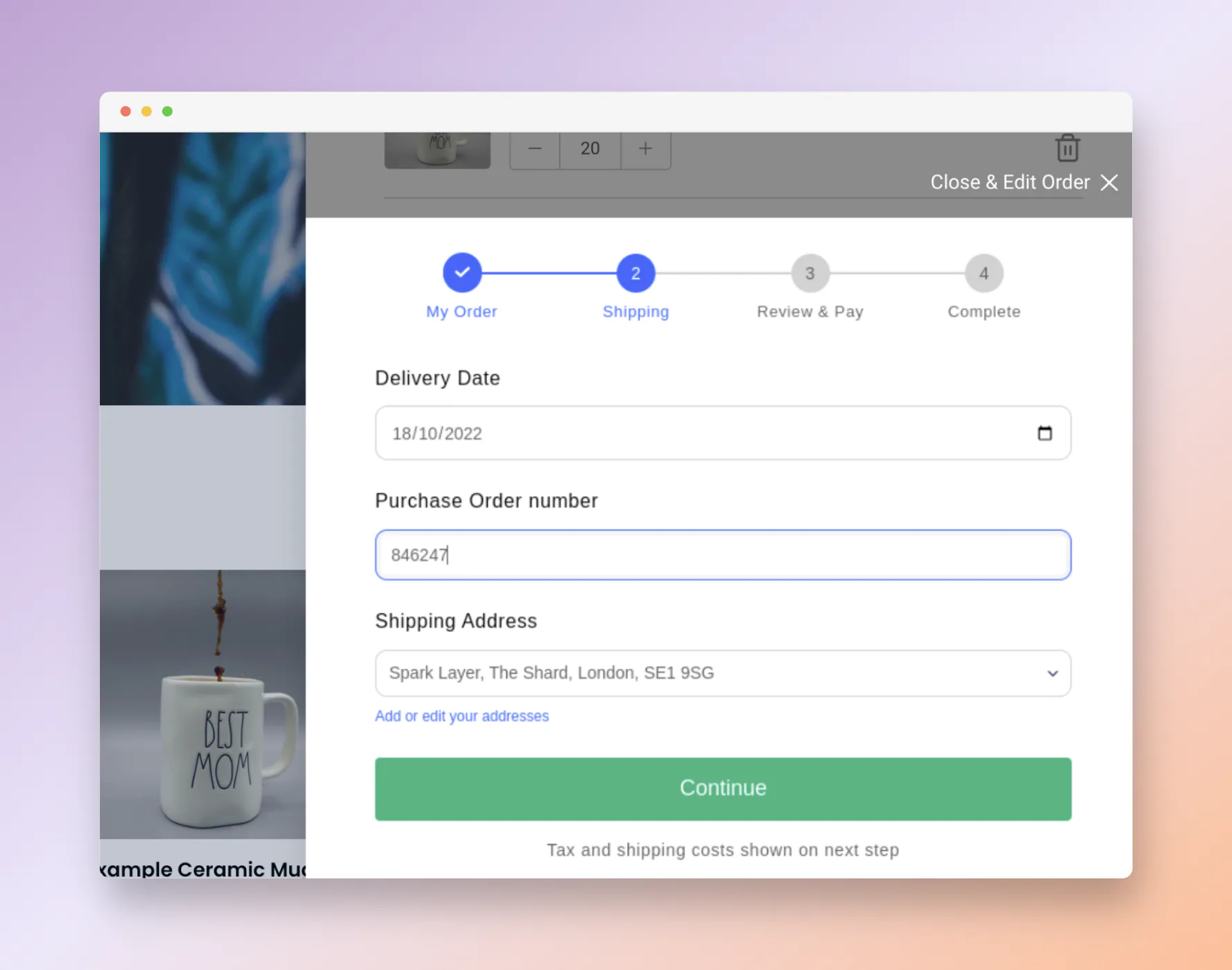
Use-cases could include:
- A date capture field, e.g. "Shipping" or "Delivery" date
- Purchase order number (PO number)
- Additional Shipping requests
Custom fields has support for the following types of data capture: Text entry fields, Select menus (i.e. drop downs), Date selection, Email, Phone, and more.
Improvements
-
Price lists deletion
You can now delete price lists directly from the SparkLayer price list admin
-
Total quantity of items
The SparkLayer Quick Order Interface will now show the total units in a customer's order (i.e. total quantity) before checking out
-
Customer credit and payment on account
If you have customer credit enabled, you can now allow customers to optionally be able to checkout using Payment on Account (previously this was blocked for customers who exceed their credit limit)
-
We've partnered with Balance payments to offer Buy Now and Pay Later for B2B merchants using Shopify. Learn more
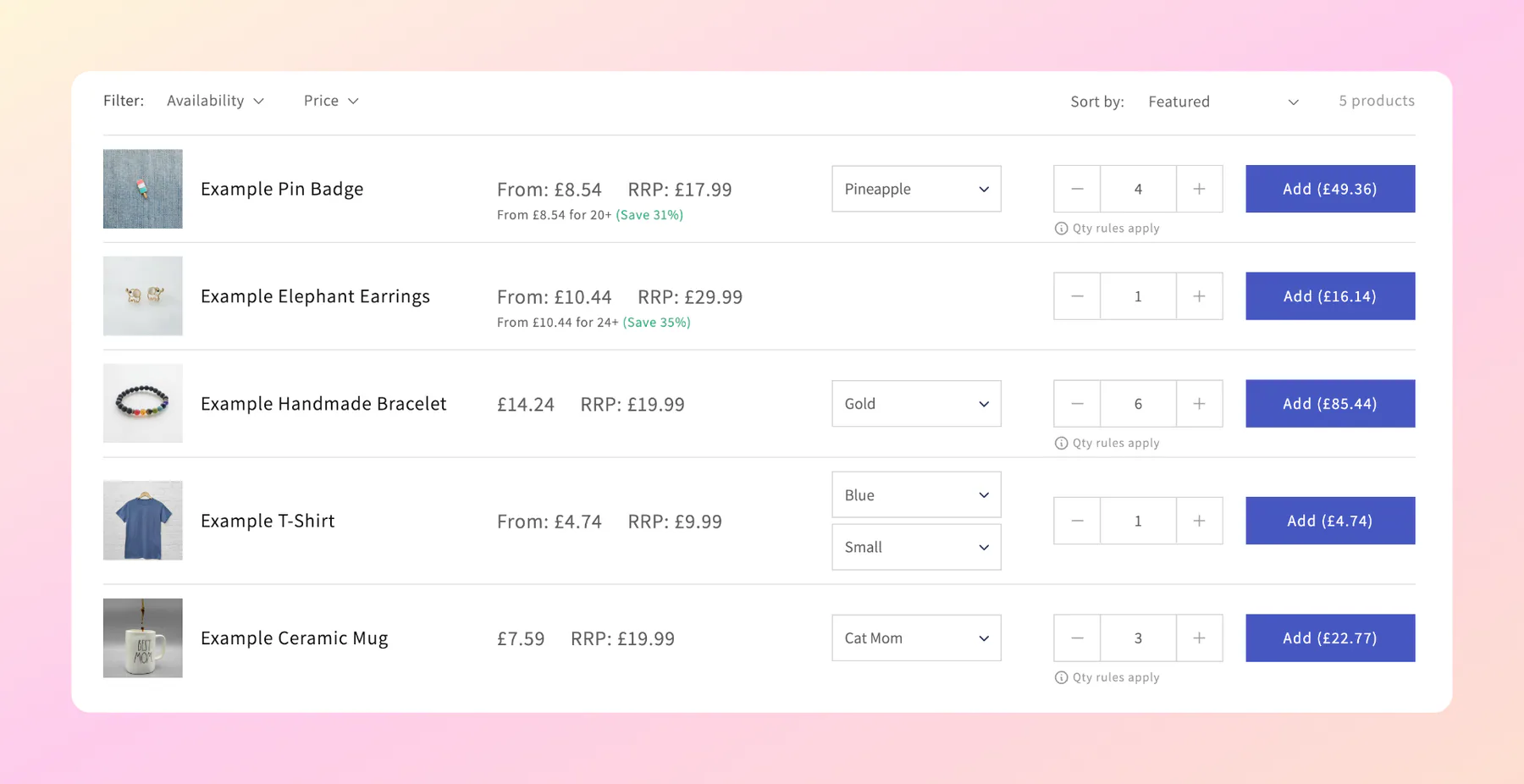
NewQuick Buy Mode
Our new Quick Buy Mode gives you a new way to display the SparkLayer product widget on your collection pages with an optimised 'table' view.
Improvements
-
Back-order, minimum stock level
If you're using the backorder feature, it's now possible to set granular minimum stock levels at a product variant level giving you more flexibility on how many units you allow to be sold to customers.
-
Product variant images
If you've product images within Shopify that are assigned to a product variant (e.g. colour), it's now possible to change the images shown to a customer when a variant is selected via SparkLayer. This is a manual change, if you would like this enabled please contact us
-
Cart line item limit
We've increased the maximum line items available in a single order from 100 to 250, with customer-friendly messaging should customers exceed this.
Languages: we've added support for new languages, Norwegian and Finnish
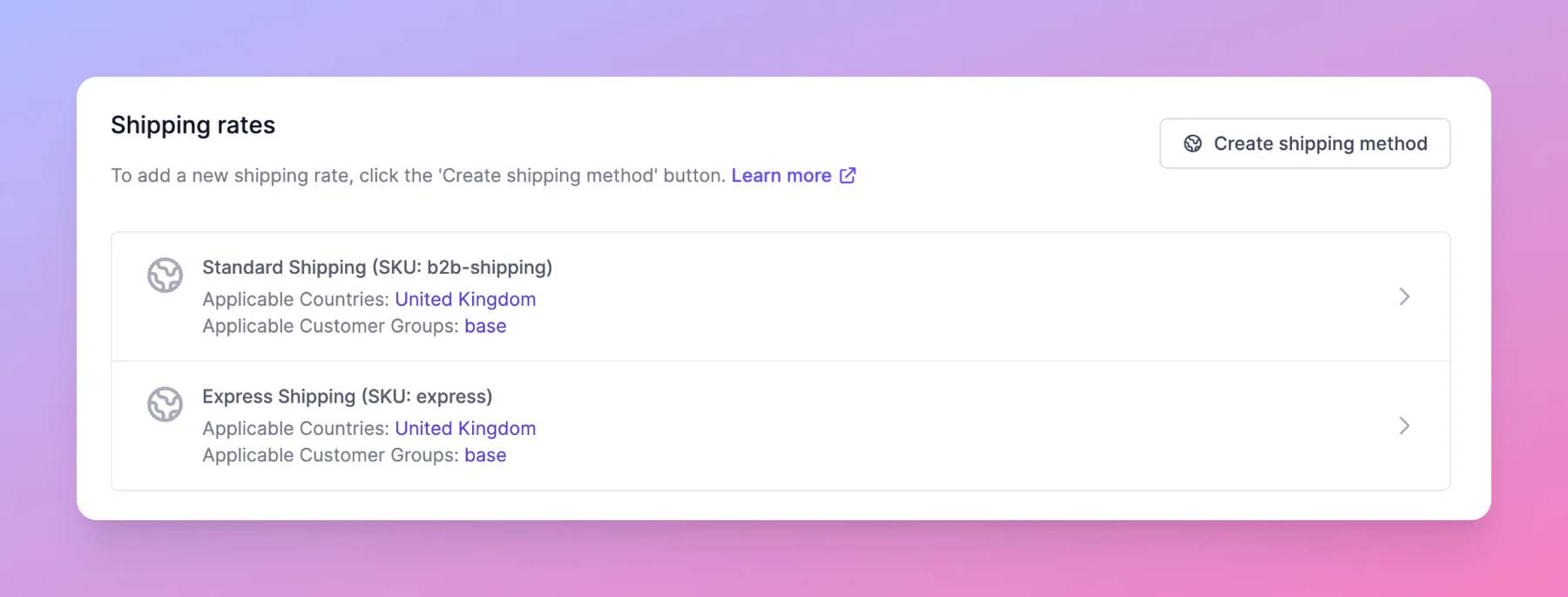
NewB2B shipping rules
If you've set up SparkLayer on your B2C (DTC) website and need to create different shipping rules for your B2B customers, you can now do this via the SparkLayer shipping tool.
Improvements
-
Address display
We've improved visibility of shipping addresses and customers can now see their selected address just before they complete their order. The address summary will show in the final order totals section of the SparkLayer Quick Order Interface
-
CSV importing
We've made improvements to our CSV import tools, with handling for different currency formats. For customers uploading price lists in Euros for example, the import will now support comma formats for pricing (such as 19,99)
-
Performance
We've released a big performance improvement to the frontend, with a more rapid login process. We've re-engineered how our user authentication works and merchants should now see a much quicker log in process when a B2B customer signs in.
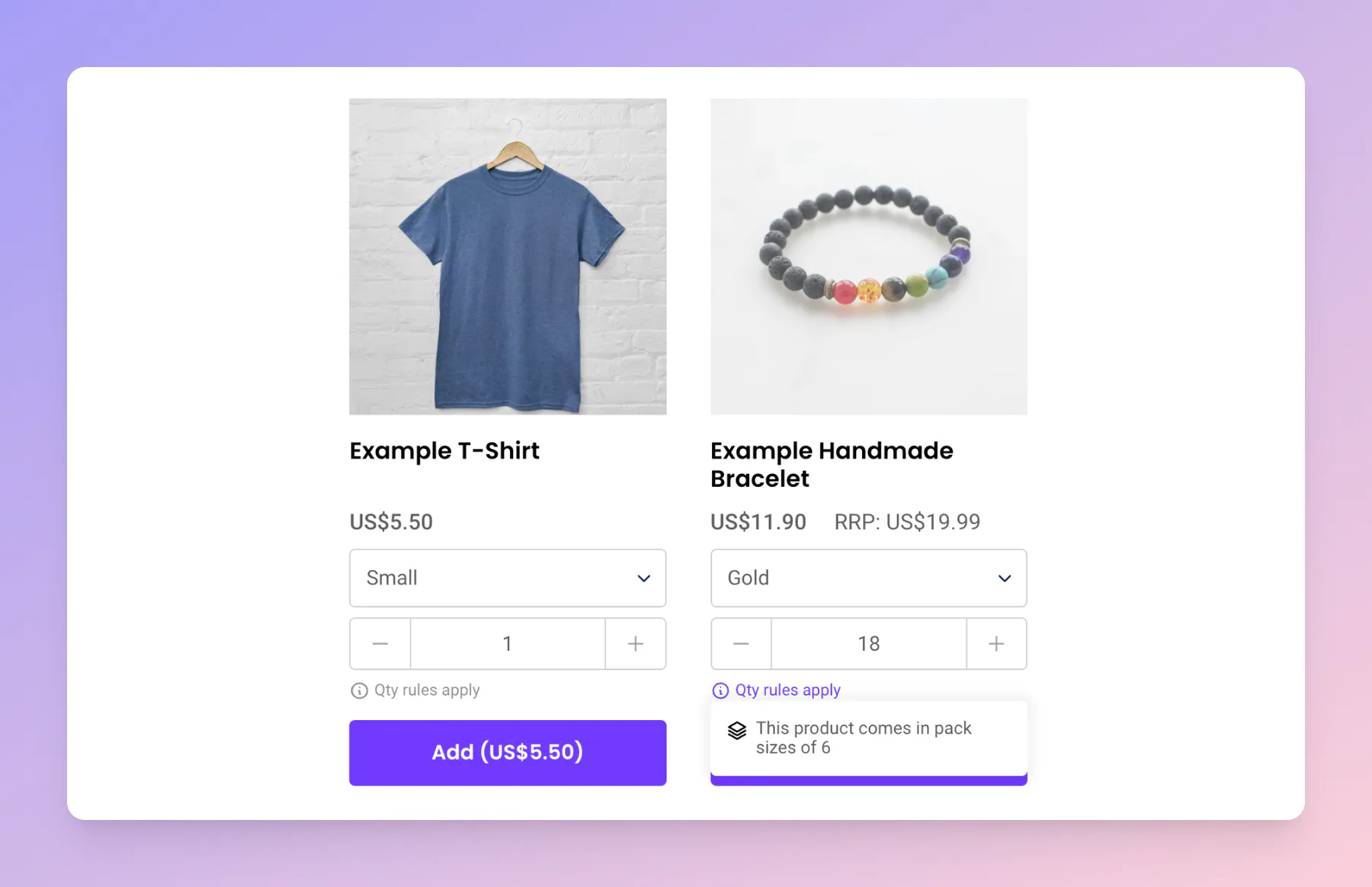
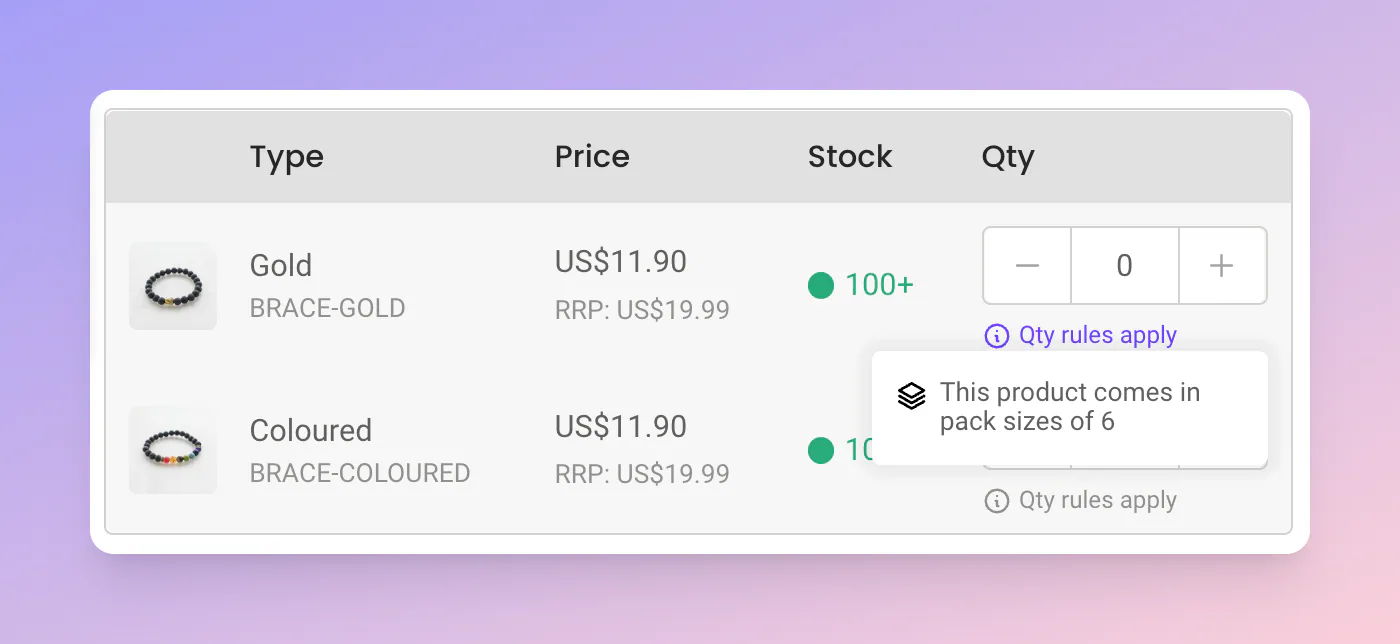
NewShow product settings
If you've configured your products to work with settings such as pack sizing or minimum and maximum quantities, you can now display this to customers anywhere where you show the SparkLayer product interface. Once enabled, this will show a new 'Qty rules apply' message that will show all associated product rules you've set up.
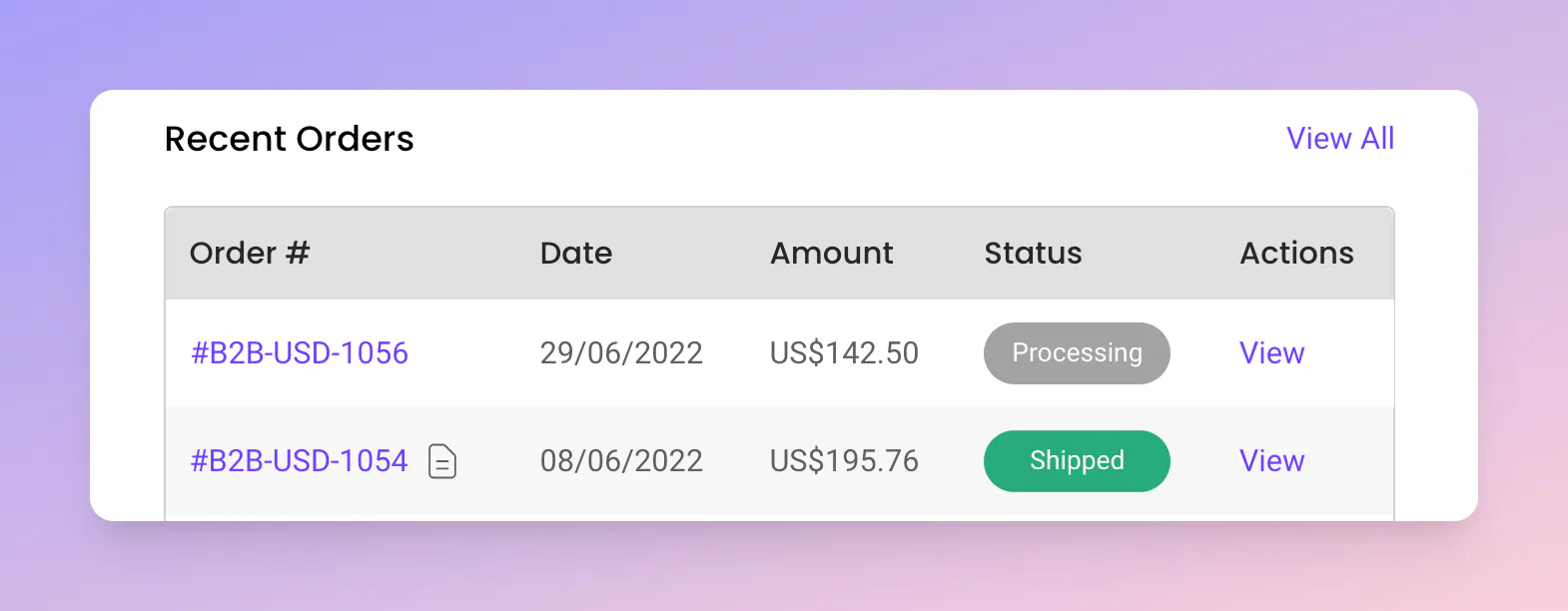
NewShow order notes from My account overview
If customers place an order and include a special note (e.g. PO number), this can now be viewed from the My account overview page
Improvements
-
Shopping list names
If a customer creates a new shopping list and uses the same name as an existing one, this will now fully overwrite it instead of creating a duplicate
-
My account ship-to address
You can now show the shipping address for an order from the My account overview page.
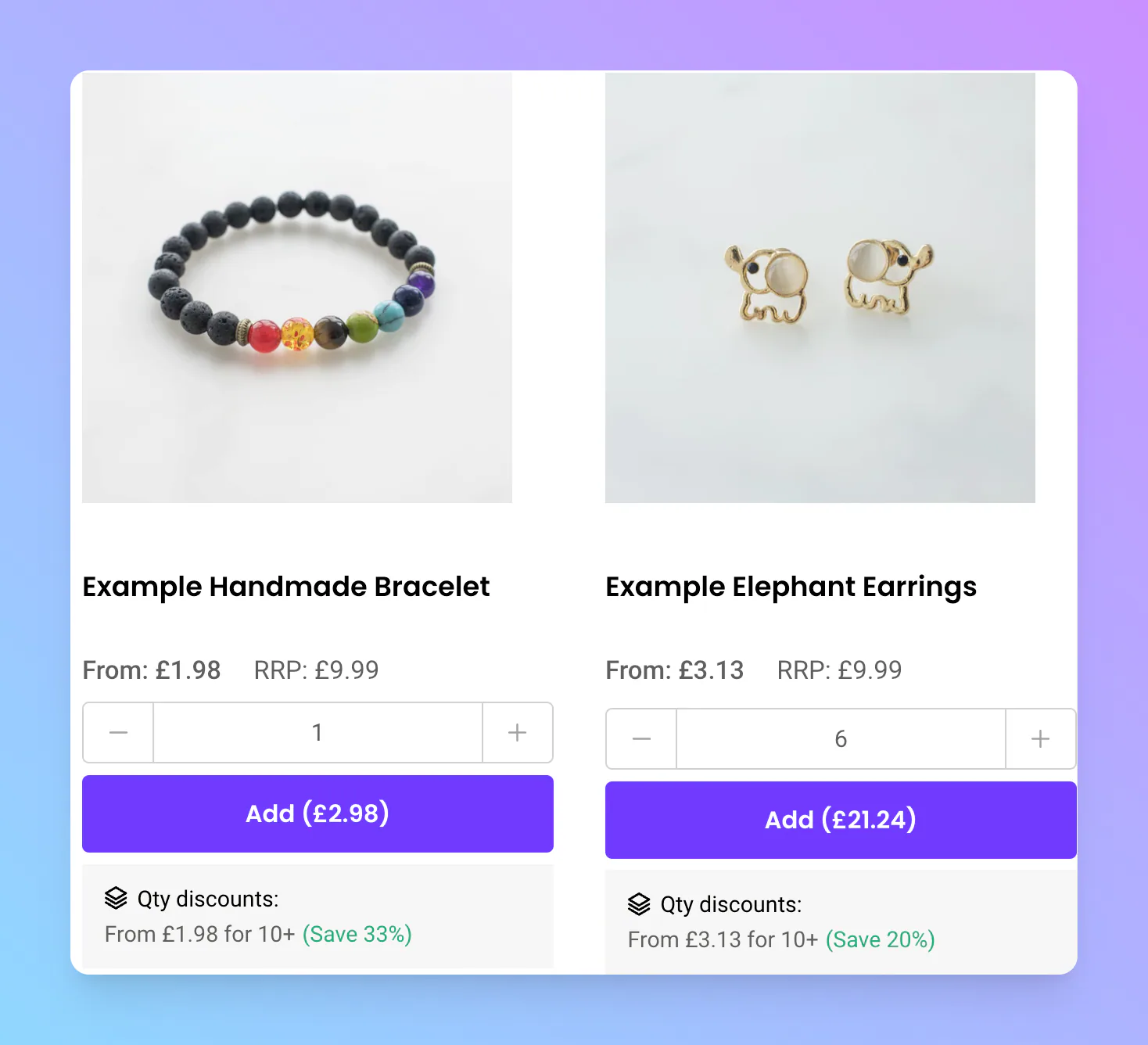
NewShow tiered pricing on product cards
If you're using tiered pricing, you can now display the discount summary within the product card widget. The product card will now optionally display the cheapest price to the customer as well as the maximum discount they could receive. The customer can also mouse-over the widget to see a fully summary of the tiered pricing available. You can test out how it works on our demo store (opens in a new tab)
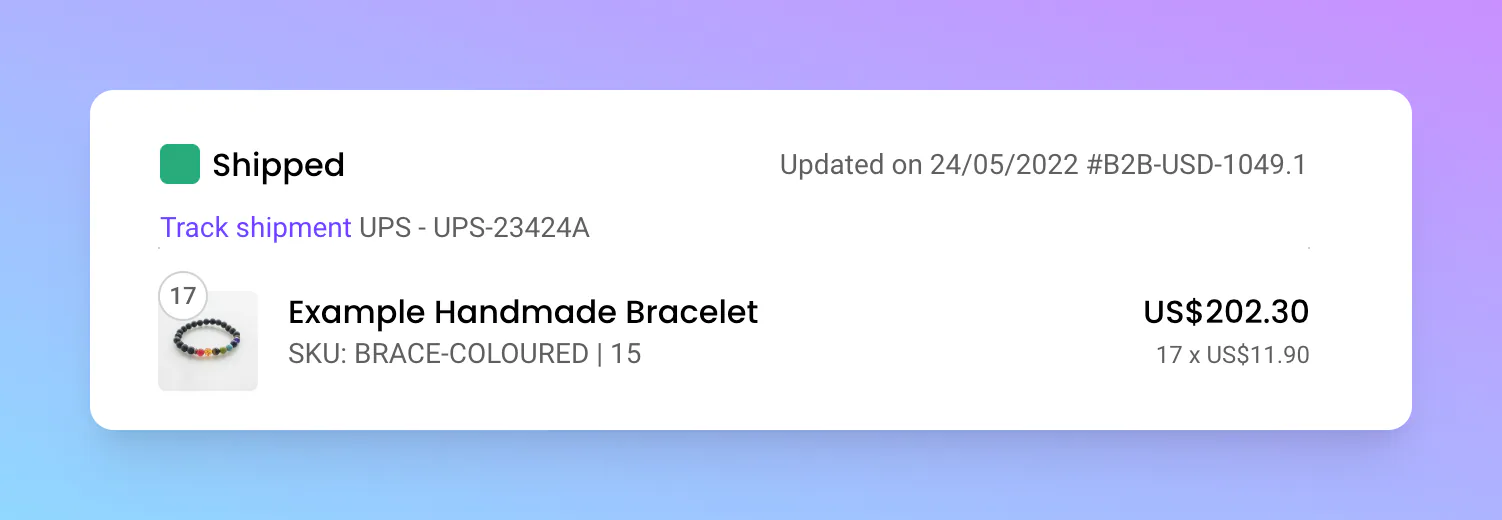
NewMy Account order tracking information
If you supply shipping information against a customer's order within Shopify, this will now be shown within the SparkLayer My Account interface when viewing an order. The tracking information includes
- A link to the shipping company's own tracking page
- The specific tracking number for the customer's visibility
Improvements
-
Address searching
If B2B customers have large numbers of addresses saved against their address book, they can now use a special search box to more easily select their preferred address.
-
Multi-currency support
For merchants using a custom ERP solution, we can now enable multi-currency on the same Shopify instance. This is currently restricted only to manual payments only (e.g. Payment by Invoice, Request for Quote) and does require technical investigation before enabling.
-
JavaScript SDK
For merchants using our SKD, we've added some additional events including 'on cart update'.
Last updated