What's new
For earlier releases (June 2022 to September 2025), see the release archive.
Get the latest SparkLayer version
New stores use the latest version automatically. If you've pinned one, choose the latest under Version for this store at Storefront,Widgets,Core script version (opens in your SparkLayer Dashboard in a new tab) and click Save version. The frontend integration guide explains how the Core Script works.
NewThe new SparkLayer app
SparkLayer has a new look, in the SparkLayer Dashboard and in the Shopify app. Home shows this week's numbers, your plan and what to do next. The Setup checklist takes you from your first price list to SparkLayer on your theme, ticking off each step as you go. Try it out places a test order on your own store as a B2B buyer would, without counting towards your plan. Explore features lists what SparkLayer does and the plan each feature needs. A new menu groups every screen by area.
Some screens have moved or been renamed, for example Activity is now Orders. See Where things moved, and Get started for the Setup checklist.
NewDark mode is now universally enabled
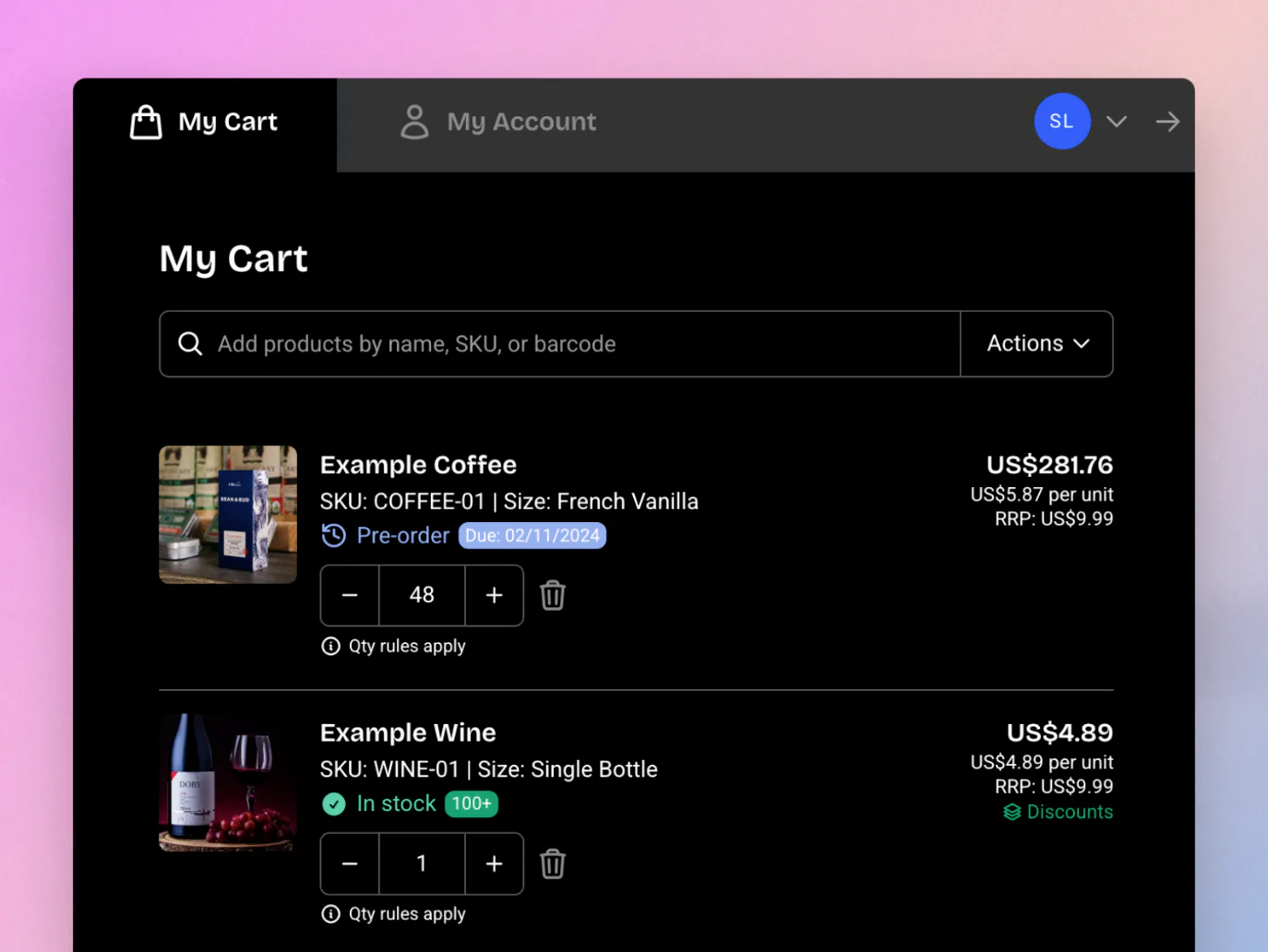
In our latest version of SparkLayer, you can now enable dark mode on all the SparkLayer interfaces. Previously, this was limited to just the product pages - with our latest update dark mode now works in the My Cart Interface and the My Account Interface to give a much more cohesive experience. To enable dark mode, see Customising the design.
NewAdd to Favourites
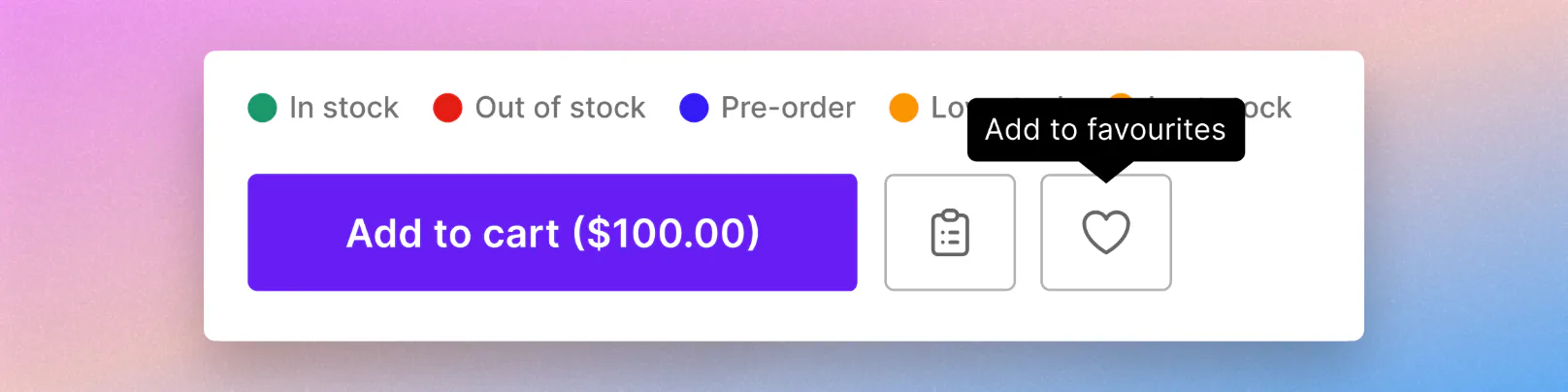
Your B2B customers can now save products as they browse by clicking the heart icon on any product or collection page!
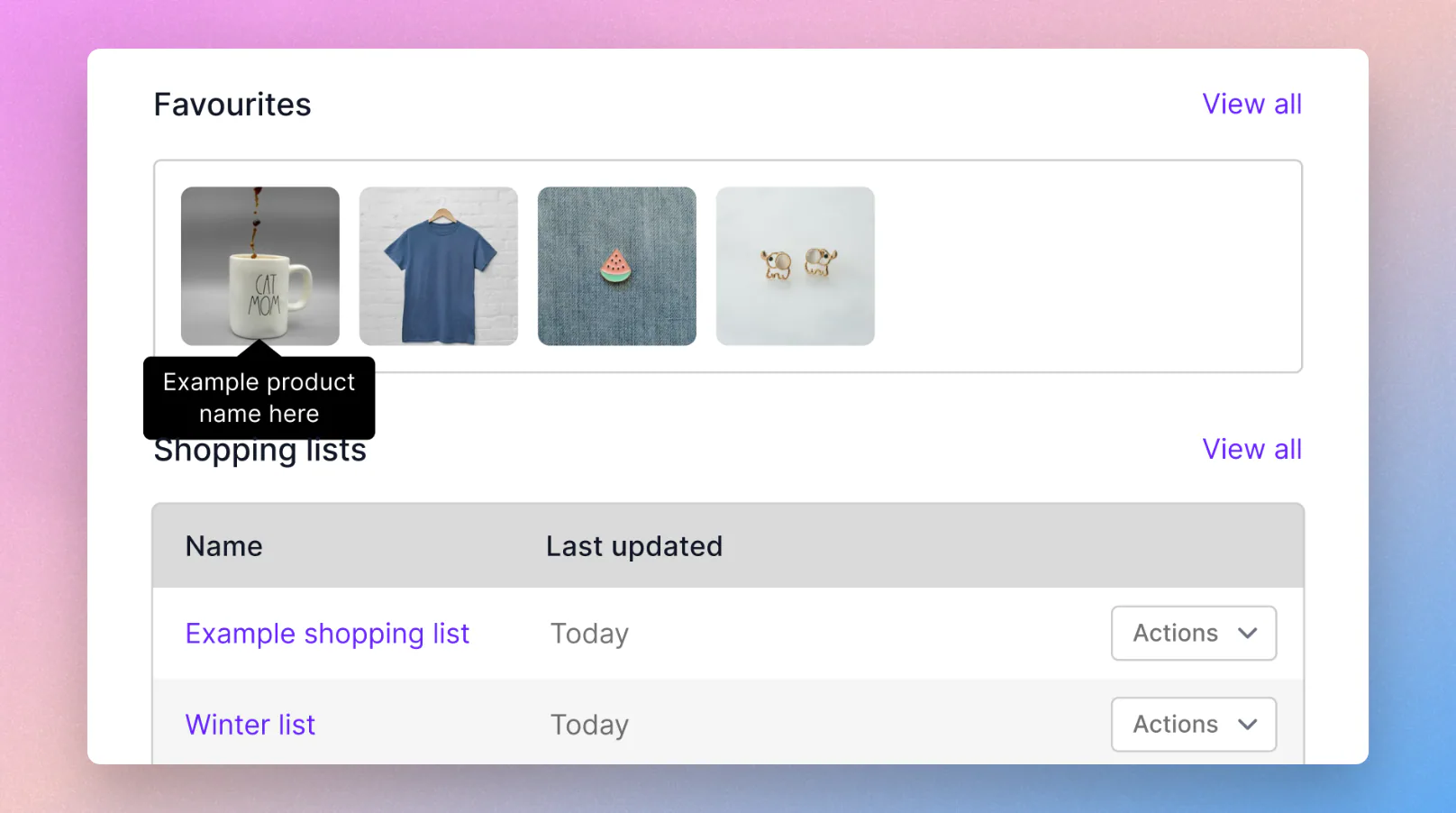
Saved products live in a new Favourites section in My Account, right alongside shopping lists, where customers can return to them any time and add them straight to the cart. It's a lightweight way to mark products for later - no quantities or variants to manage - and it's personal to each customer.
Learn more in Favourites.
NewTax-inclusive price display
You can now show your B2B prices with tax included, clearly labelled "inc. tax", so buyers who think in gross terms see exactly what they expect. It's built for markets where gross pricing is the norm - common in Australia and across trade sectors selling to smaller businesses - and gives you far more flexibility in how you present pricing across different markets.
Importantly, this changes presentation only. Your prices are still stored, uploaded, and transacted net, and the tax your buyer actually pays is still calculated by your store's checkout at the point of purchase. Only the figure shown on your storefront changes.
- Show the price your buyers expect - display gross prices without changing how you upload or transact your pricing.
- Control it per price list - turn it on for the price lists that need it and leave the rest showing net, so you can serve different markets from one store.
- Set your own rate per product - supply a display tax rate per SKU, so reduced-rate and zero-rated products show correctly alongside standard-rate ones.
- Clearly labelled throughout - gross prices and the "inc. tax" label appear across product pages, cart, checkout, and order history, so there's no ambiguity about what a buyer is seeing.
You can turn on tax-inclusive display yourself: see Show tax-inclusive prices. Learn more about displaying RRP pricing
Improvements
-
My Account discount display
When an order is placed with discounts applied, you can now see the discount total breakdown when viewing the order in the My Account.
-
A refreshed look across the dashboard
We've given several dashboard pages a visual update as part of standardising the experience - Price Editor, Product Sync, Discounts (including create and edit), and the Configurations pages all now share a cleaner, more consistent design.
NewConfigure SparkLayer from the Dashboard - no code required
Settings that previously had to be added to your theme's core script using JavaScript and JSON can now be managed visually from the new Options page in your SparkLayer Dashboard.
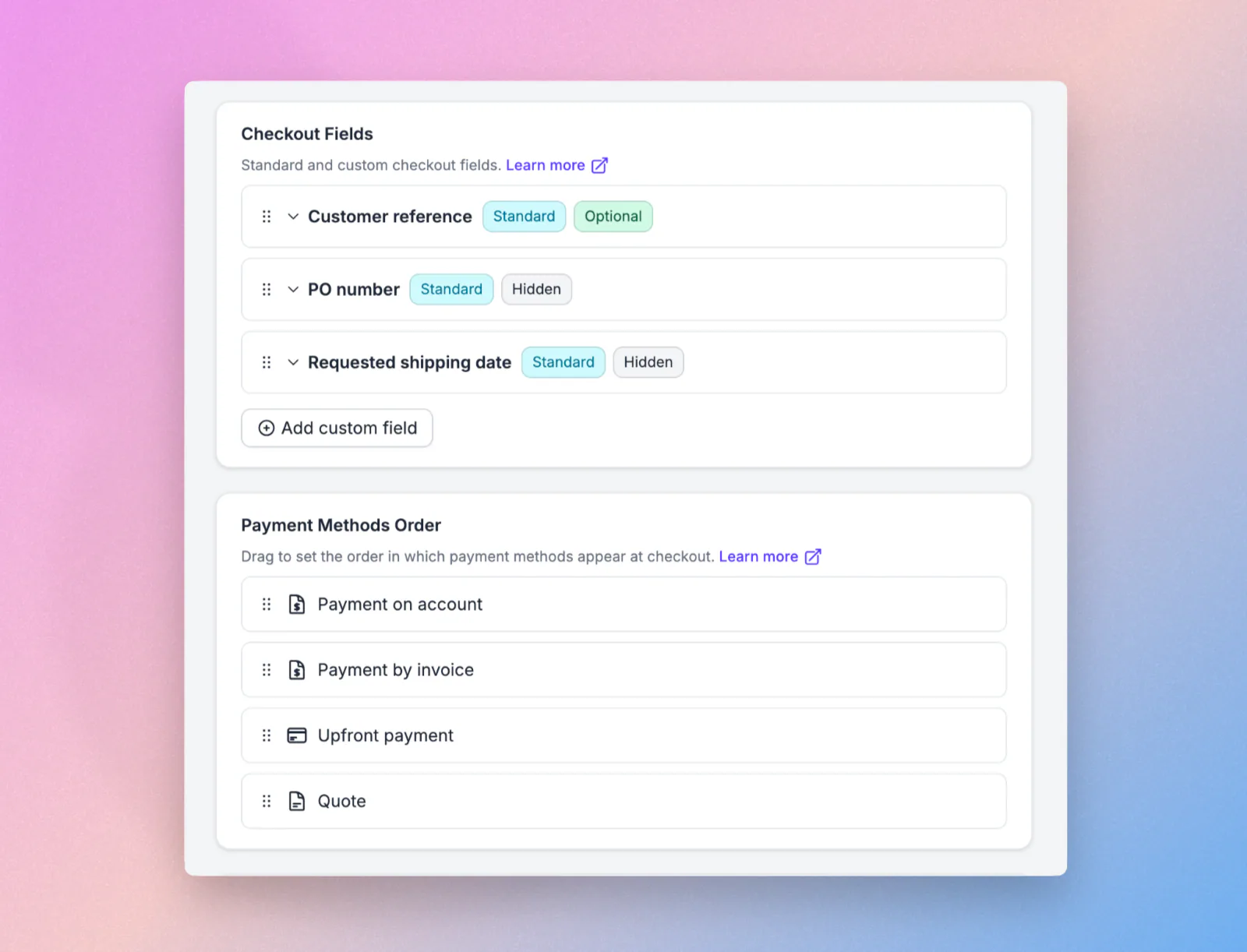
Adjust general settings, translations, checkout fields, payment method order, My Account sections, custom slots, and analytics, then save as a draft and publish when you're ready. It works alongside your existing core script, so nothing you've already set up changes. Learn more in Storefront options
NewStandard checkout fields
Customer Reference, PO Number, and Requested Shipping Date are now available as standard checkout fields.
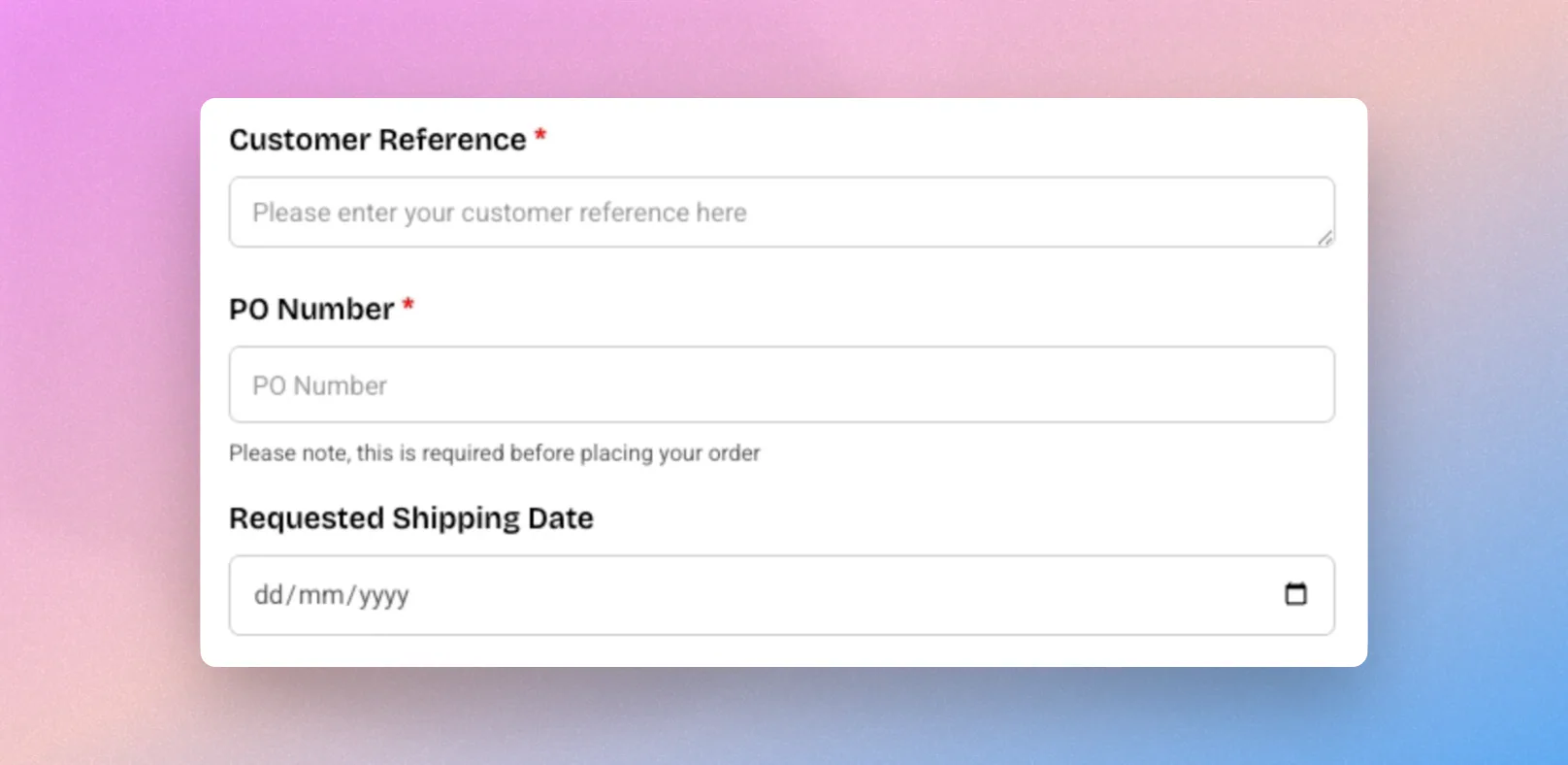
Because each one uses a known field ID, it maps to a structured place in your orders - the native Shopify PO Number field, a dedicated shipping date field, and the order notes - so they integrate more cleanly with Shopify, appear in your theme and template editor, and can be searched and filtered. Learn more about cart and checkout options
Improvements
-
Wix dashboard and onboarding experience
We've redesigned our Wix dashboard to make it even easier for merchants to get setup! From right within Wix, you can now view available features, sync health & analytics, manage customer groups, manage price lists, and a new 'Quick Setup' page to get merchants live super fast
-
Upload Excel files to AI file upload
You can now upload Excel (.xlsx) files directly to AI file upload, alongside the existing CSV and PDF support. Customers and sales agents can turn a spreadsheet of products straight into an order, without converting it first. Learn more in Intelligent Cart (AI)
-
More accurate quantity detection in uploaded files
AI file upload is now better at identifying the correct quantities in the files customers upload, making order creation from documents quicker and more reliable.
-
Duplicate forms in one click
You can now duplicate any form from within SparkLayer Forms (opens in a new tab)
-
Hide the Intelligent Cart features
If you'd prefer not to use the Intelligent Cart (AI) features within the SparkLayer Cart, you can now hide them at Settings,Configurations (opens in your SparkLayer Dashboard in a new tab). See Hide Intelligent Cart.
NewShopping Lists just got a major upgrade
Managing shopping lists is now faster and far more flexible! Products can be saved to a list straight from any product page, and lists can be fully managed from within the My Account area - including previewing, adding, and editing their contents. Your B2B customers and sales agents can also export any list as a CSV, making it easier to share and reorder across teams. Learn more about shopping lists
NewOrders API - build and manage orders
The Orders API is in beta
To be invited, email support@sparklayer.io.
We've extended our Core API with a new Orders API, giving developers a programmatic way to build and manage orders. The new endpoints let API users create and manage shopping carts and turn them into SparkLayer orders in code - opening up use cases such as creating orders through external integrations, for example drop shipping. Any store with API access has this automatically. See the API documentation and the usage guide to get started.
NewFetch customer-specific pricing via the API
As part of the same release, a new endpoint lets API users fetch customer-specific pricing for products, so integrations can pull the exact prices a given customer sees. Learn more in the API documentation.
Improvements
-
My Account / My Cart - Expand button moved to the user menu
The "Expand" button now lives in the user dropdown menu, freeing up space for more important actions within each page.
-
Clearer impersonation view for sales agents
When viewing as a sales agent, you can now see exactly which customer you're impersonating on every page, making it easier to keep track when ordering on a customer's behalf.
NewExport Purchase History to CSV
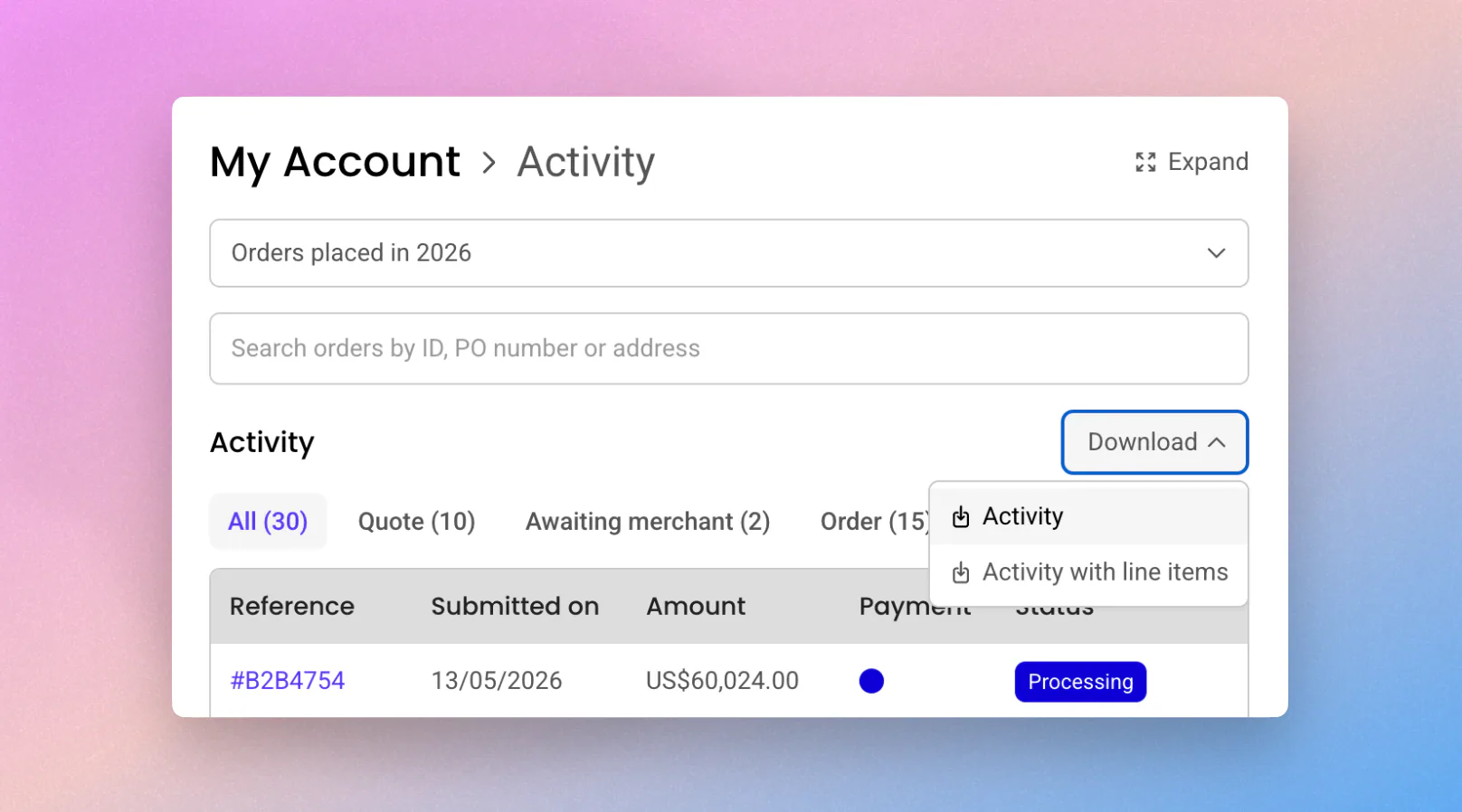
You can now export orders (including quotes and any other purchase types) directly from the Activity view as a CSV file, ready for Excel or Google Sheets. Choose between an order-level summary or a full breakdown with every line item, and any filters you've applied carry through to the export. Available from the customer or sales agent view. Learn more in My Account. (Requires Spark-JS Version 4.4 and above)
NewReply Directly from Your Inbox
No more logging in just to reply to a message. You and your customers can now respond to order communications straight from your email inbox, with replies automatically captured in SparkLayer's Timeline. It works across all order types, making it effortless to keep conversations going - especially on mobile, when you're on the go. Learn more in Timeline & communications. (Requires Version 4.3 and above)
Improvements
Customer & Order Data in Forms
You can now pull customer and order data (including quotes and any other purchase types) directly into your SparkLayer forms. Great for cases like returns forms, where shoppers can select from their previous orders and items without re-entering details, and sales agents can request customer data to be updated. Learn more in Account credit request form.
Address improvements
Entering addresses just got easier - especially for international buyers. Address forms now adapt their layout and name ordering to the selected country, and offer address search and auto-fill. The result is faster, more accurate data entry wherever your customers are based. Learn more in My Account. (Requires Version 4.5 and above)
Improvements to Sales Agent Activity Filtering
Sales agents get the same export options across all their customers, and, similar to the customer view, they can now filter by the new purchase type and quote status filters. Making it easy to reconcile orders, forecast inventory, or plan pre-orders. (Requires Version 4.4 and above)
Internal Customer API upgrades: We've released V2 of our Customer API, now available to all Shopify stores (and in June we'll move the other platforms over). For customers who are already using the V1 Customers API, you can continue to use the V1 API for the next 6 months till the 1st of December 2026. The upgrade path is straightforward, and we’ll provide more information about the changes soon.
NewA better way to onboard customers.
SparkLayer Forms is a flexible way to capture, review, and manage B2B information at every stage of the customer lifecycle — from first enquiry through to ongoing account management or even a contact form for your site.
It includes a workflow editor (on the Growth plan and above) that can tag customers automatically, make API calls to push new customers to your ERP, or even approve customers automatically when their tax ID is validated. See Form workflow automations. Learn more in Forms.
NewCatalogs
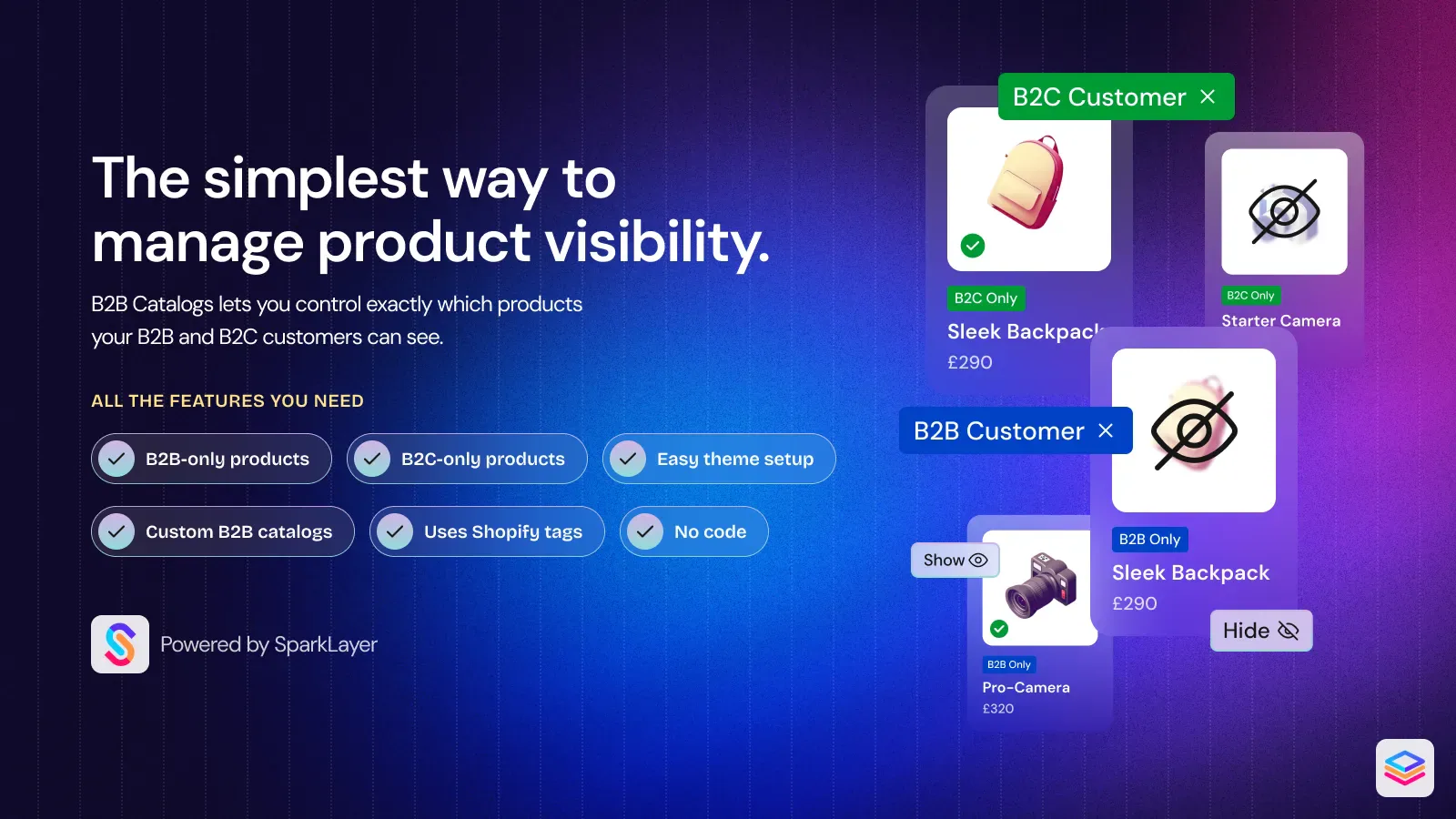
B2B Catalogs (opens in a new tab) is a free SparkLayer app (for Shopify) that gives you control over which products are visible to different types of customers on your Shopify store. Whether you want to hide specific products from B2C customers, restrict certain items to B2B customers only, or show different product ranges to different customer groups - B2B Catalogs makes it easy to manage from your Shopify admin.
NewSales agents' roles.
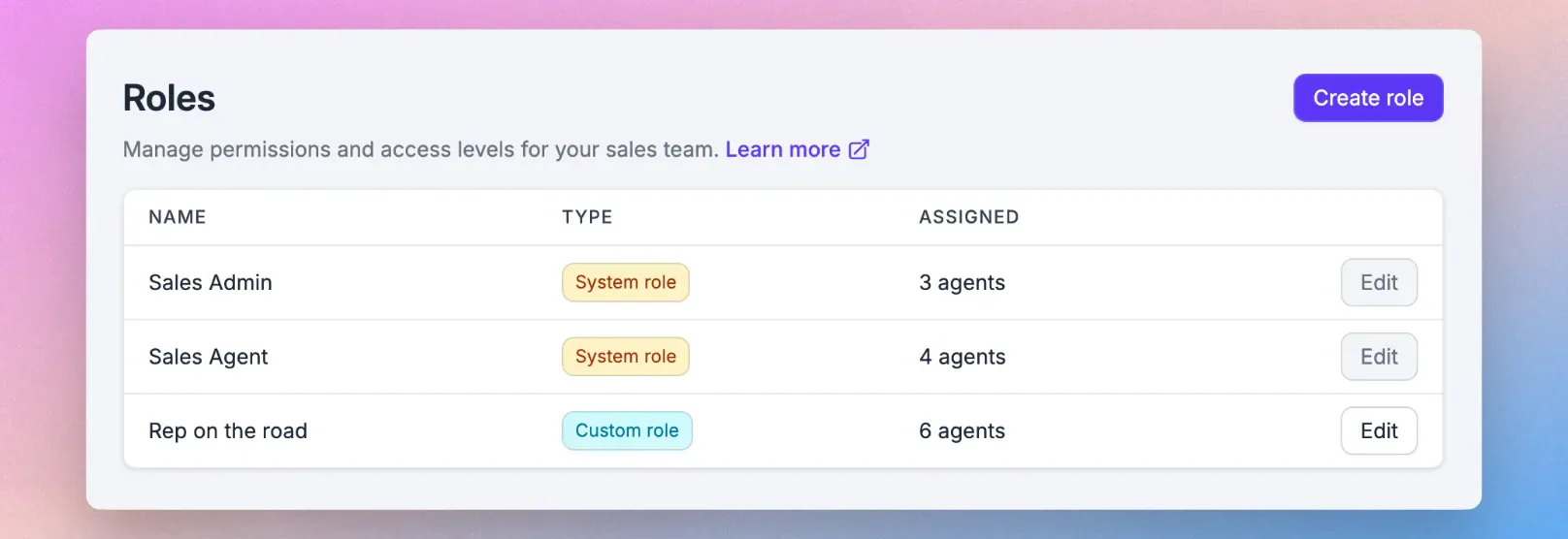
Sales agent roles let you control what each sales agent can see and do in SparkLayer - so the right people have the right level of access. Instead of managing permissions individually, you can create reusable roles and assign them across your team. Available for anyone with sales agents. Learn more in Sales agent ordering.
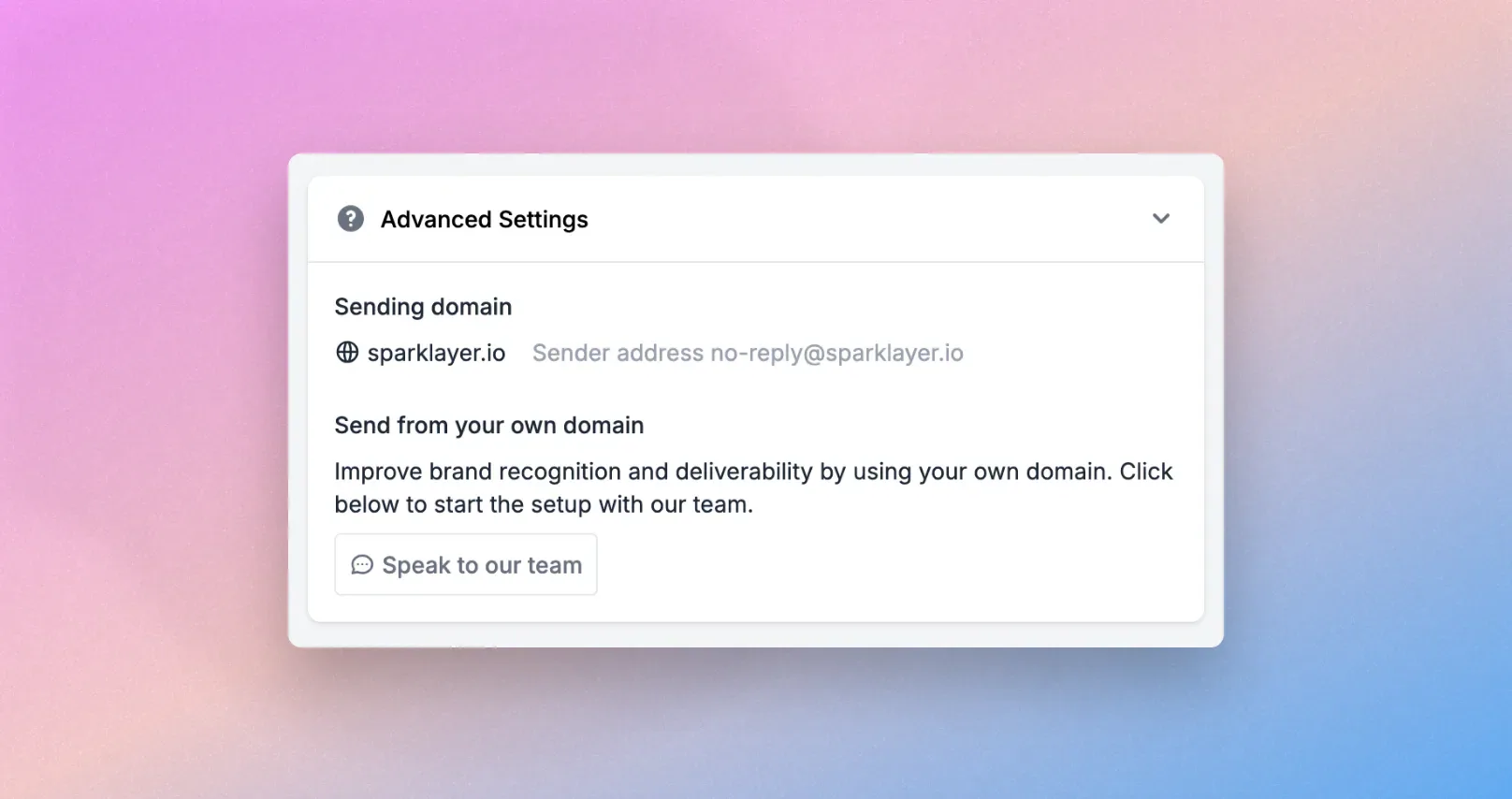
NewCustom email domain
Improve brand recognition and deliverability with support for custom "from" email addresses (e.g. store@mail.yourstore.com), helping ensure notifications match your brand. Available on Pro and Enterprise plans. Learn more in Timeline & communications.
Improvements
- Dashboard Customers and Sales Agent page - New and improved visibility for customers, customers syncing and sales agents.
- Disable specific email templates - Through a minor template change, it is possible to disable a email template and this could be actioned based on logic. Learn more in Quoting Engine.
- Package level invoicing for Xero/Quickbooks - Invoices are now shown at package level rather than multiple invoices shown at the order level.
- Company Users is now available for all plans.
Improvements
- Shopify Company support - SparkLayer will automatically place orders under the correct Shopify company when a customer is attached to one. Learn more in our full guide, Shopify Companies
- Multilingual Shopify Shipping support - Support for multilingual shipping names when using Shopify shipping.
NewPayment Visibility within SparkLayer
Cut down on support admin by letting your customers check their financial standing themselves.
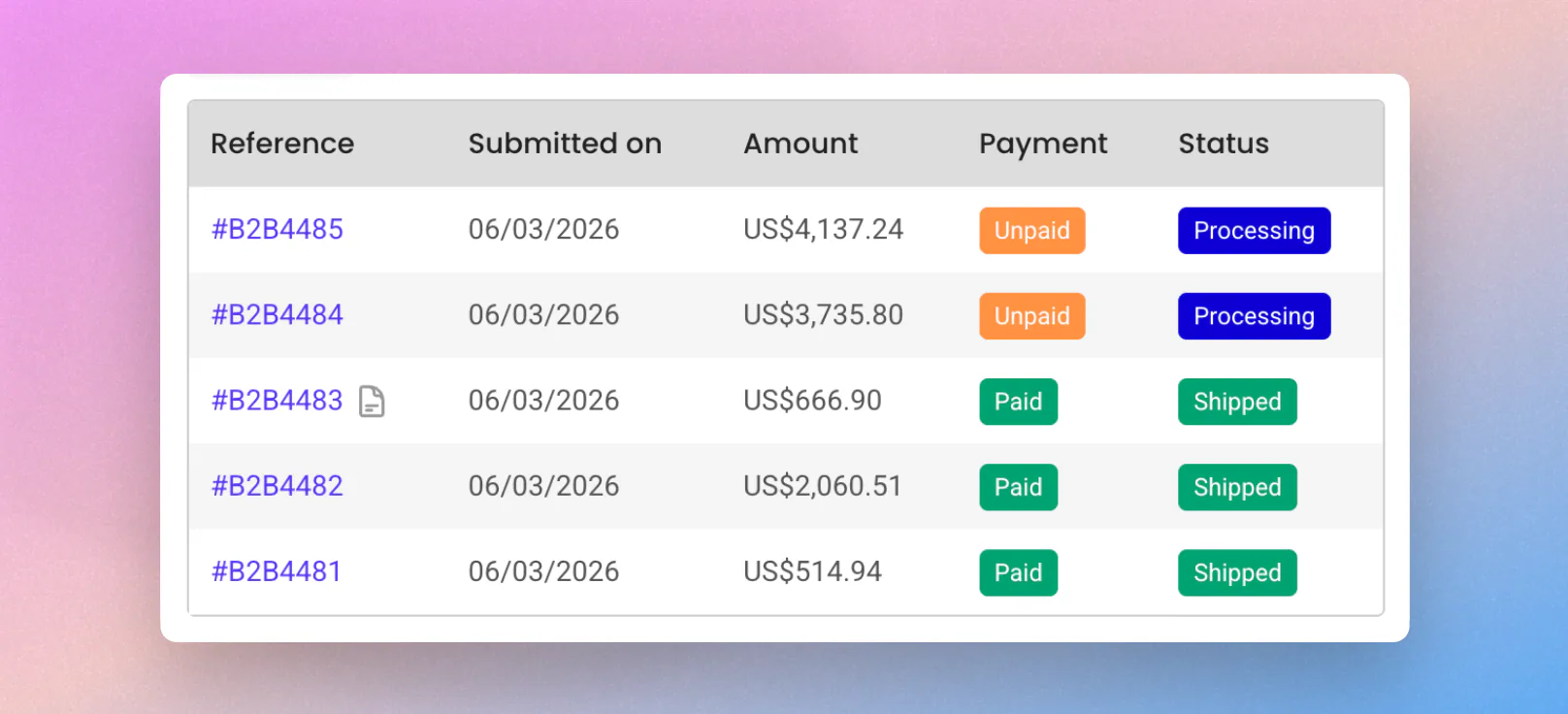
This new feature provides real-time account balances, payment statuses, and transaction histories directly in the My Account area. To read more see Payment Methods.
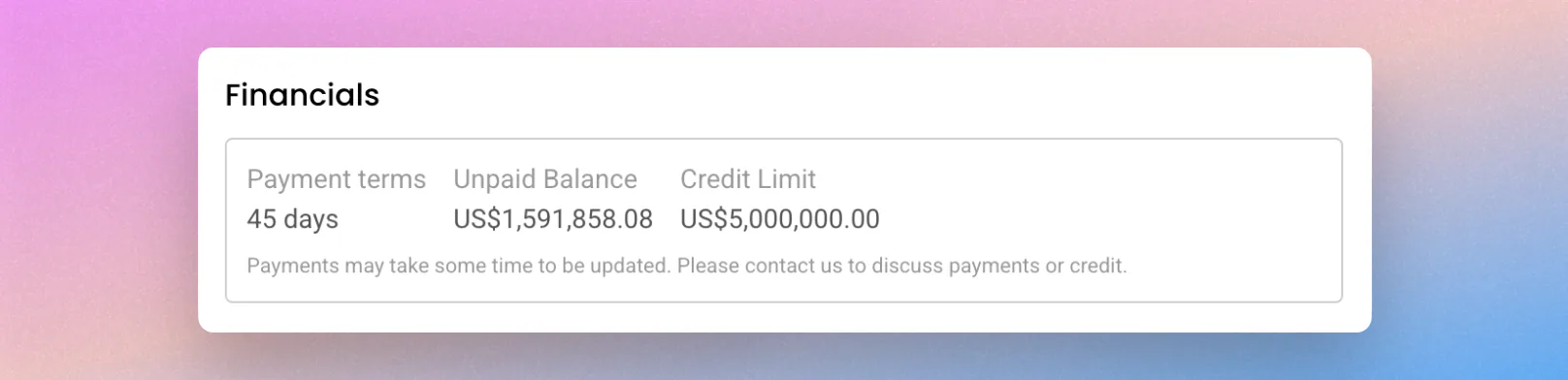
The key elements:
- Payment status is now visible within the order listing and the order details tab (Paid, Unpaid, Partially Paid)
- Transactions are now visible within the timeline section of the order.
- The balance shown in the Account section has now been updated based on payments.
This feature can be enabled easily via the SparkLayer Dashboard (opens in a new tab). Compatible with Shopify, Xero, and QuickBooks Online.
Improvements
- Speed, Polish, and Performance Upgrades (Version 4+)
- Speed Boost: Enjoy snappier loading for products, carts, and accounts thanks to smarter caching.
- Visual Polish: A cleaner, more refined look across the interface with improved layouts, spacing, and typography.
- Better Shopping Flows: More reliable cart updates, smoother reordering, and a simplified quantity selector.
- Accessibility & Fixes: Upgraded screen reader support, better right-to-left (RTL) language layouts, and a solid round of bug squashing.
- Dashboard Price Lists and Customer Groups page - New and updated design for the price lists and customer groups page, we'll be rolling out more pages in this design over the coming months.
- Improved Product Selection Dropdowns - Invalid selections on Product Details Page dropdowns are now hidden rather than disabled, creating a cleaner interface for your customers. (Version 3.17.0+)
Improvements
-
Discounts - Exclude Specific Customers
Discounts can now exclude specific customers using email addresses or accounting IDs, giving more control over who can use each promotion. Learn more about discounts
-
Quotes - New Email Notifications
We’ve added three new quote emails that the customer will receive, to make it clearer when a quote has been created or updated:
- First response from a Sales Agent to a quote request
- Subsequent quote updates made by a Sales Agent
- New quote created by a Sales Agent and sent to a customer
NewXero and QuickBooks Online integrations announced
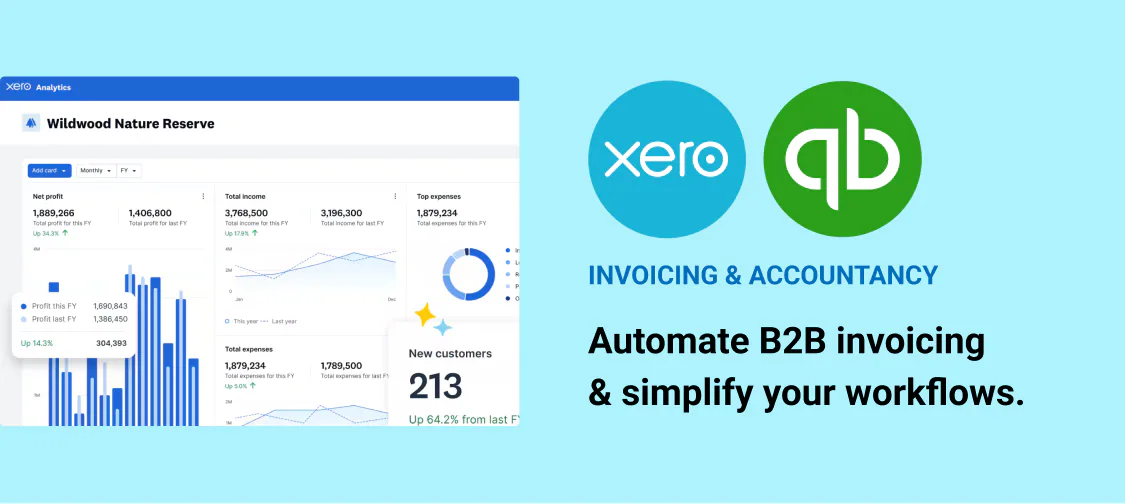
We announced SparkLayer's Xero and QuickBooks Online integrations. They're now live, on the Pro plan and above: see Xero and QuickBooks Online.
NewTimeline & Communications
Timeline & Communications has expanded beyond Quotes and is now available across all supported order types. Messages, internal notes and order updates are brought together in one clear, chronological timeline, giving your team and customers a unified place to track communication and activity as orders progress.
The result is a consistent, streamlined experience - whether you’re managing standard B2B orders, quotes, or draft orders created by Sales Agents. Learn more in Timeline & communications.
NewDashboard Design Updates
We’ve refreshed the SparkLayer Dashboard with a streamlined sidebar that makes navigation simpler, faster, and more organised.
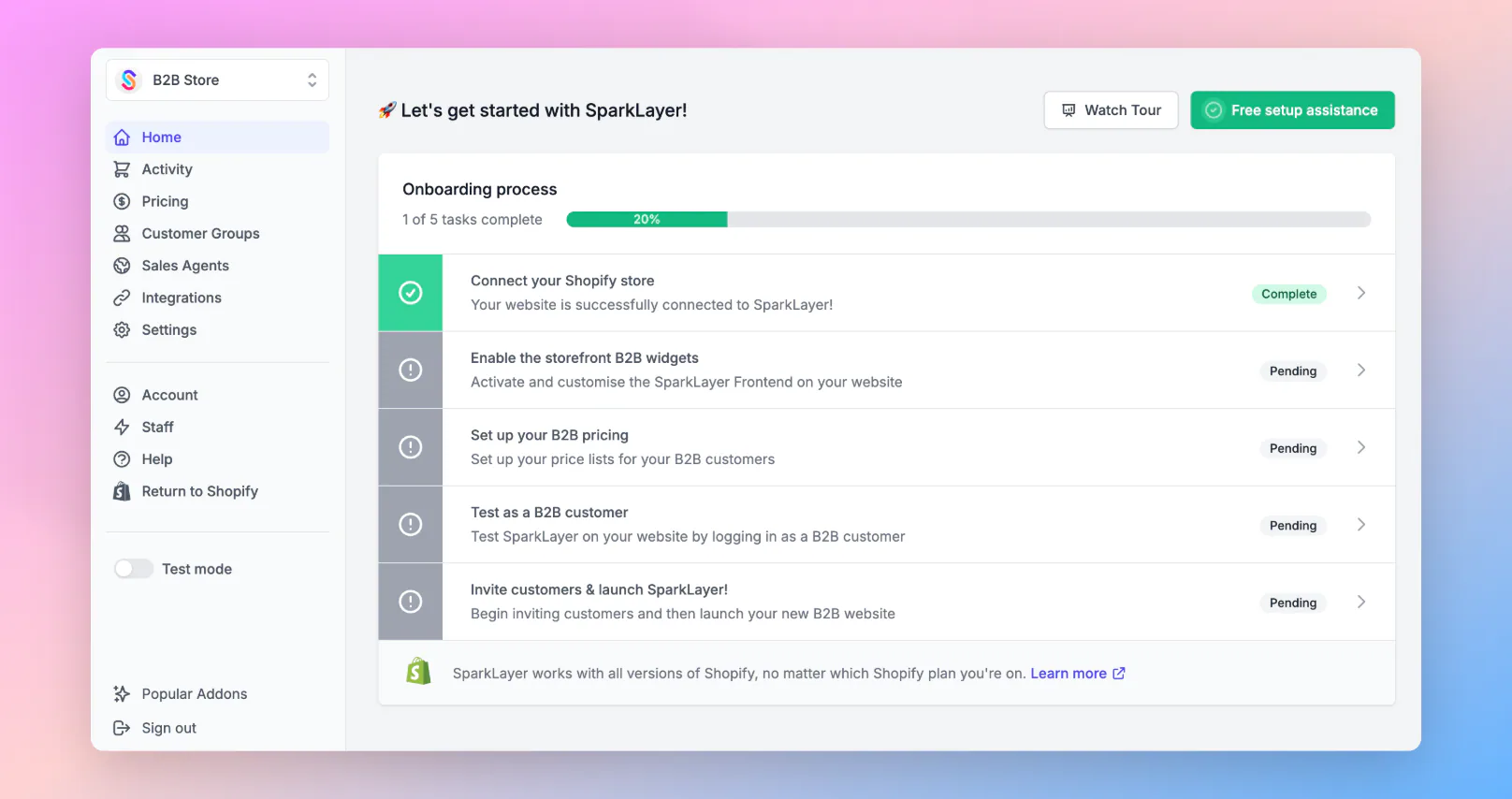
- Customer and Product Sync now sit under Integrations, alongside platform connection, Partner Integrations, and Widgets.
- Discounts is now grouped with Pricing, alongside price lists and Price Editor, reducing clutter and keeping pricing tools together.
The result is a cleaner layout and clearer structure that lets you focus on what matters most - your store’s performance.
Improvements
-
Stock Display - Option to hide pre-order status
A new configuration within customer groups allows you to hide the “pre-order” stock status from customers.
NewQuote Status Improvements
You can now filter quotes by individual status, giving you greater granularity and control when managing quotes. Previously shown in a single view, quotes can now be broken down by stage for easier tracking and follow-up.
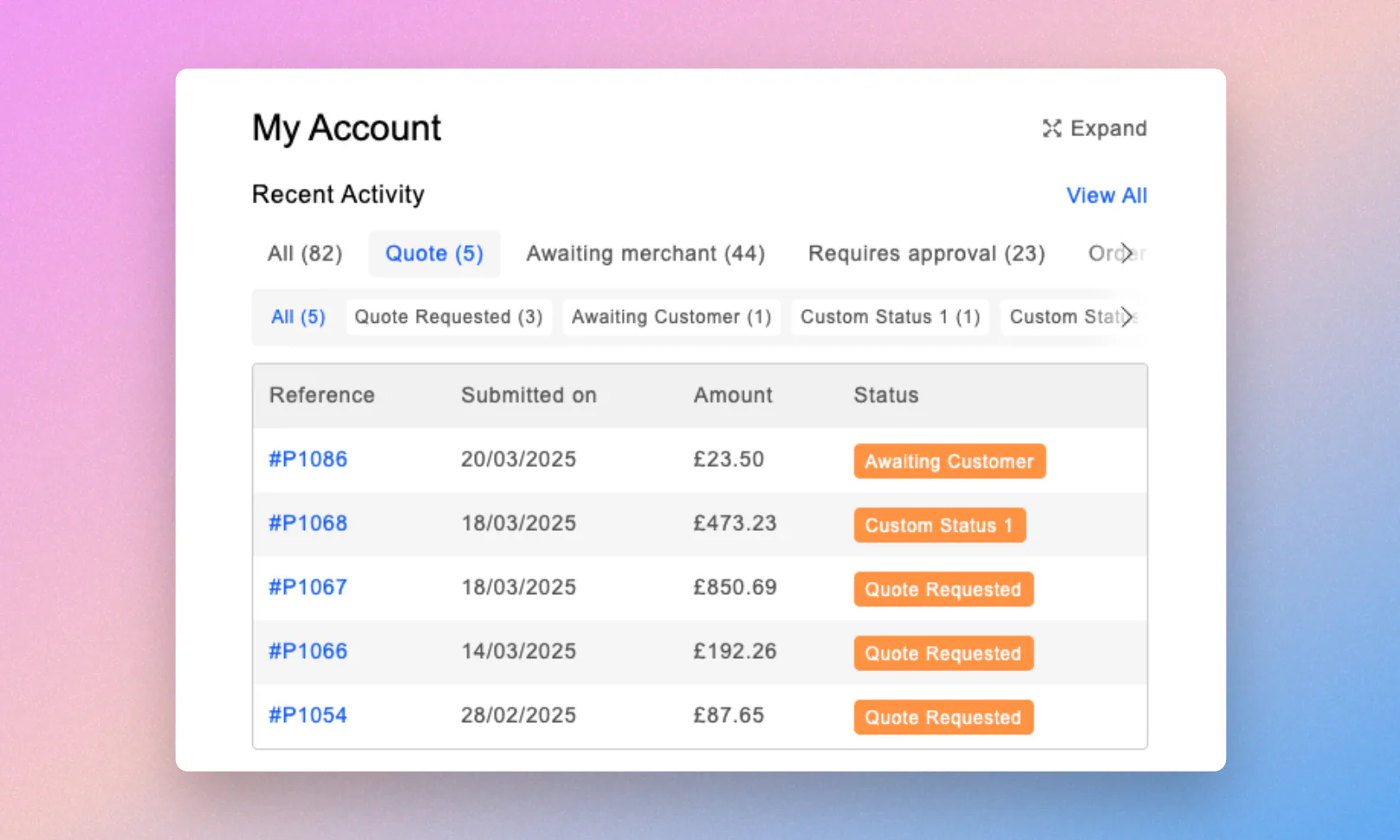
Custom statuses are automatically included, and a new chevron indicator shows when more filters are available to scroll through. Statuses have also been reordered to reflect logical quote progression for a smoother workflow.
NewShipping Restrictions by State/Province
You can now limit shipping methods to specific states or provinces within the US, Australia and Canada, allowing more precise regional control. This makes it easier to tailor delivery options, manage exclusions, and align shipping availability with your operational areas.
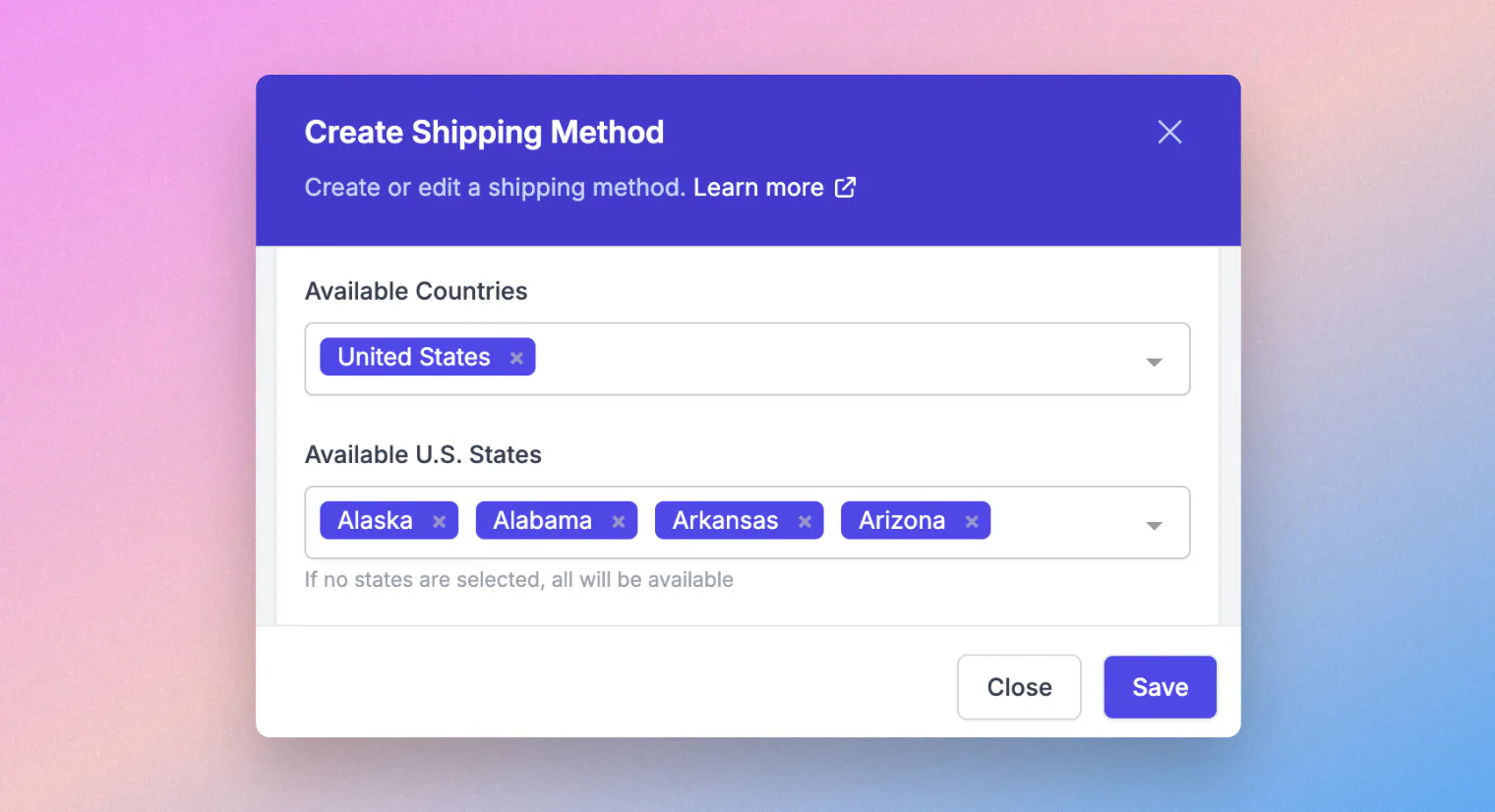
You can configure this directly under Settings → Shipping Methods.
Improvements
-
Quotes - CC Notifications to Child Company Users
Quote notifications sent to parent company users now CC child company users to keep both informed.
-
AI Cart Import - Support for Multiple SKU Columns
AI Cart Import now supports files with multiple SKU columns (e.g. vendor SKU and product SKU) and auto-detects the correct one.
-
Cart - Display Unit of Measure
Products with a single unit of measure now show it directly on the cart line item, without needing to hover.
Looking for older updates? Browse releases from June 2022 to September 2025 in the release archive.
Last updated