What's New!
Introduction
Each month, we release new features to SparkLayer and you can see our latest updates below.
🚀 Upgrading to the latest SparkLayer version To benefit from our latest updates, please upgrade your SparkLayer Core Script. You can learn about how the Core Script works in our guide here.
September, 2026
Version 4.10
🎉 NEW FEATURES
Dark mode is now universally enabled
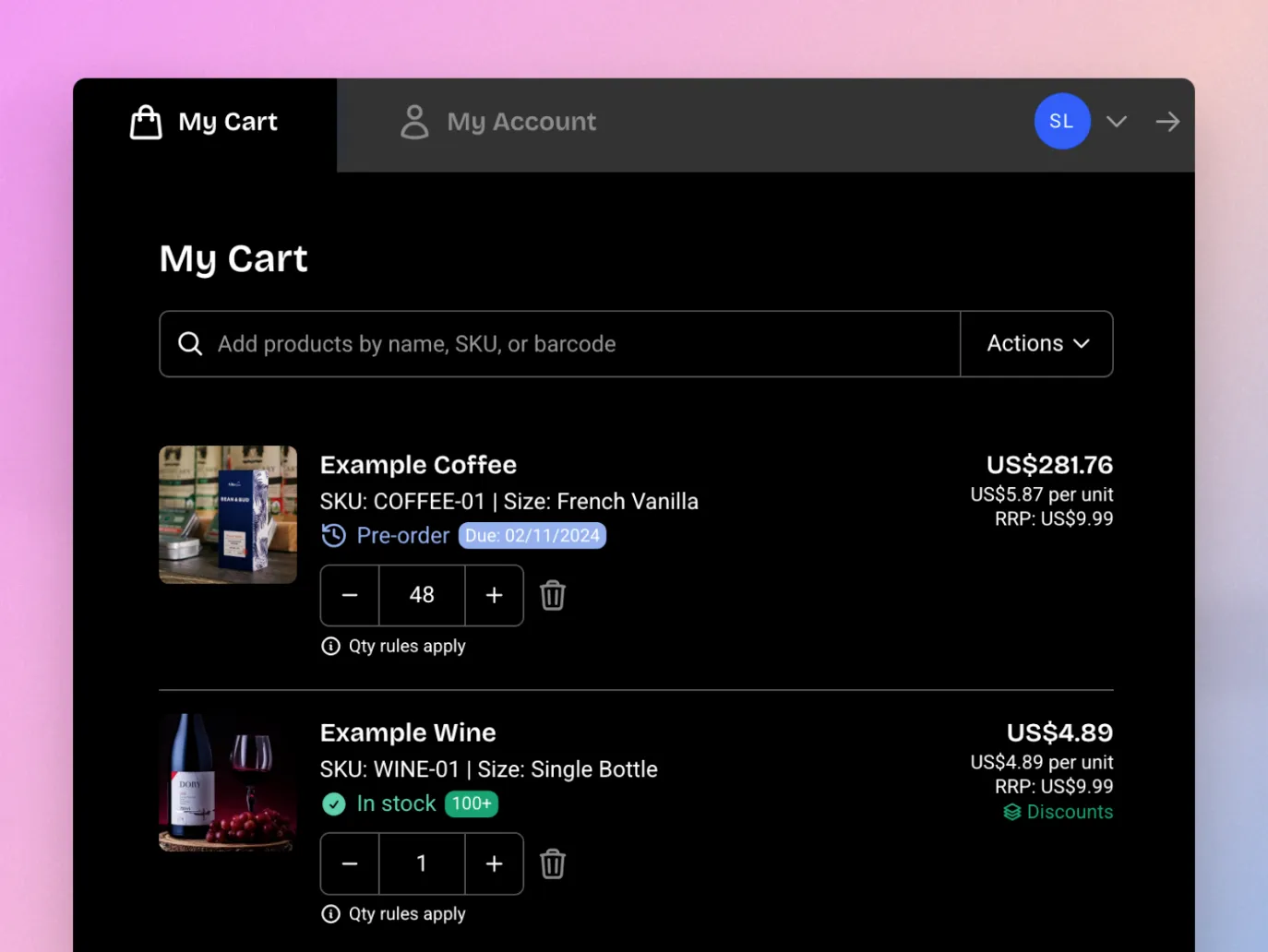
In our latest version of SparkLayer, you can now enable dark mode on all the SparkLayer interfaces. Previously, this was limited to just the product pages - with our latest update dark mode now works in the My Cart Interface and the My Account Interface to give a much more cohesive experience. To enable dark mode, see our guide here.
August, 2026
Version 4.9
🎉 NEW FEATURES
Add to Favourites
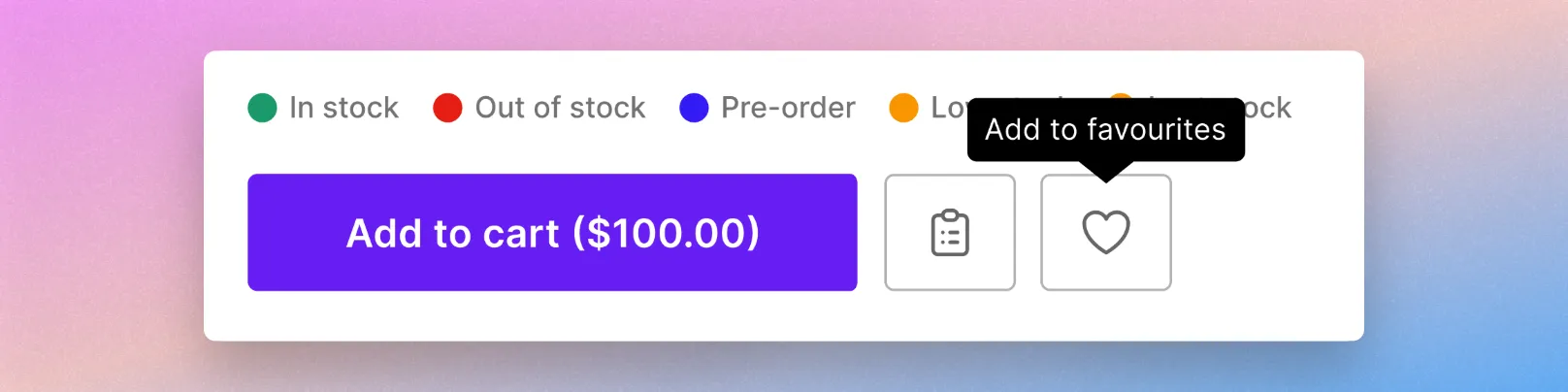
Your B2B customers can now save products as they browse by clicking the heart icon on any product or collection page!
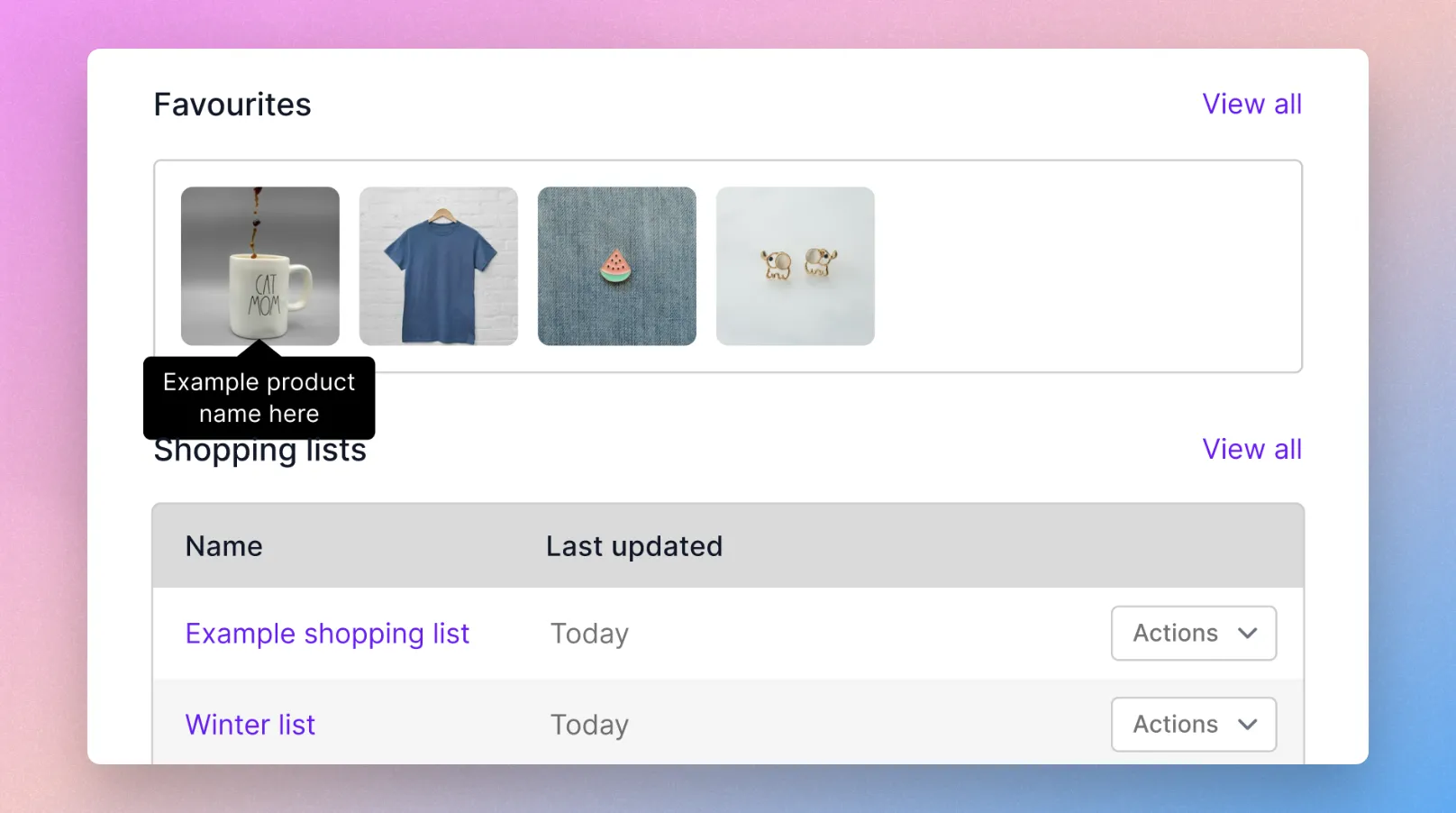
Saved products live in a new Favourites section in My Account, right alongside Shopping Lists, where customers can return to them any time and add them straight to the cart. It's a lightweight way to mark products for later - no quantities or variants to manage - and it's personal to each customer.
Learn more in our full guide here.
Tax-inclusive price display
You can now show your B2B prices with tax included, clearly labelled "inc. tax", so buyers who think in gross terms see exactly what they expect. It's built for markets where gross pricing is the norm - common in Australia and across trade sectors selling to smaller businesses - and gives you far more flexibility in how you present pricing across different markets.
Importantly, this changes presentation only. Your prices are still stored, uploaded, and transacted net, and the tax your buyer actually pays is still calculated by your store's checkout at the point of purchase. Only the figure shown on your storefront changes.
- Show the price your buyers expect - display gross prices without changing how you upload or transact your pricing.
- Control it per price list - turn it on for the price lists that need it and leave the rest showing net, so you can serve different markets from one store.
- Set your own rate per product - supply a display tax rate per SKU, so reduced-rate and zero-rated products show correctly alongside standard-rate ones.
- Clearly labelled throughout - gross prices and the "inc. tax" label appear across product pages, cart, checkout, and order history, so there's no ambiguity about what a buyer is seeing.
Tax-inclusive display is enabled by the SparkLayer team, so simply contact our team if you'd like it turned on for your store. Learn more
🛠️ IMPROVEMENTS
- My Account discount display When an order is placed with discounts applied, you can now see the discount total breakdown when viewing the order in the My Account.
- A refreshed look across the dashboard We've given several dashboard pages a visual update as part of standardising the experience - Price Editor, Product Sync, Discounts (including create and edit), and the Configurations pages all now share a cleaner, more consistent design.
July, 2026
Version 4.7
🎉 NEW FEATURES
Configure SparkLayer from the Dashboard - no code required
Settings that previously had to be added to your theme's core script using JavaScript and JSON can now be managed visually from the new Options page in your SparkLayer dashboard.
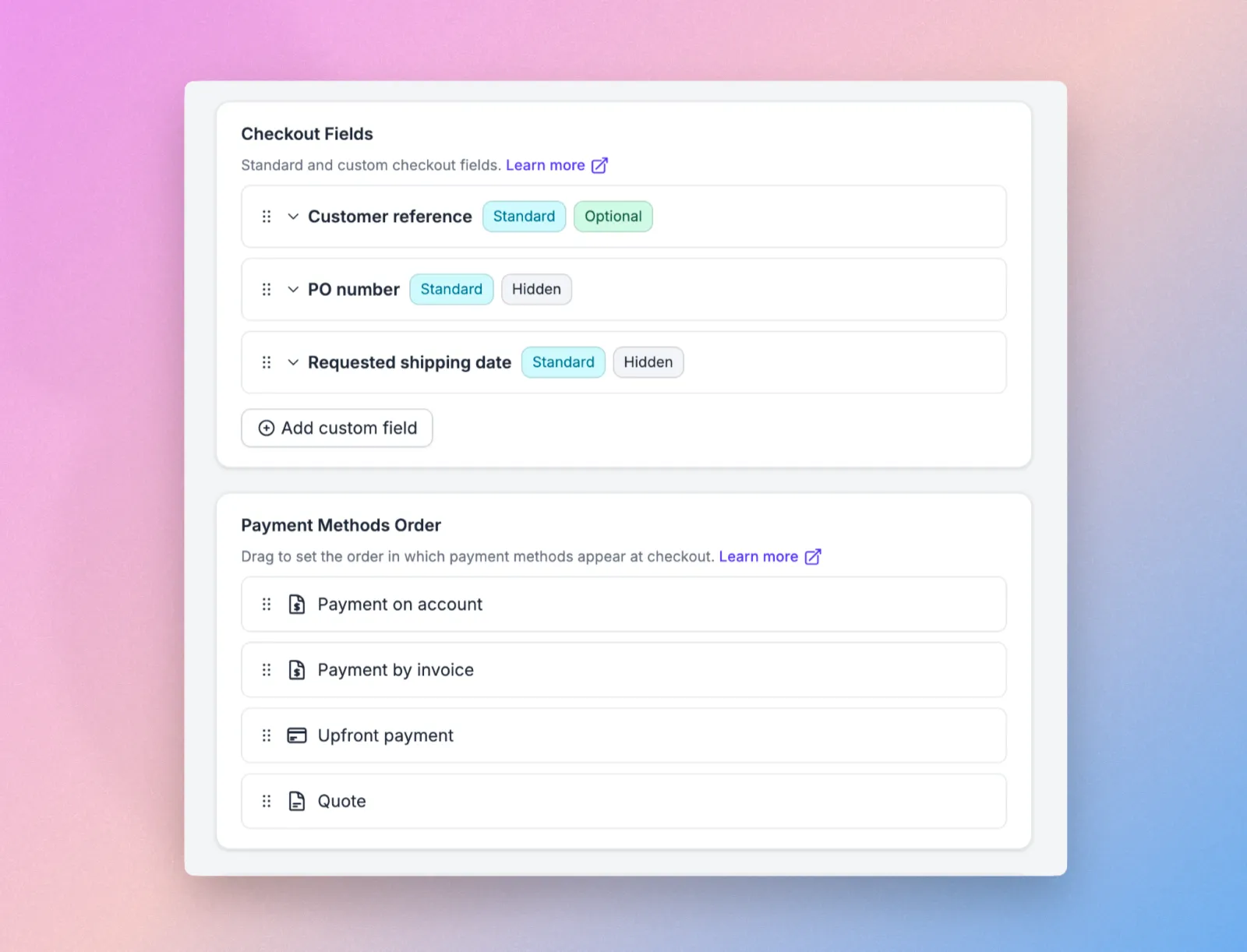
Adjust general settings, translations, checkout fields, payment method order, My Account sections, custom slots, and analytics, then save as a draft and publish when you're ready. It works alongside your existing core script, so nothing you've already set up changes. Learn more
Standard checkout fields
Customer Reference, PO Number, and Requested Shipping Date are now available as standard checkout fields.
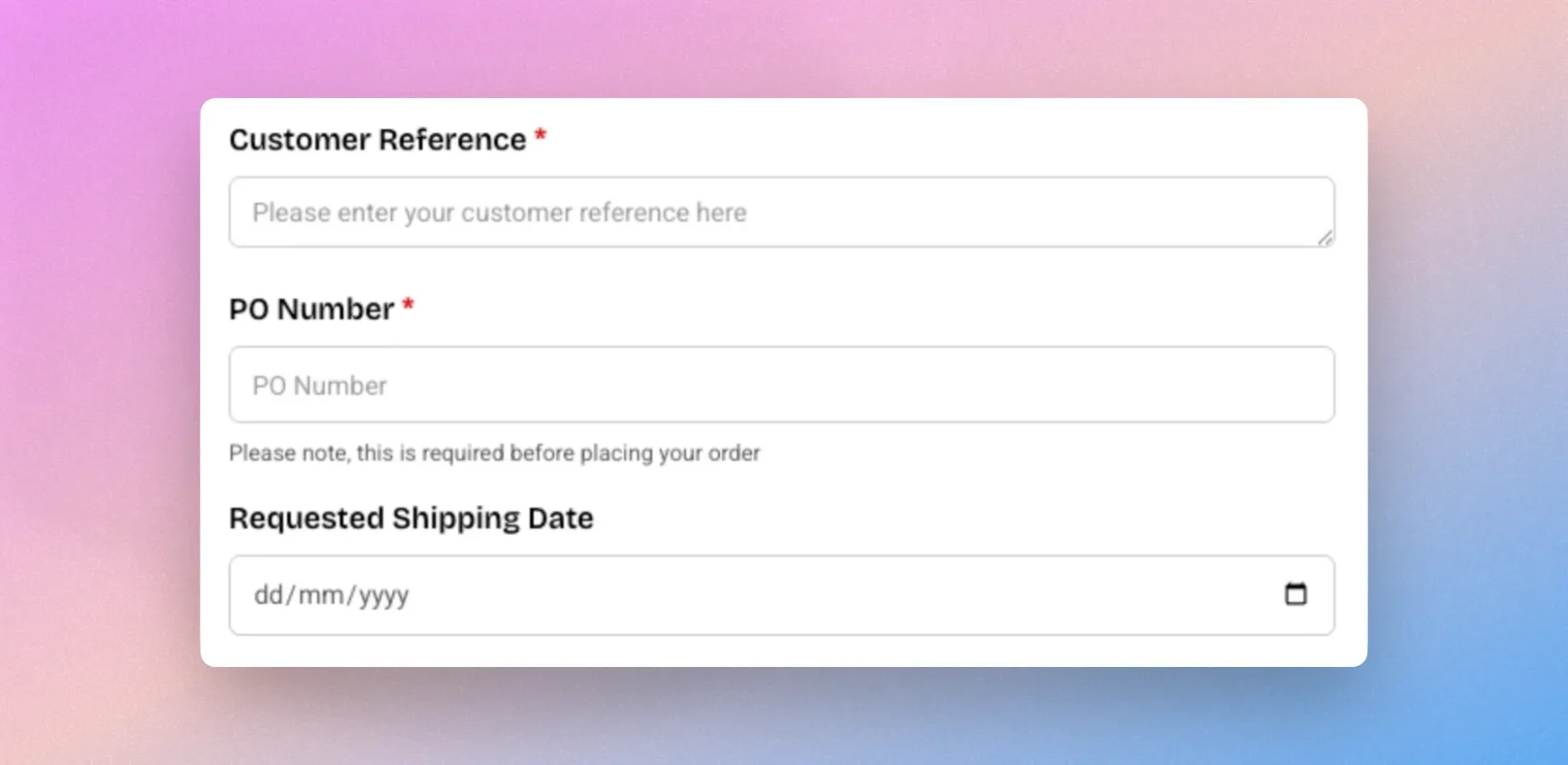
Because each one uses a known field ID, it maps to a structured place in your orders - the native Shopify PO Number field, a dedicated shipping date field, and the order notes - so they integrate more cleanly with Shopify, appear in your theme and template editor, and can be searched and filtered. Learn more
🛠️ IMPROVEMENTS
- Wix dashboard and onboarding experience We've redesigned our Wix dashboard to make it even easier for merchants to get setup! From right within Wix, you can now view available features, sync health & analytics, manage customer groups, manage price lists, and a new 'Quick Setup' page to get merchants live super fast
- Upload Excel files to AI file upload You can now upload Excel (.xlsx) files directly to AI file upload, alongside the existing CSV and PDF support. Customers and sales agents can turn a spreadsheet of products straight into an order, without converting it first. Learn more
- More accurate quantity detection in uploaded files AI file upload is now better at identifying the correct quantities in the files customers upload, making order creation from documents quicker and more reliable.
- Duplicate forms in one click You can now duplicate any form from within SparkLayer Forms
- Hide the Intelligent Cart features If you'd prefer not to use the Intelligent Cart (AI) features within the SparkLayer Cart, you can now hide these by going to the Setttngs > Configurations section of the SparkLayer Dashboard.
June, 2026
Version 4.6
🎉 NEW FEATURES
Shopping Lists just got a major upgrade
Managing Shopping Lists is now faster and far more flexible! Products can be saved to a list straight from any product page, and lists can be fully managed from within the My Account area - including previewing, adding, and editing their contents. Your B2B customers and sales agents can also export any list as a CSV, making it easier to share and reorder across teams. Learn more
Orders API - build and manage orders
Please note Orders API is currently in beta - if you'd like to be invited, please email [email protected] and our team will be happy to help.
We've extended our Core API with a new Orders API, giving developers a programmatic way to build and manage orders. The new endpoints let API users create and manage shopping carts and turn them into SparkLayer orders in code - opening up use cases such as creating orders through external integrations, for example drop shipping. Any store with API access has this automatically. See the API documentation and the usage guide to get started.
Fetch customer-specific pricing via the API
As part of the same release, a new endpoint lets API users fetch customer-specific pricing for products, so integrations can pull the exact prices a given customer sees. Learn more in the API documentation.
🛠️ IMPROVEMENTS
- My Account / My Cart - Expand button moved to the user menu The "Expand" button now lives in the user dropdown menu, freeing up space for more important actions within each page.
- Clearer impersonation view for sales agents When viewing as a sales agent, you can now see exactly which customer you're impersonating on every page, making it easier to keep track when ordering on a customer's behalf.
May, 2026
Version 4.5
🎉 NEW FEATURES
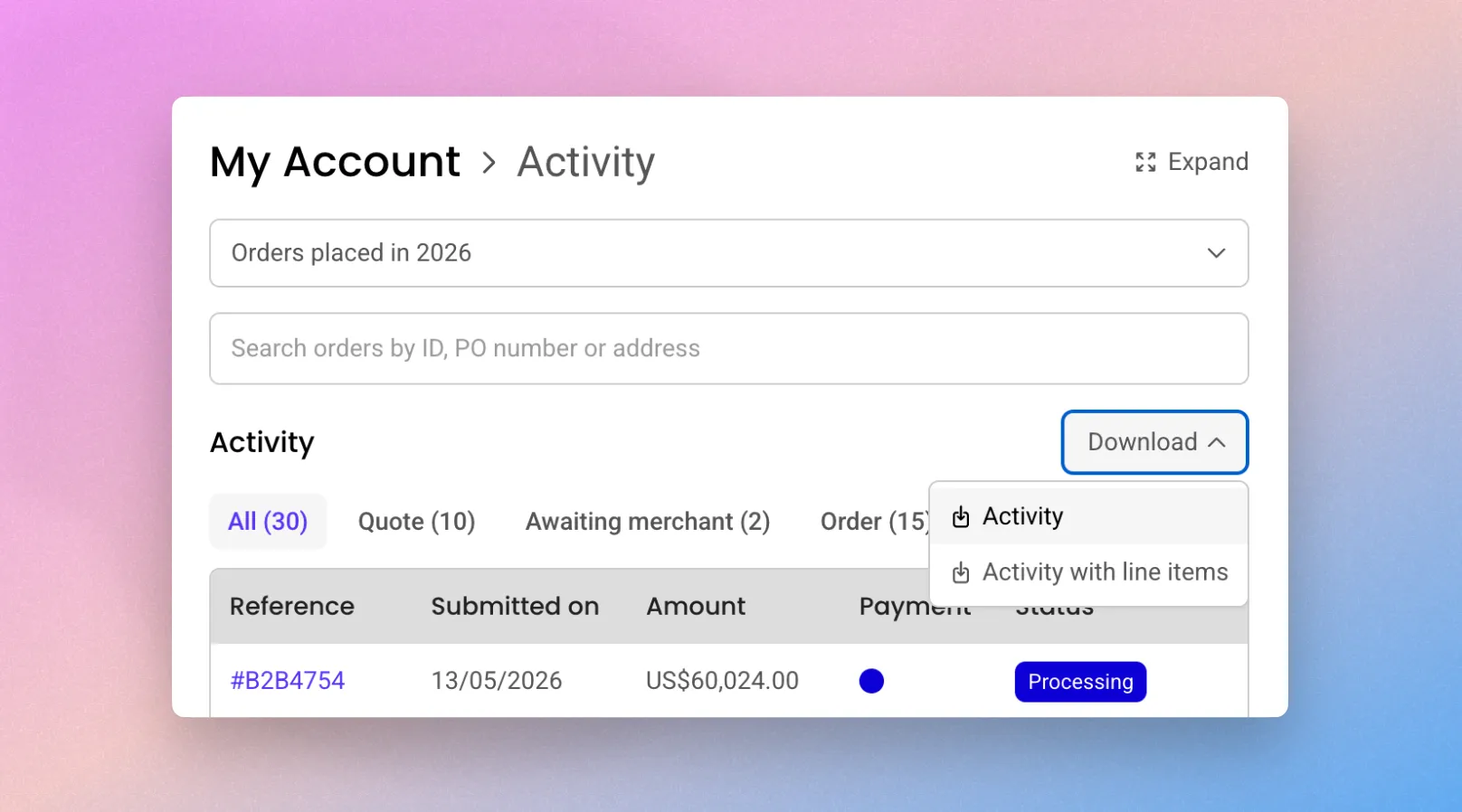
Export Purchase History to CSV You can now export orders (including quotes and any other purchase types) directly from the Activity view as a CSV file, ready for Excel or Google Sheets. Choose between an order-level summary or a full breakdown with every line item, and any filters you've applied carry through to the export. Available from the customer or sales agent view. Learn more herehere. (Requires Spark-JS Version 4.4 and above)
Reply Directly from Your Inbox No more logging in just to reply to a message. You and your customers can now respond to order communications straight from your email inbox, with replies automatically captured in SparkLayer's Timeline. It works across all order types, making it effortless to keep conversations going - especially on mobile, when you're on the go. Learn more herehere. (Requires Version 4.3 and above)
🛠️ IMPROVEMENTS
Customer & Order Data in Forms You can now pull customer and order data (including quotes and any other purchase types) directly into your SparkLayer forms. Great for cases like returns forms, where shoppers can select from their previous orders and items without re-entering details, and sales agents can request customer data to be updated. Learn more herehere.
Address improvements Entering addresses just got easier - especially for international buyers. Address forms now adapt their layout and name ordering to the selected country, and offer address search and auto-fill. The result is faster, more accurate data entry wherever your customers are based. Learn more herehere. (Requires Version 4.5 and above)
Improvements to Sales Agent Activity Filtering Sales agents get the same export options across all their customers, and, similar to the customer view, they can now filter by the new purchase type and quote status filters. Making it easy to reconcile orders, forecast inventory, or plan pre-orders. (Requires Version 4.4 and above)
Internal Customer API upgrades: We've released V2 of our Customer API, now available to all Shopify stores (and in June we'll move the other platforms over). For customers who are already using the V1 Customers API, you can continue to use the V1 API for the next 6 months till the 1st of December 2026. The upgrade path is straightforward, and we’ll provide more information about the changes soon.
April, 2026
Version 4.4
🎉 NEW FEATURES
A better way to onboard customers.
SparkLayer Forms is a flexible way to capture, review, and manage B2B information at every stage of the customer lifecycle — from first enquiry through to ongoing account management or even a contact form for your site.
It includes a powerful workflow editor (available for pro plan customers) which provides functionality for automatically tagging, API calls to push your new customers to your ERP or even automatically approve customers where the tax ID is validated. Learn more herehere.
Catalogs
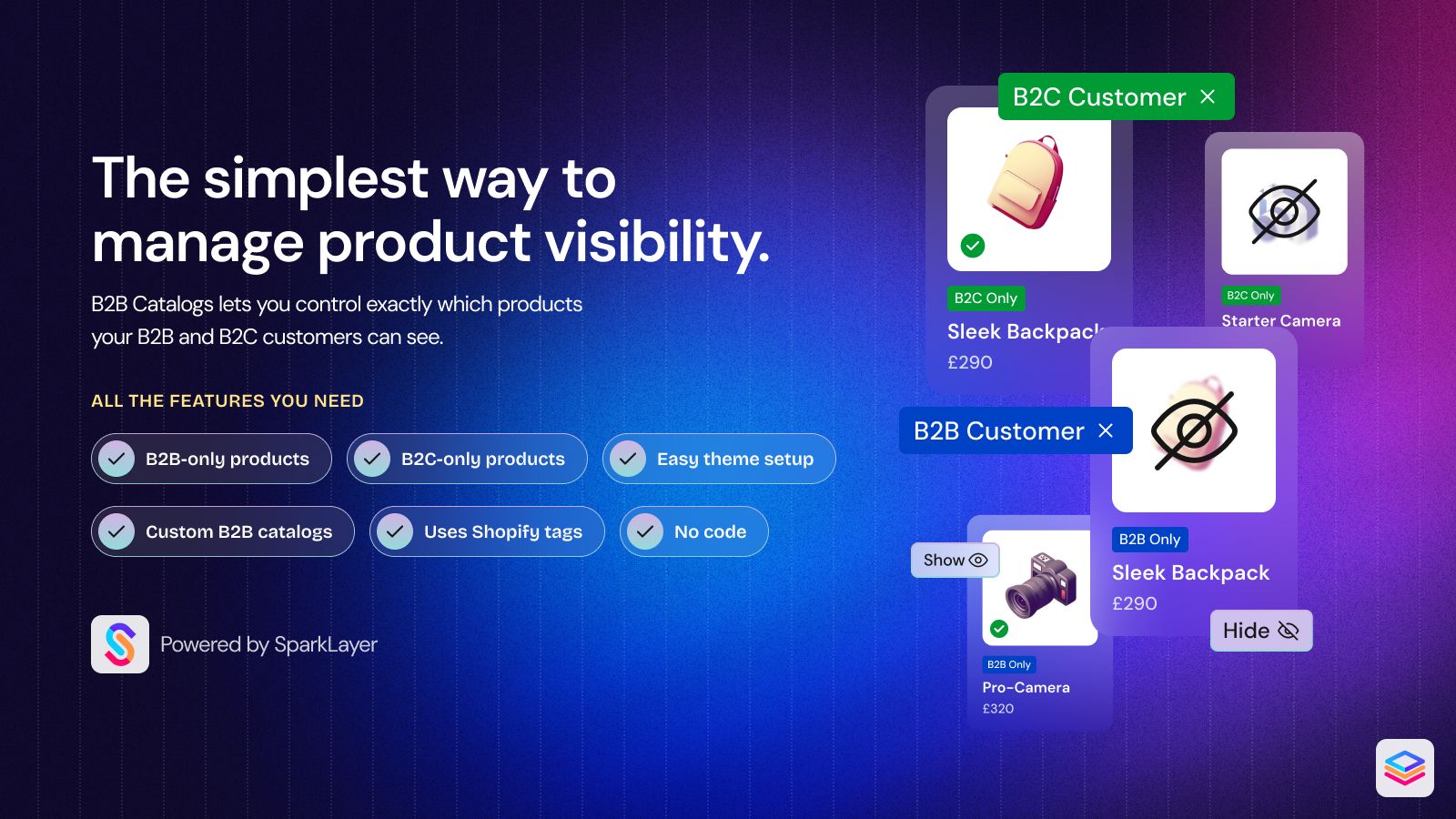
B2B Catalogs is a free SparkLayer app (for Shopify) that gives you control over which products are visible to different types of customers on your Shopify store. Whether you want to hide specific products from B2C customers, restrict certain items to B2B customers only, or show different product ranges to different customer groups - B2B Catalogs makes it easy to manage from your Shopify admin.
Sales agents' roles.
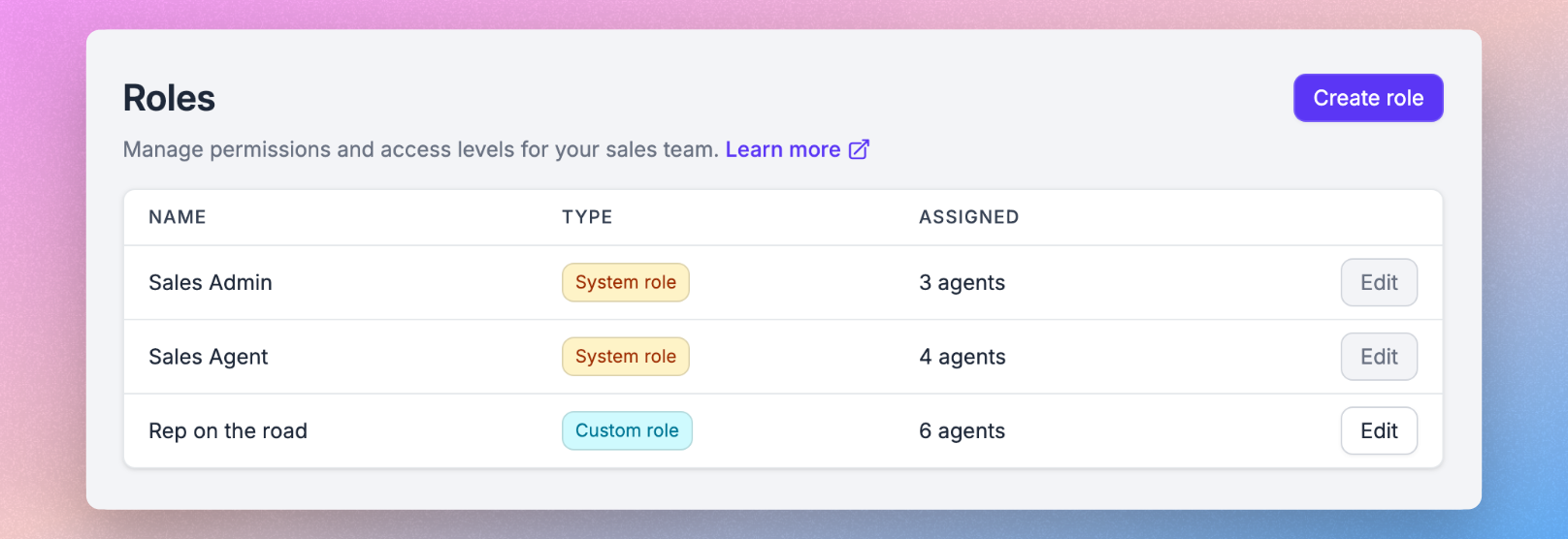
Sales agent roles let you control what each sales agent can see and do in SparkLayer - so the right people have the right level of access. Instead of managing permissions individually, you can create reusable roles and assign them across your team. Available for anyone with sales agents. Learn more herehere.
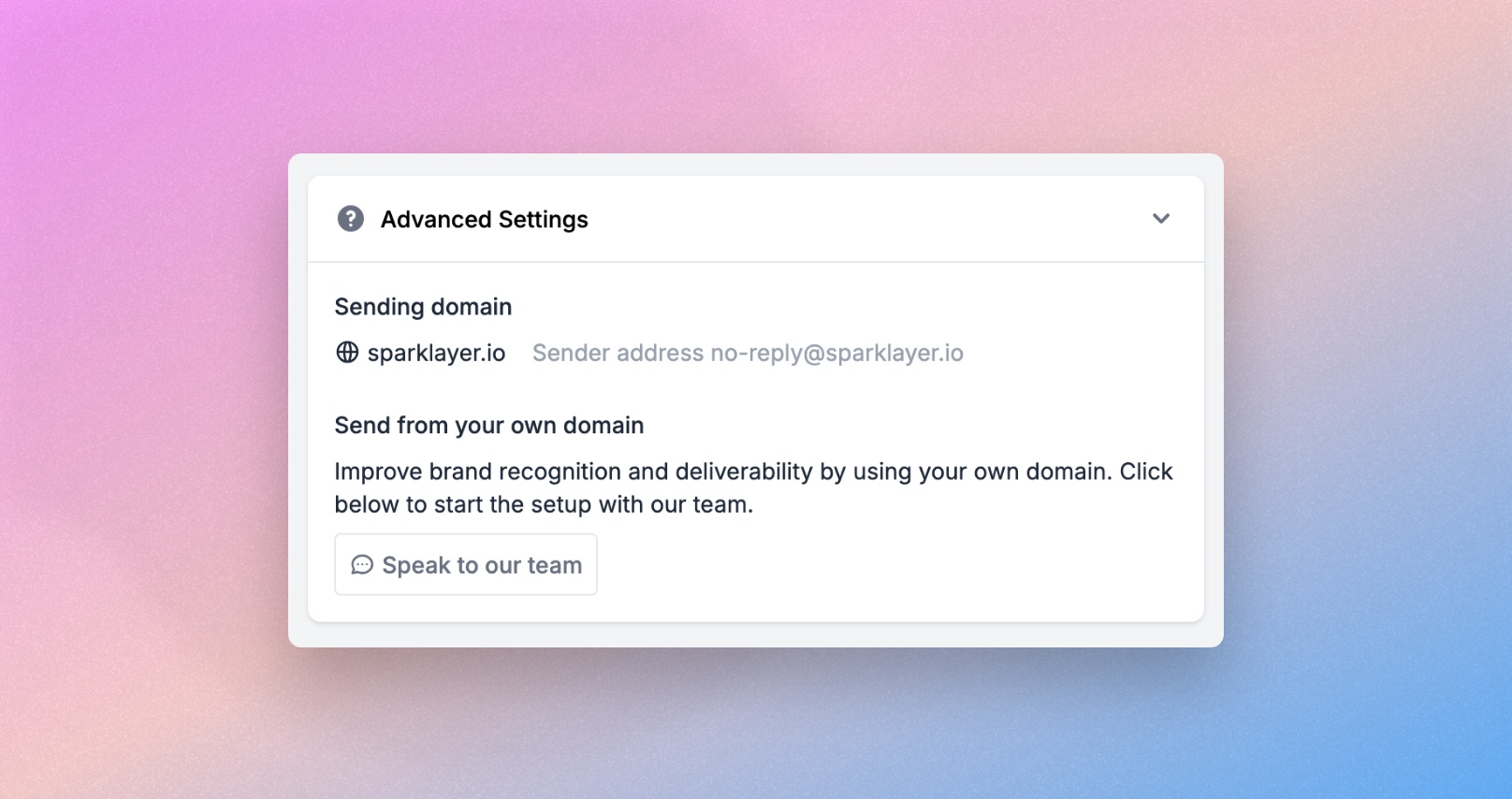
Custom email domain
Improve brand recognition and deliverability with support for custom "from" email addresses (e.g. [email protected]), helping ensure notifications match your brand. Available on Pro and Enterprise plans. Learn more herehere.
🛠️ IMPROVEMENTS
- Dashboard Customers and Sales Agent page - New and improved visibility for customers, customers syncing and sales agents.
- Disable specific email templates - Through a minor template change, it is possible to disable a email template and this could be actioned based on logic. Learn more herehere.
- Package level invoicing for Xero/Quickbooks - Invoices are now shown at package level rather than multiple invoices shown at the order level.
- Company Users is now available for all plans.
March, 2026
Version 4.3
🛠️ IMPROVEMENTS
- Shopify Company support - SparkLayer will automatically place orders under the correct Shopify company when a customer is attached to one. Learn more in our full guide, Shopify Companies
- Multilingual Shopify Shipping support - Support for multilingual shipping names when using Shopify shipping.
Feburary, 2026
Version 4.1
🎉 NEW FEATURES
Payment Visibility within SparkLayer
Cut down on support admin by letting your customers check their financial standing themselves.
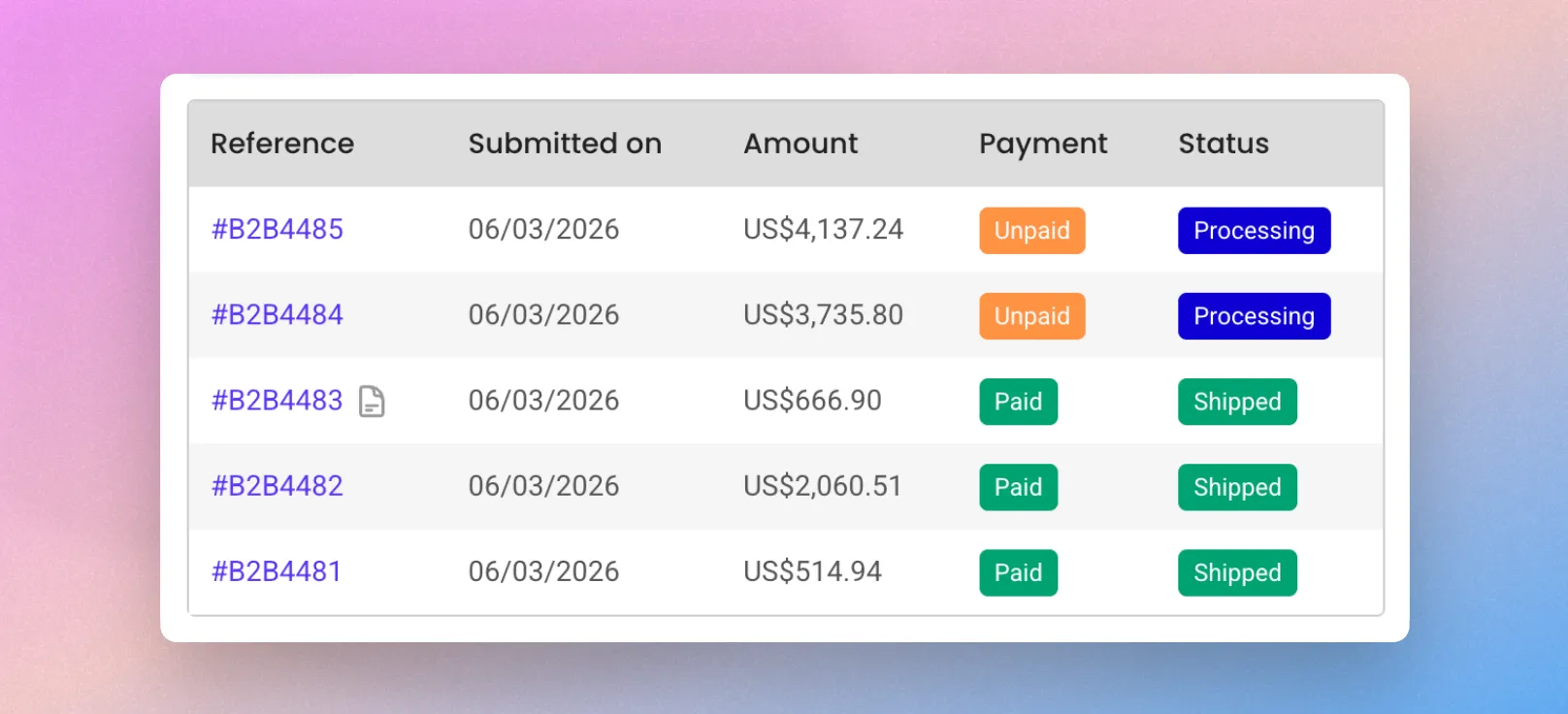
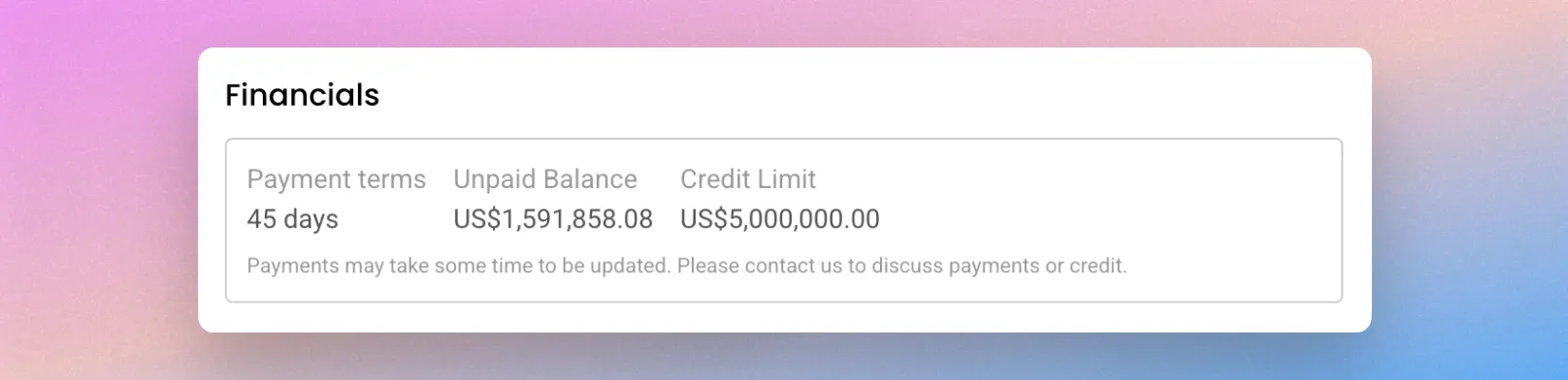
This new feature provides real-time account balances, payment statuses, and transaction histories directly in the My Account area. To read more see Payment Methodshere.
The key elements:
- Payment status is now visible within the order listing and the order details tab (Paid, Unpaid, Partially Paid)
- Transactions are now visible within the timeline section of the order.
- The balance shown in the Account section has now been updated based on payments.
This feature can be enabled easily via the SparkLayer Dashboard. Compatible with Shopify, Xero, and QuickBooks Online.
🛠️ IMPROVEMENTS
- Speed, Polish, and Performance Upgrades (Version 4+)
- Speed Boost: Enjoy snappier loading for products, carts, and accounts thanks to smarter caching.
- Visual Polish: A cleaner, more refined look across the interface with improved layouts, spacing, and typography.
- Better Shopping Flows: More reliable cart updates, smoother reordering, and a simplified quantity selector.
- Accessibility & Fixes: Upgraded screen reader support, better right-to-left (RTL) language layouts, and a solid round of bug squashing.
- Dashboard Price Lists and Customer Groups page - New and updated design for the price lists and customer groups page, we'll be rolling out more pages in this design over the coming months.
- Improved Product Selection Dropdowns - Invalid selections on Product Details Page dropdowns are now hidden rather than disabled, creating a cleaner interface for your customers. (Version 3.17.0+)
January, 2026
Version 3.15
🛠️ IMPROVEMENTS
- Discounts - Exclude Specific Customers Discounts can now exclude specific customers using email addresses or accounting IDs, giving more control over who can use each promotion. Learn more
- Quotes - New Email Notifications We’ve added three new quote emails that the customer will receive, to make it clearer when a quote has been created or updated:
- First response from a Sales Agent to a quote request
- Subsequent quote updates made by a Sales Agent
- New quote created by a Sales Agent and sent to a customer
See the complete list of Quoting emails and their triggers here.
December, 2025
🚀 COMING SOON
We're excited to announce that the SparkLayer Xero and Quickbooks integration is launching in March!
For early access, you can sign up to our beta here.
To learn more about how SparkLayer works with Xero, explore our guide here.
Version 3.14
🎉 NEW FEATURES
Timeline & Communications
Timeline & Communications has expanded beyond Quotes and is now available across all supported order types. Messages, internal notes and order updates are brought together in one clear, chronological timeline, giving your team and customers a unified place to track communication and activity as orders progress.
The result is a consistent, streamlined experience - whether you’re managing standard B2B orders, quotes, or draft orders created by Sales Agents. Learn more in our guide here.
November, 2025
Version 3.14
🎉 NEW FEATURES
Dashboard Design Updates
We’ve refreshed the SparkLayer dashboard with a streamlined sidebar that makes navigation simpler, faster, and more organised.
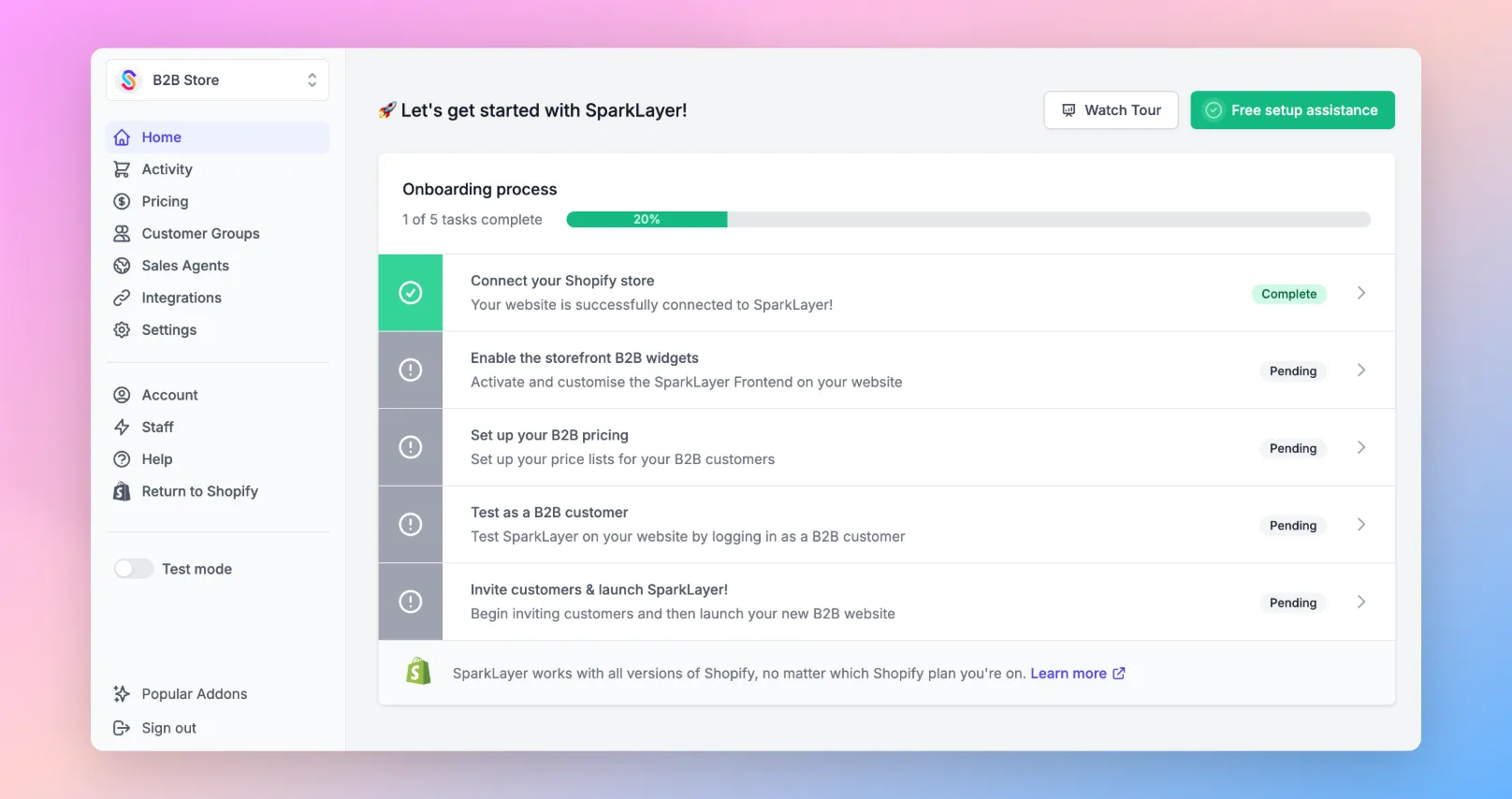
- Customer and Product Sync now sit under Integrations, alongside Platform Connection, Partner Integrations, and Widgets.
- Discounts is now grouped with Pricing, alongside Price Lists and Price Editor, reducing clutter and keeping pricing tools together.
The result is a cleaner layout and clearer structure that lets you focus on what matters most - your store’s performance.
🛠️ IMPROVEMENTS
- Stock Display - Option to hide pre-order status A new configuration within Customer Groups allows you to hide the “pre-order” stock status from customers.
October, 2025
Version 3.14
🎉 NEW FEATURES
Quote Status Improvements
You can now filter quotes by individual status, giving you greater granularity and control when managing quotes. Previously shown in a single view, quotes can now be broken down by stage for easier tracking and follow-up.
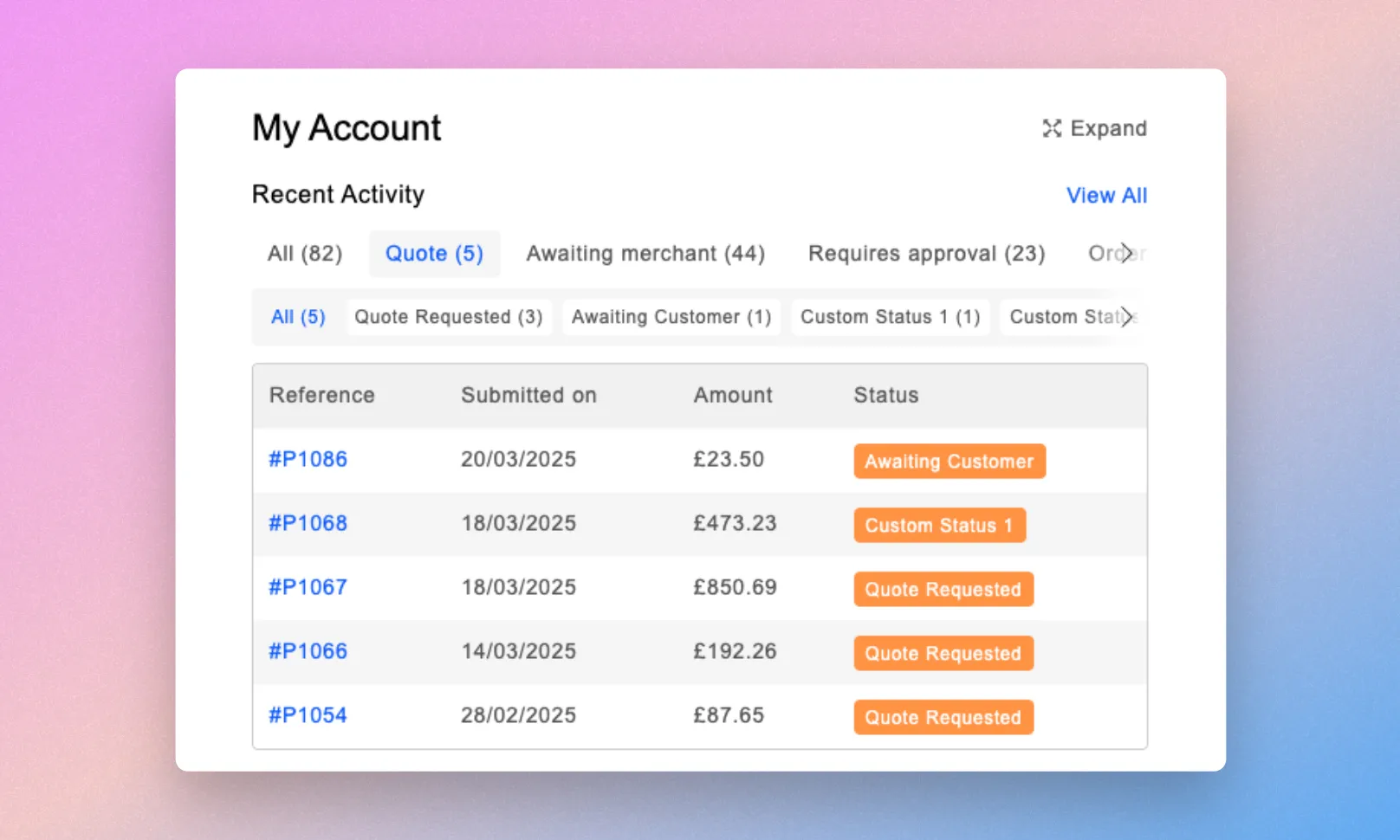
Custom statuses are automatically included, and a new chevron indicator shows when more filters are available to scroll through. Statuses have also been reordered to reflect logical quote progression for a smoother workflow.
Shipping Restrictions by State/Province
You can now limit shipping methods to specific states or provinces within the US, Australia and Canada, allowing more precise regional control. This makes it easier to tailor delivery options, manage exclusions, and align shipping availability with your operational areas.
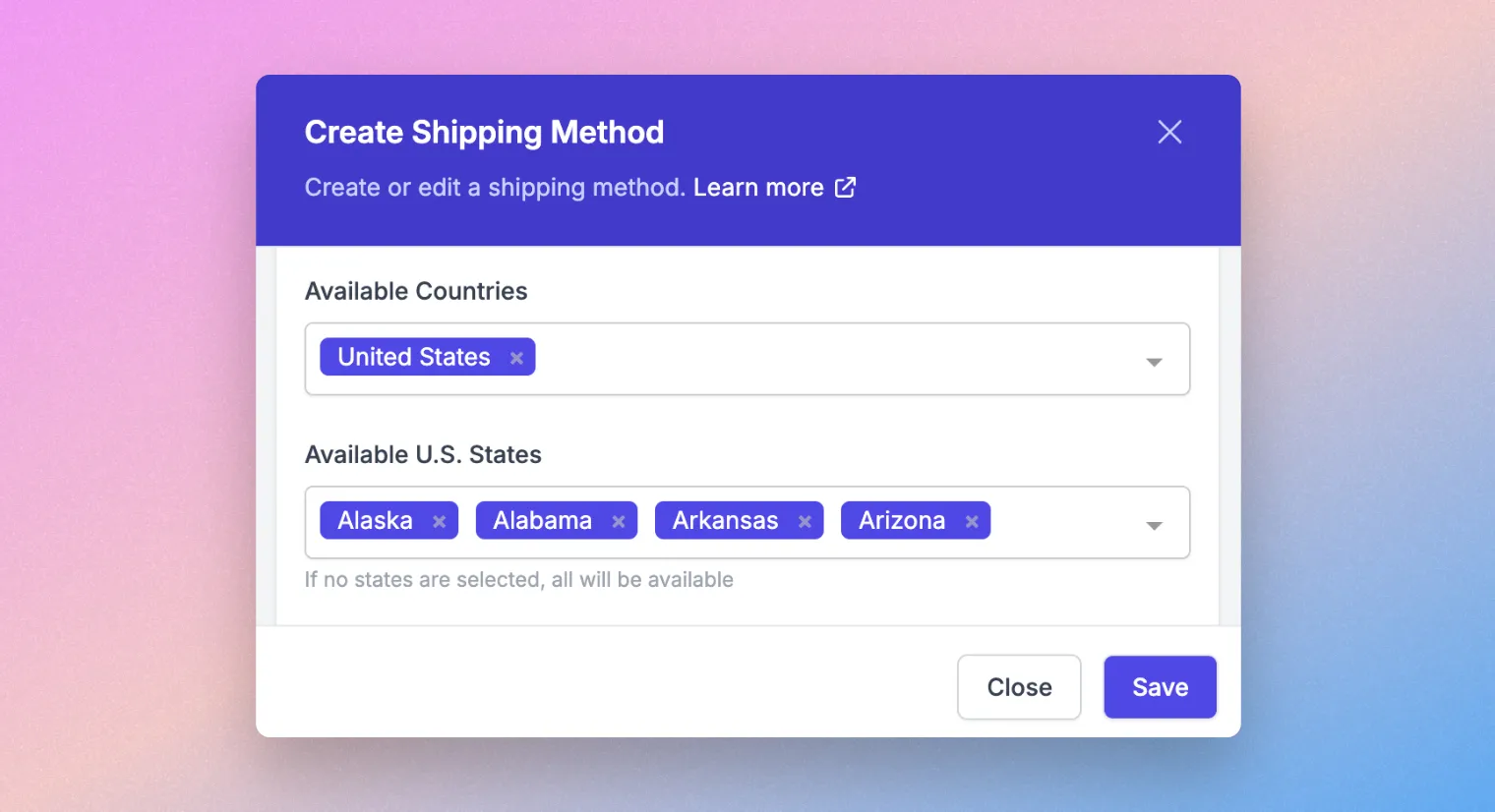
You can configure this directly under Settings → Shipping Methods.
🛠️ IMPROVEMENTS
- Quotes - CC Notifications to Child Company Users Quote notifications sent to parent company users now CC child company users to keep both informed.
- AI Cart Import - Support for Multiple SKU Columns AI Cart Import now supports files with multiple SKU columns (e.g. vendor SKU and product SKU) and auto-detects the correct one.
- Cart - Display Unit of Measure Products with a single unit of measure now show it directly on the cart line item, without needing to hover.
September, 2025
Version 3.12
🛠️ IMPROVEMENTS
- Shopify - Languages: support for product data translations SparkLayer now has the ability to sync product data translations and show product data in the customer's language. This is currently only supported for Shopify stores. Please contact us if you'd like us to enable it on your store. Learn more
- Shopify - Number of Cart Lines Supported Previously we had a limit of 250, we now support 350 line items or 500 line items (by request due to the performance of the Shopify APIs).
- BigCommerce - Support for Combined Order Limit Rules You can now use both SparkLayer’s product minimum and maximum order limit rules alongside the native BigCommerce rules, giving greater order management flexibility.
- BigCommerce - Support for Custom Order Visible ID You can now use a custom order ID instead of the standard BigCommerce-generated ID. This is useful for matching order numbers with back-office systems (e.g. ERP) to ensure consistency across platforms.
- BigCommerce - Discount Rules Based on Product Properties Discount rules can now check additional BigCommerce product properties when determining if a discount should be applied, such as; categories, brand ID, condition, UPC and search keywords.
- Wix - Removal of RRP Field from Sync The RRP field has been removed from syncing to prevent it from displaying on frontend widgets. A product resync will be required for the change to take effect.
- Barcodes - Available on Invoices, Quotes & Emails You can now add barcodes on Invoices, Quote PDFs and emails.
- Sales Agent - “Submit Quote” button update Sales Agents will now see a “Submit Quote” button instead of “Request Quote” during the quoting process, making the action clearer.
- SparkLayer Core Script - Enhanced Error Codes Error codes have been added for custom SparkLayer Options hook issues, making it easier for you to identify and resolve the cause of errors more quickly.
- Activity Section - Quote Status Update The Activity section now shows the “Quote Status” instead of “Quote”, with the column below displaying the actual status (e.g. Awaiting merchant”).
- ERP Integration updates - Cin7, Brightpearl, Linnworks & Unleashed Our ERP integrations have been improved so you can now view connection status, last sync, and any issues via Settings → Integrations → Partner Integrations, making it easier to resolve data syncing problems.
August, 2025
Version 3.10
🛠️ IMPROVEMENTS
Use custom order IDs
It's now possible to use a custom order ID instead of the standard order ID generated from Shopify. A typical use-case is customising the Order ID to match order numbers generated from a back-office system (e.g. an ERP), ensuring consistency across systems.
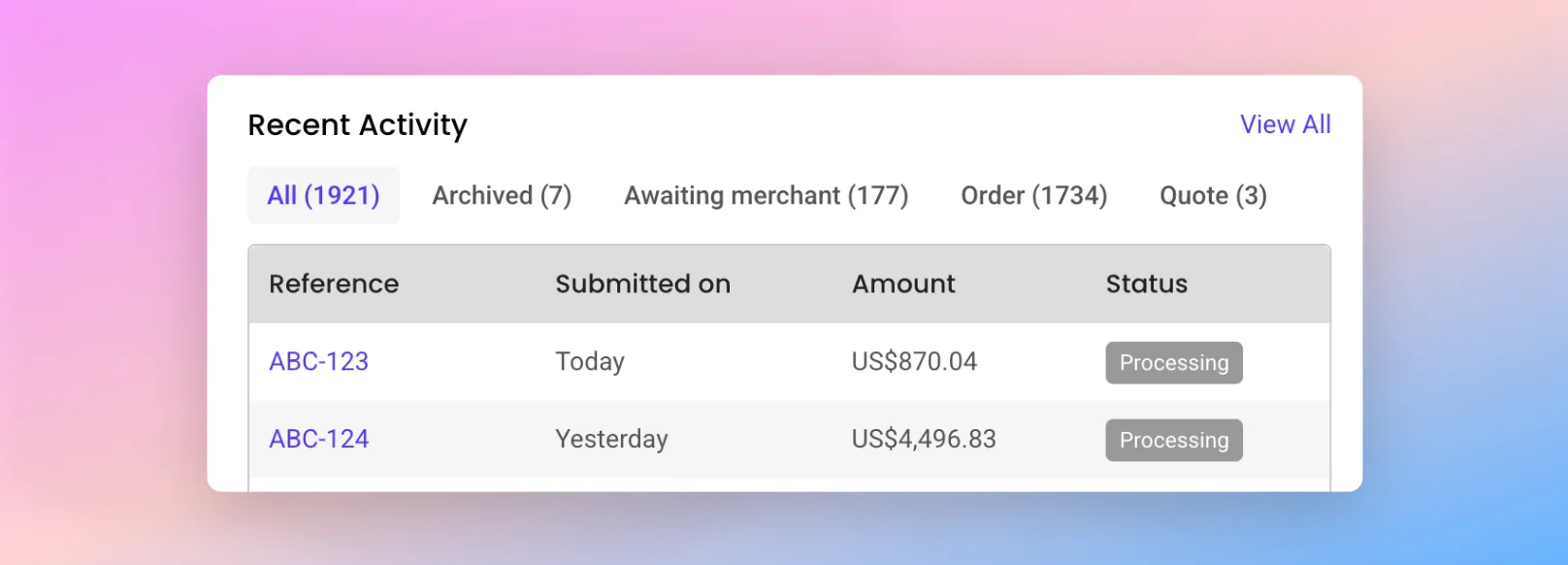
When the "Visible ID" is set, this will then take effect when the customer views their orders from the My Account Interface. To enable this, please see our guide here.
Show a message at a cart line-item level
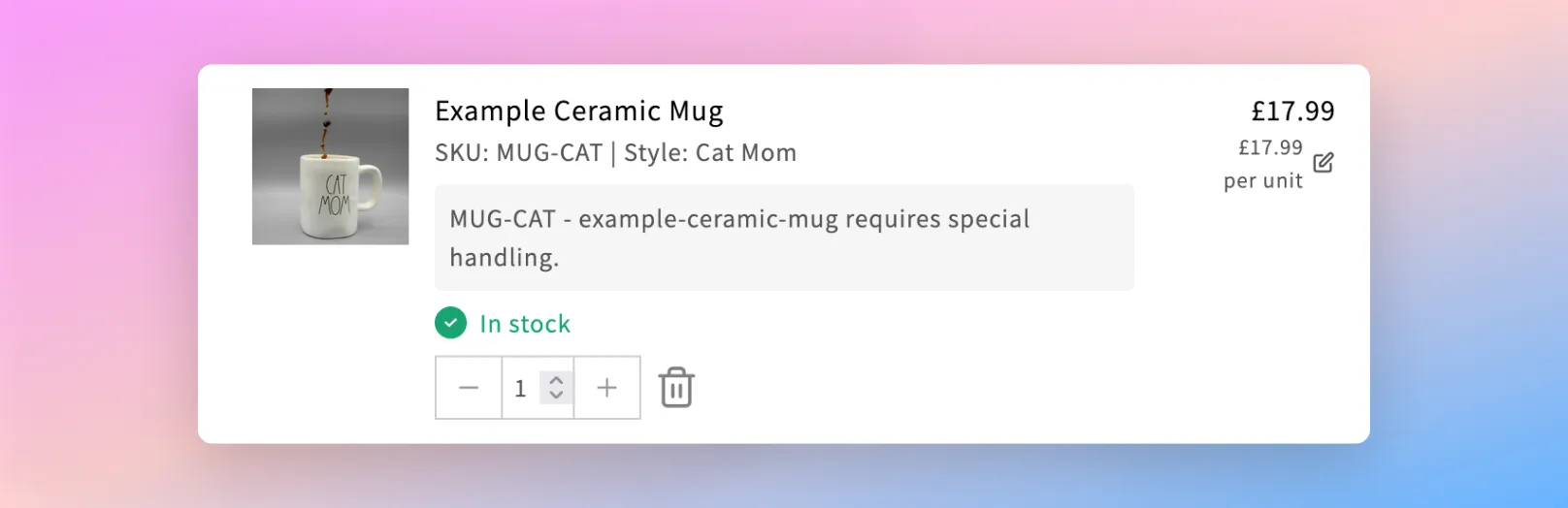
Extending upon our Custom Slots ("Targets") , you can now display a custom slot on a cart line-item level, such as a message that references the product name and ID ("slug"). This gives a powerful new way to add further customisation to the shopping cart for your B2B customers.
July, 2025
Version 3.10
🎉 NEW FEATURES
Discount Engine Improvements
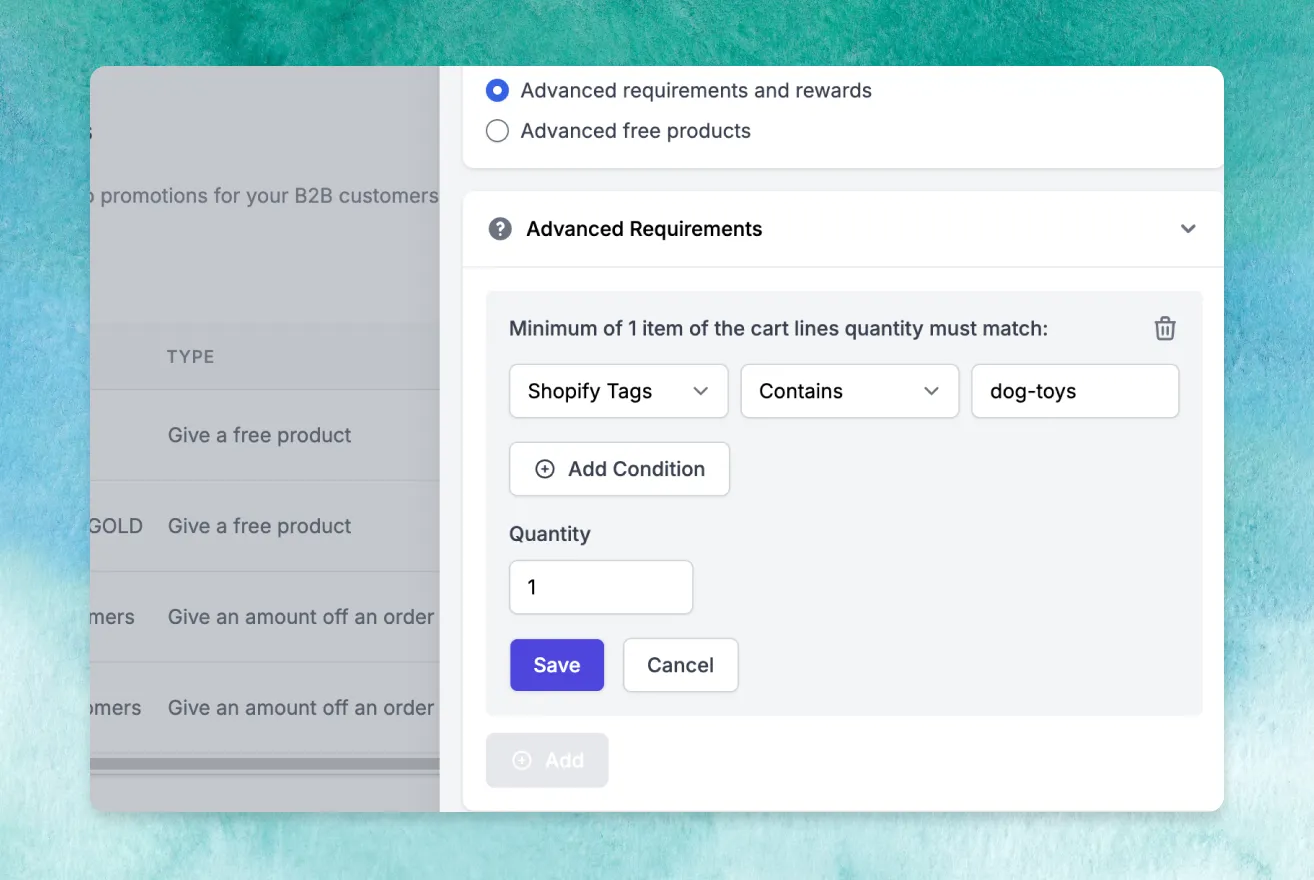
We're excited to announce a range of major improvements to the SparkLayer Discount Engine, including the ability to:
- Set advanced requirements and rewards. Learn more
- More extensive "free products" promotions. Learn more
The updates now allow you to configure discounts that apply on more advanced criteria such as matching a specific "tag" or "vendor" (within Shopify), and the ability to set rewards that include multiple free products. These changes now position SparkLayer as having one of the most advanced B2B promotions engines available - we look forward to seeing how creative our customers will be using this! Learn more
🛠️ IMPROVEMENTS
- Invoices - Option to display RRP You can now choose to show the Recommended Retail Price (RRP) on SparkLayer Invoices, giving your customers greater visibility on pricing.
- Cart - Clearer messaging when stock is limited Customers will now see clearer messaging if they try to add more items to their cart than are available in stock, helping reduce confusion during the ordering process.
June, 2025
Version 3.9
🎉 NEW FEATURES
Katana Integration
We're excited to announce our official integration with Katana, a leading inventory management solution!
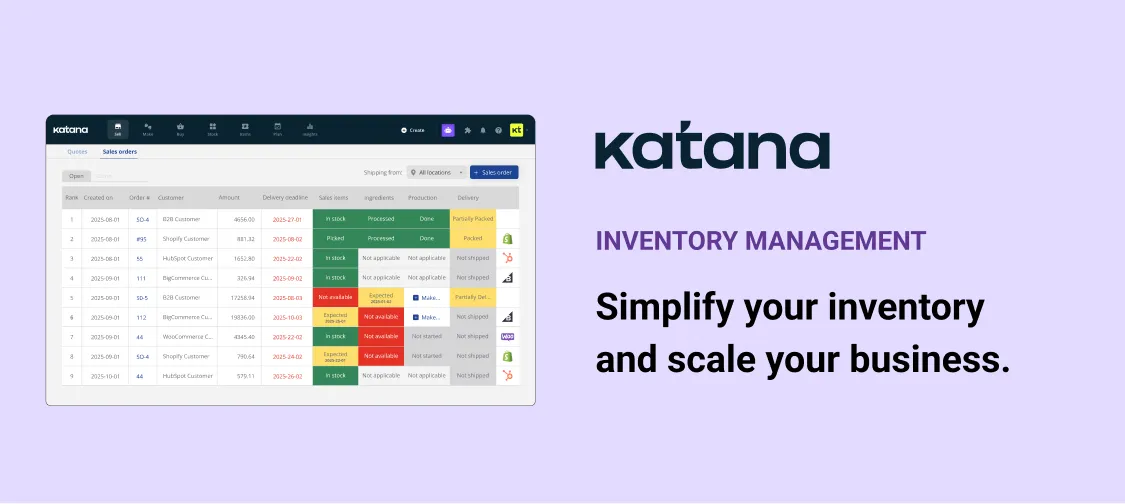
If you're using Katana to manage your back-office operation, you can now integrate your B2B pricing and customer data directly with SparkLayer. Learn more
Onboarding Landing Page
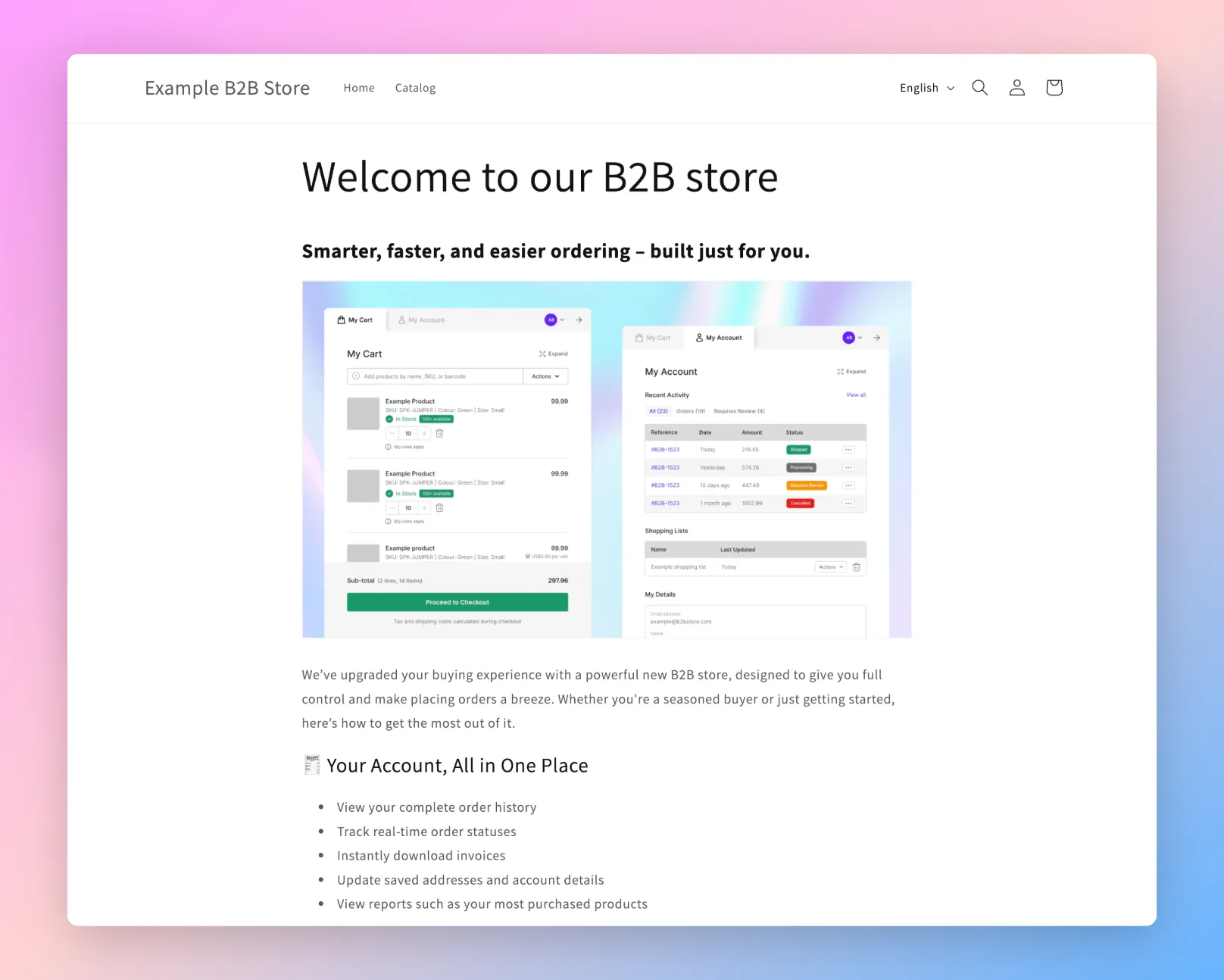
A great way to encourage your customers to use your new B2B store is to explain the benefits. To help you get started, you can use our ready-made "onboarding landing page" that gives a great overview of the features to your customers. Learn more
🛠️ IMPROVEMENTS
- My Account - Tax Display When a customer places an order, they can now see their full tax breakdown when viewing their order details within the My Account Interface
- Shopify - New Customer Accounts URL redirect If you're using Shopify Customer Accounts, you can now configure which URL to send a customer to directly via your Shopify admin. In your Shopify admin, go to Settings, Checkout, and within Configurations, click "Customize" and you'll see a new field "Redirect Path" within the "B2B Customers Redirect" extension.
- Checkout – Support for Tax ID Requirements Merchants can now collect the required tax ID details at checkout, ensuring orders to countries with strict import rules can be completed in Shopify. Learn more
- CSV file upload When importing a CSV file into the My Cart Interface, products will be added to the cart in the same order as listed in the CSV file.
- New Languages We now have support for Latvian on the Frontend Interfaces
- Duplicate Discounts It's now possible to create multiple discounts with the same configurations, making setup faster for similar pricing rules. Learn more
- Checkout - Option to disable You can now fully disable the checkout process and only show the "Request Quote" option, ideal for quote-only workflows. Learn more
- Sales Agent - Auto sign-in after Customer Creation Sales agents are now automatically signed in as the customer after creating them, removing the need to search and impersonate separately.
May, 2025
Version 3.9
🎉 NEW FEATURES
SparkLayer Intelligent Cart
SparkLayer Intelligent Cart introduces a revolutionary new way for your B2B customers and sales teams to build orders quickly and effortlessly using the power of AI.
The magic lies in its simplicity: files and emails containing order details (such as SKUs, barcodes, and quantities) can be uploaded or emailed directly to SparkLayer, instantly creating a shopping cart. In addition, live barcode scanning is supported, providing powerful, fast ways to build orders without manually browsing and searching for product. Learn how Intelligent Cart works in our guide here.
Version 3.8
🎉 NEW FEATURES
Cart Search
We've just given our search tool a massive upgrade, making it even easier for your customers to add items to an order!
The Search tool allows customers to search by a range of criteria including product name, product SKU, product variant name, SKU, and barcode.
The tool also handles mis-spellings and "partial matching", ensuring results are delivered where possible and allowing for a more user-friendly search. To learn more about how it works and how to enable it, see our full guide here.
April, 2025
Version 3.7
🎉 NEW FEATURES
The SparkLayer Quoting Engine
We’re excited to announce the launch of the new SparkLayer Quoting Engine , designed to transform how your sales team and wholesale customers manage quotes.
Built to simplify the entire "quote-to-order" process, it helps reduce manual work, speed up order conversion, and create a better buying experience.
With the SparkLayer Quoting Engine, you can:
- Let customers build and submit quote requests directly from your store
- Enable your sales team to edit quotes, apply discounts, and set expiry dates
- Keep all communication in one place with a shared conversation timeline
- Seamlessly convert approved quotes into ready-to-process orders
- Notify customers and sales teams automatically with emails and special workflows
- ... and a lot more!
Whether you’re handling high-volume B2B orders or need more control over pricing negotiations, the SparkLayer Quoting Engine brings everything into one streamlined flow, all designed to save time, reduce friction, and strengthen customer relationships.
If you'd like to give it a try, head over to the plan page here where you can add it to an existing plan or as an exclusive addon. You can also learn more about how it works in our guide here.
🛠️ IMPROVEMENTS
- Integration with Intuitive Shipping We've released our new integration with shipping application, Intuitive Shipping making it even easier to connect SparkLayer to their dynamic shipping rate solution
- Pre-orders and stock display We've improved how stock is shown in the My Cart Interface when a product is on pre-order. If a customer orders more than is in active stock, it will now clearly show what stock is available and what is on pre-order

March, 2025
Version 3.7
🎉 NEW FEATURES
SparkLayer Analytics
We're excited to announce a major advancement in how you can report on your B2B sales and performance! We’ve partnered with the leading analytics experts, Conjura, to add unparalleled operational and sales visibility to your SparkLayer account.

Learn more about how this works and you can also arrange a demo to see how it can fit your business needs.
Automatic metafield creation
Metafields are a powerful way to customise the functionality of your B2B store, allowing you to configure additional data such as pack sizing, rrp prices, and much more. With our latest update, we've made it really easy to quickly add metafields to your Shopify store without needing to manually configure them within your Shopify admin.

To get started, head over to the SparkLayer Dashboard or learn more in our guide here.
Improved Shopify B2B Login Page
We've greatly improved our free Shopify B2B Registration & Login template, making it really easy for you to add a login and signup form to your Shopify store.

The improvements include full control over the design and content, the ability to set different actions when a customer applies, and much more! Learn more
🛠️ IMPROVEMENTS
- We've added the following additional Custom Slots ("Targets")
- Cart Shipping Step
- Cart Payment Step
- Account > Purchase Summary Header
- Account > Purchase Summary Footer
- For our SDK, we've added a onCartLoadas an additional function that can be used when the cart is loaded. Read more here.
Version 3.6
🎉 NEW FEATURES
Sales Agents - Add custom item
We've released a major improvement to our Sales Agent Ordering tool that your sales team are going to love - the ability to add custom items to a B2B order!

Our new "Add custom item" feature lets your sales agents add additional items to a customer's order that sit outside of your general product catalogue. Use-cases could include adding custom instructions or details specific to an order, additional products (that don't have a specific SKU), or any custom item that needs to be associated with an order. Items can be added at a specific cost or at a zero cost value. Learn more
🛠️ IMPROVEMENTS
- My Account - Order details When viewing an order from the My Account Interface, products that have variants (e.g. colour, size) will show the full variant information (previously this wasn't visible).
February, 2025
Version 3.5
🎉 NEW FEATURES
SparkLayer Invoices
It's here... one of our most requested features of all time has arrived: SparkLayer Invoices!
The SparkLayer Invoices feature allows you to automatically generate professional invoices that your customers can easily download, directly from their My Account.

SparkLayer's invoicing feature removes the need for third-party invoicing tools or apps and offers a seamless way to manage and share invoices with your B2B customers. Once you've enabled invoices via the setting detailed above, the process for viewing and downloading invoices is simple for your customers. Watch our short video below to see:
Interested in trying out SparkLayer Invoices? Learn more in our guide here.
Version 3.3
🎉 NEW FEATURES
Shipping discounts
It's now possible to set shipping discounts when using SparkLayer Discounts! This has been one of our most requested features for our Discount Engine, and it gives you the option to set a range of different shipping discount types. From percentage off and fixed discounts, through to setting a specific shipping cost when the discount is applied.

Using this feature does require enabling the SparkLayer shipping system and you can learn more in our guide here.
🛠️ IMPROVEMENTS
- Sales Agents - Creating New Customers For Sales Agents with "Adminstrator" priveleges, when inviting a new customer via SparkLayer, it's now possible to disable the "Invite" email that is sent to the customer. This is available for all merchants using Shopify. Learn more
Version 3.2
🎉 NEW FEATURES
Show RRP prices only (for in-store shopping)
If you manage orders in physical locations with customers (e.g. in store), it's possible to enable a setting that sets the SparkLayer Frontend Interfaces to only show the RRP (or "MSRP) prices when browsing and adding items to an order.
This is especially useful if you need to "obscure" your B2B prices from view and you only want to show the full retail prices.
Use-cases could include:
- In-store customer visits where an order needs to be placed and the customer must only be able to see the retail (RRP) prices
- Sales teams who are placing orders on behalf of customers (e.g. on the road) and only the retail (RRP) prices must be seen
Learn more about how this works in our guide here.
January, 2025
Version 3.1
🎉 NEW FEATURES
Sales agents - custom shipping methods
One of the most requested features for our Sales Agent Ordering tool is to allow sales agents to make changes to the shipping costs during the checkout. We've now released the ability for sales agents to set custom shipping prices for any orders they place on behalf of their customers.
To learn more about how this works, see our guide here.
Order searching and filtering by date
It's now possible for B2B customers to search and filter orders by date range within the My Account Interface. This is a great way to quickly see orders based on specific criteria and time period, making it easier to keep track of order activity.

To see this in action, click "View All" within "Recent Activity" and you'll see the option to search and filter your orders.
🛠️ IMPROVEMENTS
Mobile layout improvements
We've made improvements to the Cart & Checkout to better support smaller (mobile) devices. When a B2B customer is using SparkLayer on these devices, the interface will now show more line items and offer an easier way to navigate between checkout steps.

Shopify - improved handling of B2B prices
Please note From 1st February 2025, this feature is enabled by default. If you started using SparkLayer before this date and you'd like to enable this on your Shopfy store, please contact us and our team will action this for you. This is an optional feature and it is not mandatory to enable.
We've improved how SparkLayer handles pricing in Shopify, removing the need for B2B pricing to be applied as a "discount". When a B2B customer now places an order, the price shown against a product will exactly match the B2B pricing you set via SparkLayer Pricing.
To iillustrate the difference, the screenshot below shows how pricing was calculated previously (using a discount against the line item product price)

With the latest change, the price shown will exactly match your B2B pricing without needing to apply a discount.

Shopify - support for new customer accounts
If you're using Shopify and you'd prefer to use Shopify's new "Customer Account" feature, SparkLayer is now fully compatible. This means that SparkLayer can now work with Shopify stores that use either new "Customer Accounts" or classic "Legacy Accounts". To learn more, read our guide here.
December, 2024
Version 2.1.0
🎉 NEW FEATURES
Change ownership status in the Dashboard
If you have multiple users invited to your Dashboard, you can now easily transfer ownership to another user. This is especially useful if you're initally setting up SparkLayer and you want another user to manage the ongoing account management.

To learn more about how this works, head over to our guide here.
November, 2024
Version 2.1.0
🎉 NEW FEATURES
Integrating Google Analytics with SparkLayer
If you're looking to track key events in Google Analytics (GA4) or Google Tag Manager (GTM) through SparkLayer, you can now set this up directly in your integration. This will help you capture valuable B2B events like "add to cart" "checkout," and "purchase" actions. Learn more
New Email Notifications for Company Users
We've now added the ability for Company Users to receive emails when "Limited Users" submit an order for a review. Email notifications are sent to both the "main" and "limited" Company Users at key stages of the order review process, without requiring them to be logged in. You can learn more about how this works in our guide here
October, 2024
Version 2.0.8
🎉 NEW FEATURES
Product Matrix Interface
We've introduced a major update to our Frontend Interfaces that now lets you convert your product pages into a special "product matrix" table view, making it even easier for your customers to order products!
If your products come in multiple variant types (e.g. colour and size), it's a great way to allow customers to quickly see all variants available and purchase them. To learn more about how this works, please see our guide here.
Order details
When viewing an order within the My Account Interface, if an order has more than 10 unique items, a "View all" link will now show allowing the customer to see all items in one go.

September, 2024
Version 2.0.2
🎉 NEW FEATURES
Custom checkout fields - support for new fields
If you need to collect additional data from your B2B customers during the checkout, our custom checkout fields now supports the ability to add drop-down menus ("select" menus).
For example, you may want to give customers a list of options to choose from to include in their order and it's even possible to group the options with different headings. You can learn more about how this works in our guide here.
Stock display improvements
Please note This feature requires being on the latest version of SparkLayer. To benefit from our latest updates, please upgrade your SparkLayer Core Script.
It's possible to display stock levels to your B2B customers when they browse your store, giving them visibility of your inventory. Our latest update now gives you even more flexibility and has a number of major improvements.

Firstly, it's now possible to display stock levels on a per-customer group basis. For example, you may have some customer groups that you don't want to show inventory to or you may want to configure specific stock settings.
You can also now hide and show the specific inventory count and just show a stock status (e.g. In stock versus In stock [100 available].) Beyond this, we've also simplified how you can manage max/low/last stock levels and you can learn more in our full guide here.
🛠️ IMPROVEMENTS
- My Account Addresses When adding or editing an address within the My Account area, the First Name and Last Name fields are now mandatory.
August, 2024
Version 1.36.16
🎉 NEW FEATURES
Line Item Tax Support

If you sell products that have different tax requirements, you'll like our latest update! We've just released full support for "line item tax", ensuring your B2B customers see fully accurate tax calcualtions when checking out.
This feature is ideal if you have more complex tax requirements for your catalogue (e.g. you're selling coffee, children's clothing, or products that have varying tax obligations).
You can see a full overview of how it works in our full guide here.
🛠️ IMPROVEMENTS
- Sales Agents within the SparkLayer Dashboard Based on customer feedback, we've made it easier to access Sales Agents within the SparkLayer Dashboard. You'll see this in the main navigation when signing in, or you can access it here.
July, 2024
🎉 NEW FEATURES
B2B Discount Engine!
It's here... our most request feature EVER! The SparkLayer Discount Engine.
Our new Discount Engine immediately unlocks a range of discount rules, with more to come in the future. Right now, you'll be able to set up:
- Order-level discounts: eg, spend $1,000 and get 10% off, spend $2,000 and get 15% off
- Percentage and fixed discounts: eg, 20% off an order total, $100 off an order total
- Coupon codes: eg, enter code NEWCUSTOMER and get 5% off
- Scheduled discounts: eg, start discount today and end it on a specific date and time
- Customer-specific discounts: eg, only allow customer group ‘b2b-vip’ qualify for the discount
You can see a full overview of what’s possible in our guide here.
Custom slots (add custom code)
Custom slots have arrived! You can now add custom code to a range of the SparkLayer Frontend Interfaces allowing you to customise the B2B experience for your customers.
It's a great way to further enhance your B2B customer experience and use-cases could include displaying promotional messages, links to pages within your store, and much more! Learn more
🛠️ IMPROVEMENTS
- Purchase history re-ordering When viewing the Purchase History in the My Account Interface, you can now add individual items directly to any order
June, 2024
🎉 NEW FEATURES
File uploads (checkout and product-level)
We're excited to announce the launch of one of our top 5 most requested features, file uploads! As of today, your B2B customers can now upload file attachments during the checkout process, allowing you to capture additional information such as Purchase Orders, custom files (e.g. for personalisation) and much more.
And there's more! In addition to file uploads during the checkout, you can now configure product-level file uploads! Learn more in our guide here.
Stock location support ("inventory locations')
As brands scale their operations and build out more advanced inventory management processes, it’s very common to see multiple ‘locations’ where inventory is managed. This could be based on geographic location (eg by country) or by more niche use cases specific to a brand’s internal workflows, like routing stock based on what type of customer is ordering.

Stock locations allow you to specify which stock (or "inventory") locations you want your B2B customers to use stock from. If your B2B store is set up with multiple stock locations (e.g. by geography), it's a great way to ensure your B2B customers are purchasing stock from the correct locations. Learn more in our guide here
May, 2024
🎉 NEW FEATURES
New Customer Groups interface
We've just released a major improvement to the Customers area of the SparkLayer Dashboard, making it easier to manage your B2B customer rules! We've completely reworked how your customer groups are displayed with a new and improved way to quickly manage all your customer groups settings from one place.
The update also includes new visibility of "customer group inheritance", allowing you to see which rules are being used from another customer group. Check our video below or head on over to the new Customer Groups area!
🛠️ IMPROVEMENTS
- Price list improvements: It's now possible to set up a price list to support a 100% discount against an automatic price source (e.g. your Shopify retail prices). This is useful if you have a requirement to allow specific B2B customers to purchase products at a zero-rated cost (e.g. $0.00)
- My account credit limits now support multi-currency If you're store is set up to allow multiple currencies for your B2B customers and you're using credit limits and account balances, you can now configure these specific to the customer's currency (e.g. GBP, EUR, USD)
You can also browse previous years of SparkLayer updates in the Archive