Shopify Companies
Introduction
Please note It is not necessary to use Shopify Companies alongside SparkLayer. This guide gives an overview of how SparkLayer works alongside Shopify Companies. Using Shopify Companies may incur additional transaction costs from Shopify and we recommend speaking to Shopify Support to confirm.
SparkLayer and Shopify's "Companies" feature are two different systems for managing B2B customers. They don't currently share data - but we're actively building compatibility so they can work alongside each other.
If you're a SparkLayer merchant, your B2B customer management, pricing, and ordering continues to work exactly as it does today. Shopify's Companies feature doesn't interfere with SparkLayer - but you should understand how the two systems relate.
What Is Shopify Companies?
Shopify has expanded its native B2B features to all plan tiers. At the core of this is the Companies feature (found at Customers > Companies in your Shopify admin).
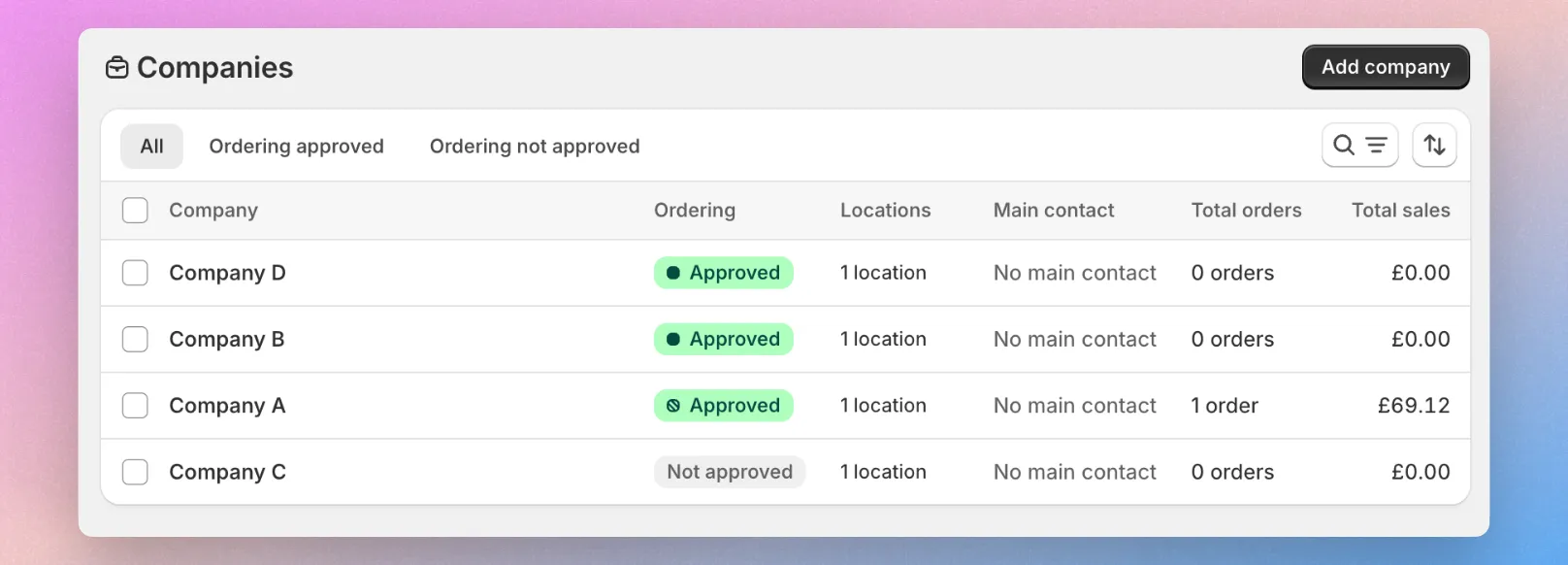
A Shopify Company is a structured record that represents a business you sell to. It includes:
- Company profile - the business name, tax ID, and general information
- Company locations - physical locations (offices, warehouses, branches) with their own shipping/billing addresses
- Customers - individual buyers linked to a company location, each with their own login and permissions
- Catalogs - pricing and product visibility assigned to the company or location
- Payment terms - net terms, deposit requirements, and checkout rules per company
When a B2B customer logs in via Shopify's native B2B, they select their company and location, and Shopify automatically shows them the right pricing, products, and payment options.
How SparkLayer Works
SparkLayer uses a tag-based system to identify and manage B2B customers. Instead of Shopify's Company → Location → Customer hierarchy, SparkLayer works like this:
- Customer tags in Shopify identify which customers are B2B buyers
- Customer groups in SparkLayer define pricing tiers, payment methods, and rules
- Customers are assigned to groups, and those groups control their B2B experience
- SparkLayer overlays a full B2B frontend on top of your existing Shopify theme
This means SparkLayer doesn't use Shopify's Company or Company Location records to determine who sees what pricing. You can learn more in our guide here.
Do They Conflict?
No. SparkLayer and Shopify Companies can coexist on the same store without breaking anything. However, they currently operate independently:
- SparkLayer reads customer tags to identify B2B buyers and assign them to groups
- Shopify's native B2B reads Company records to determine pricing and catalogs
- If a customer is set up in both systems, each system handles them separately
The important thing to understand: SparkLayer does not currently read from or write to Shopify's Company, Company Location, or Catalog records. Your SparkLayer pricing, groups, and ordering features are managed entirely within SparkLayer.
Draft Order Company Association
When SparkLayer creates a draft order on behalf of a B2B customer, it associates that order with the correct Shopify Company, Contact, and Location IDs. This means:
- B2B orders created through SparkLayer appear correctly under the Company in Shopify's admin
- Order attribution is accurate - Shopify's reporting recognises these as B2B orders from a specific company
- This addresses the Shopify warning: "Some apps may not attribute B2B orders correctly on your current plan. Check that B2B orders are assigned to a company, not just an individual customer."
How It Works
- B2B customer places an order via SparkLayer
- SparkLayer creates a draft order in Shopify
- The order is linked to both the customer AND their Shopify Company and Location
- In Shopify's admin, the order appears correctly under both the customer and the Company

What You Need to Do
If you're an existing SparkLayer customer:
Nothing changes with your B2B setup. SparkLayer continues to manage your customer groups, pricing, and ordering independently of Shopify's Companies feature.
The company association feature is now live - if your Shopify customers are linked to Company records, SparkLayer will automatically associate draft orders with the correct Company and Location. To take advantage of this:
- Ensure your B2B customers in Shopify are linked to the appropriate Company records
- Orders placed through SparkLayer will then appear under the Company in Shopify's admin
- No additional SparkLayer configuration is needed
If you're setting up SparkLayer for the first time:
You can set up Shopify Companies alongside SparkLayer from day one. The two systems work independently, and SparkLayer's company association ensures orders are attributed correctly from the start.
Do I need to create Shopify Companies?
It depends on your needs:
- If you want Shopify's admin to show B2B orders grouped by company → Yes, create Company records for your B2B customers. When SparkLayer's company association feature goes live, orders will be linked automatically.
- If you only use SparkLayer for B2B management → Company records are optional. SparkLayer's customer groups handle everything.
- If you want the best of both worlds → Create Company records for reporting and admin organisation, and use SparkLayer for the full B2B ordering experience.
Vaulted credit cards
Because SparkLayer associates draft orders with the correct Shopify company and location, your B2B customers can take advantage of Shopify's vaulted credit card feature - allowing them to securely save a card once and reuse it across future orders without re-entering payment details.
How it works
Shopify's vaulted cards are tied to a company location. When a customer saves a card - either at checkout or through their customer account - that card becomes available to any customer linked to the same company location.
With SparkLayer, vaulted cards work in two ways:
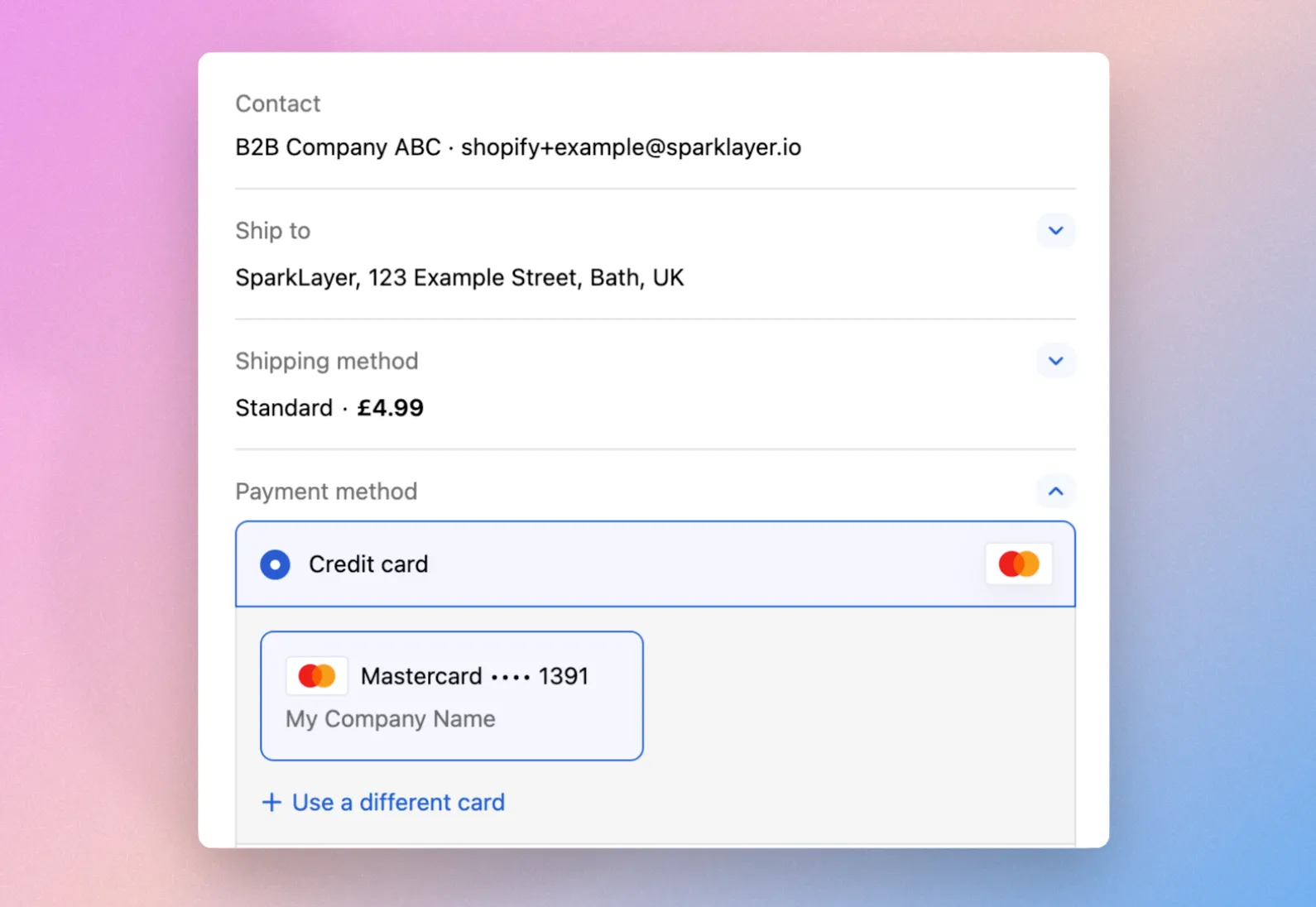
Pay online by card When a B2B customer checks out via SparkLayer and selects "Pay Online by Card", any vaulted cards saved against their company location will appear as a payment option. The customer can select a saved card to complete the order without re-entering their details.
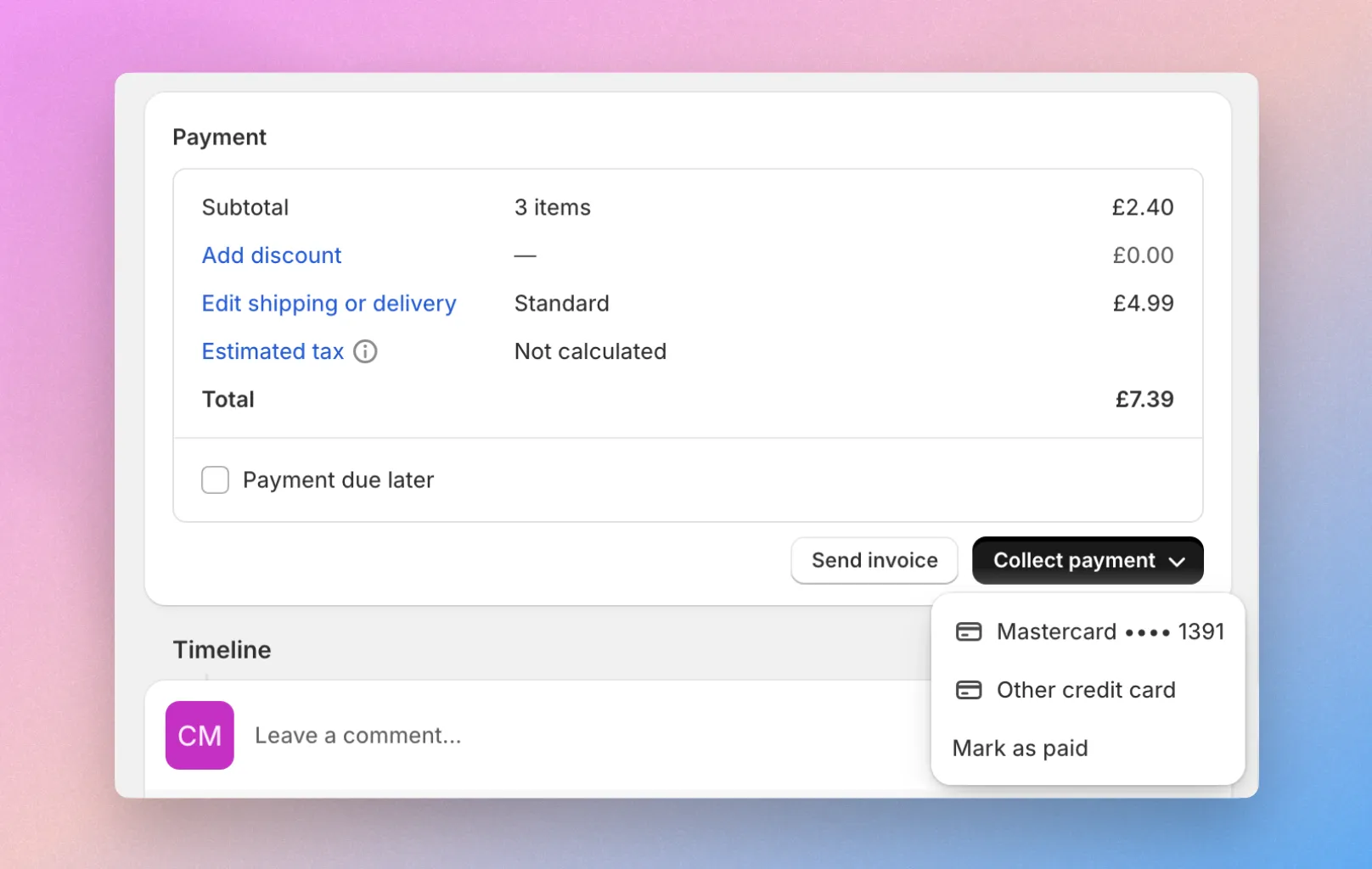
Draft orders and invoices When a customer places an order using another payment method in SparkLayer (e.g. pay by invoice), the resulting draft order in Shopify can have a vaulted card charged against it. This means you can collect payment on invoice orders directly from the Shopify admin using a card already on file.
Getting started
To use vaulted cards with SparkLayer, you need the following in place:
- Shopify Payments must be enabled - Vaulted cards require Shopify Payments as your payment provider.
- Customers must be linked to a Shopify company - The customer's account in Shopify needs to be assigned to a company record. SparkLayer's company association feature handles the order attribution, but the customer-to-company link must exist in Shopify's admin.
- A card must be saved - A customer within that company location needs to have saved a card during a previous checkout, or added one via their customer account. Once saved, the card is available to all customers at that location.
No additional SparkLayer configuration is needed. As long as your customers are linked to Shopify company records and Shopify Payments is active, vaulted cards will work automatically during the SparkLayer checkout process.
Controlling access
If you want to prevent certain team members from using vaulted cards, SparkLayer's Company Users feature gives you a simple way to do this. When a company user is assigned the "Limited" role, they can browse products and build an order - but they can't complete the checkout themselves. Their order is sent to the main company user for approval instead. Because limited users never reach the Shopify checkout, they won't have access to any vaulted cards saved against the company location. This makes the limited role an easy way to restrict who can charge a saved card while still allowing them to participate in the ordering process.
Please note Vaulted cards are available on all Shopify plan tiers that support the companies feature. We recommend confirming any transaction fee implications with Shopify support, as using Shopify companies may incur additional costs depending on your plan.
Limitations
While SparkLayer now supports Shopify Companies for order attribution, there are some scenarios to be aware of:
- Multiple companies or locations: If a customer is connected to more than one Shopify Company, or to multiple locations within a company, the draft order will not be placed against a company. SparkLayer requires a single, unambiguous company-location match to associate the order correctly.
- Company records must exist first: SparkLayer doesn't create Shopify Company records - it reads them. If a B2B customer doesn't have a Company record set up in Shopify's admin, the order will be linked to the customer only (as before).
- SparkLayer doesn't read Shopify catalogs or payment terms: Pricing, product visibility, and payment rules are still managed entirely within SparkLayer's customer groups. Shopify's catalog assignments and payment term settings on Company records are not used by SparkLayer.
- No two-way sync between systems: Changes made in SparkLayer's customer groups (adding a price list, changing a payment method) are not reflected in Shopify's Company records, and vice versa. The two systems are linked for order attribution but managed independently.
- Customer must be linked in Shopify: The customer placing the order must be associated with a Company record in Shopify's admin. If the customer exists in SparkLayer's customer groups but isn't linked to a Shopify Company, the association won't happen.
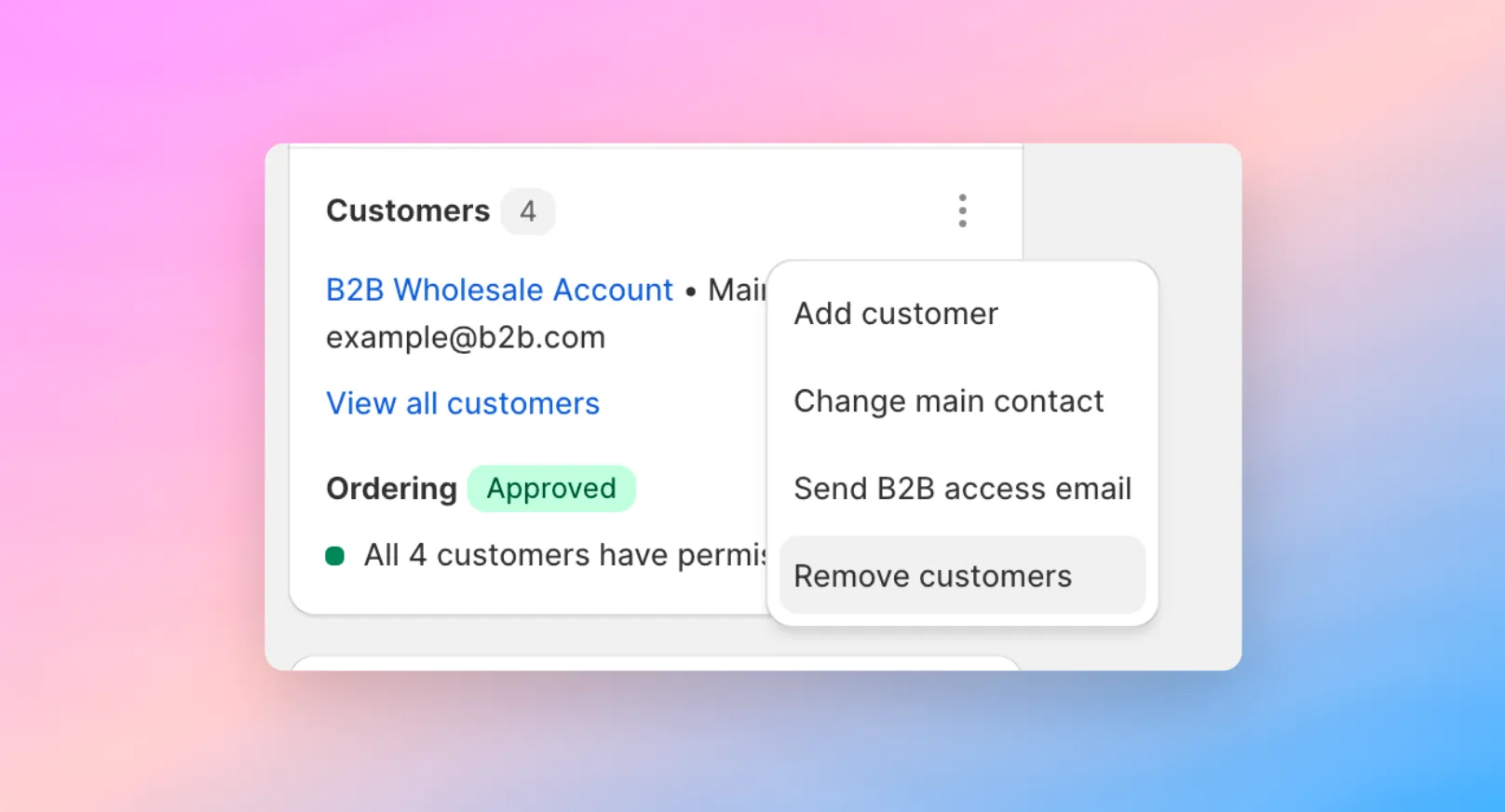
Migrating Companies to Customers
If you'd prefer to manage your B2B customers entirely through SparkLayer's tag-based system and don't need Shopify Company records for reporting, you can remove customers from Companies and convert them to regular Shopify customers. This simplifies the setup and avoids any potential conflicts between the two systems."