Plan: Merchants must be signed up to the Professional or Enterprise plan
Platform: Merchants must be using Shopify
Introduction
Katana is a manufacturing ERP that gives you a live look at all the moving parts of your business - sales, inventory, and production. You can learn more about Katana here.
How it works
The Katana integration for SparkLayer is available for all Shopify merchants that already use Katana and allows you to bring B2B pricing to your Shopify store. The integration works in the following ways:
Item
Details
Customers
Katana becomes the 'master' of your B2B customer data, and any changes to tagged customer records will automatically be synchronised to Shopify and SparkLayer.
Product Pricing
Price lists and product prices are imported into SparkLayer via pricing rules you set up in Katana
Configuring on SparkLayer
To configure Katana on SparkLayer, you'll need to have an approved account with Katana. Please visit the Katana website to learn more. To get started using Katana on SparkLayer, you'll first need to enable the integration.
Within the SparkLayer Dashboard, go to the Integrations section and click Partner Integrations. Under Multi-channel management, click the toggle on the right to activate the Katana integration. You'll then be prompted to authorise SparkLayer to access your Katana account.
Configuring Customers
Broadly speaking, Katana is your central location for managing B2B customer data. When customers are configured in Katana as B2B customers, SparkLayer can automatically retrieve this data and then enable the B2B ordering experience on your Shopify site.
You can then create specific rules for this customer group, e.g. minimum orders, price lists, via the Customer Group section within SparkLayer.
Customers are mapped between the systems based on the primary email set within Katana. Once this is mapped, SparkLayer will then synchronise the following data into Shopify.
Katana
Shopify / SparkLayer
Address
Shows against customer record in Shopify
Primary Telephone
Shows against customer record in Shopify
First / Last Name
Shows against customer record in Shopify
Customer Category
Shows against customer record in Shopify - matches to customer group
Company Name
Shown via metafields in Shopify
Discount Rate
Shown via metafields in Shopify
Price List
Shown via metafields in Shopify
Katana will be the central source for your customer data. When creating a new customer in Katana and you want to set them up as a wholesale customer through SparkLayer, you will need to assign them to a Catagory which should match the Customer group tag of the group you want to assign them to.
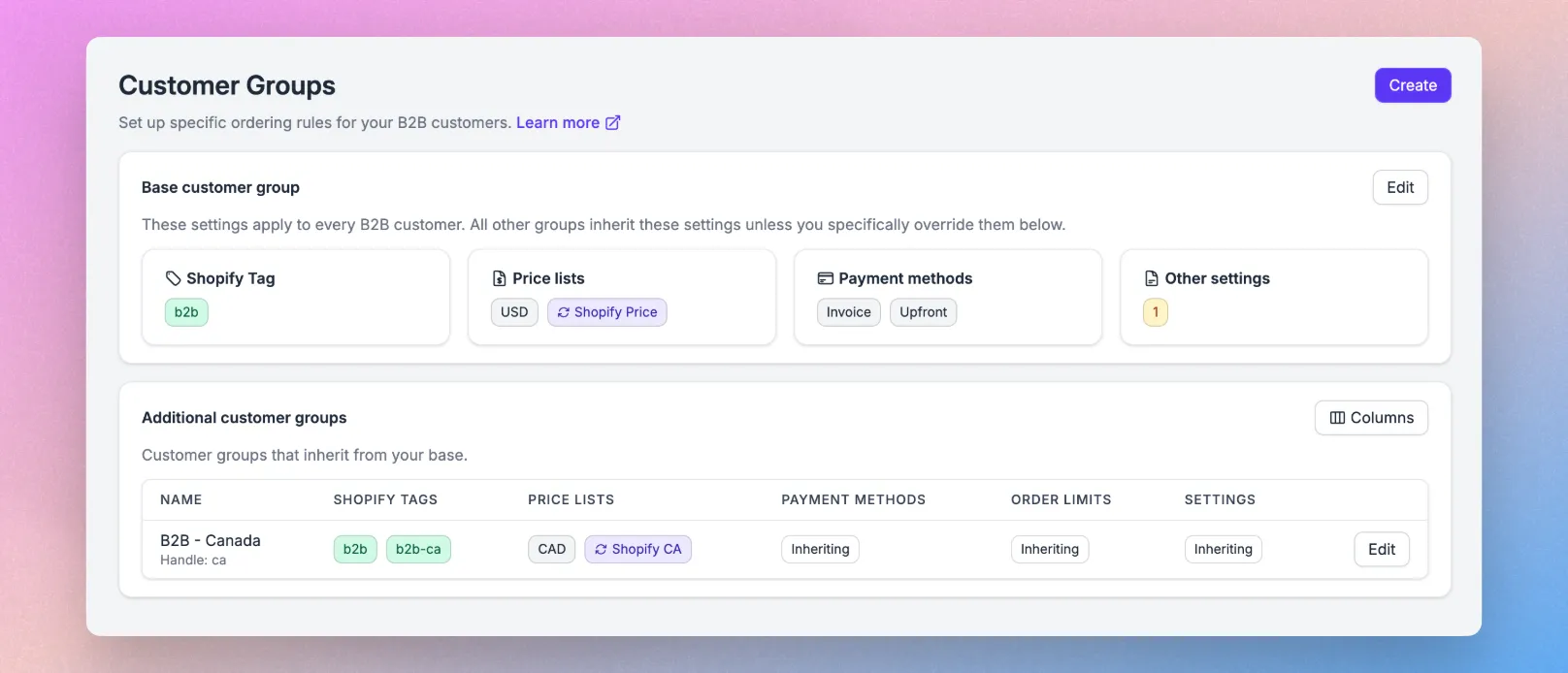
For example, if you want to assign them to the below B2B - Canada customer group. The Category name in Katana would be b2b-ca
In our example, the Category name in the customer in Katana is set to match b2b-ca
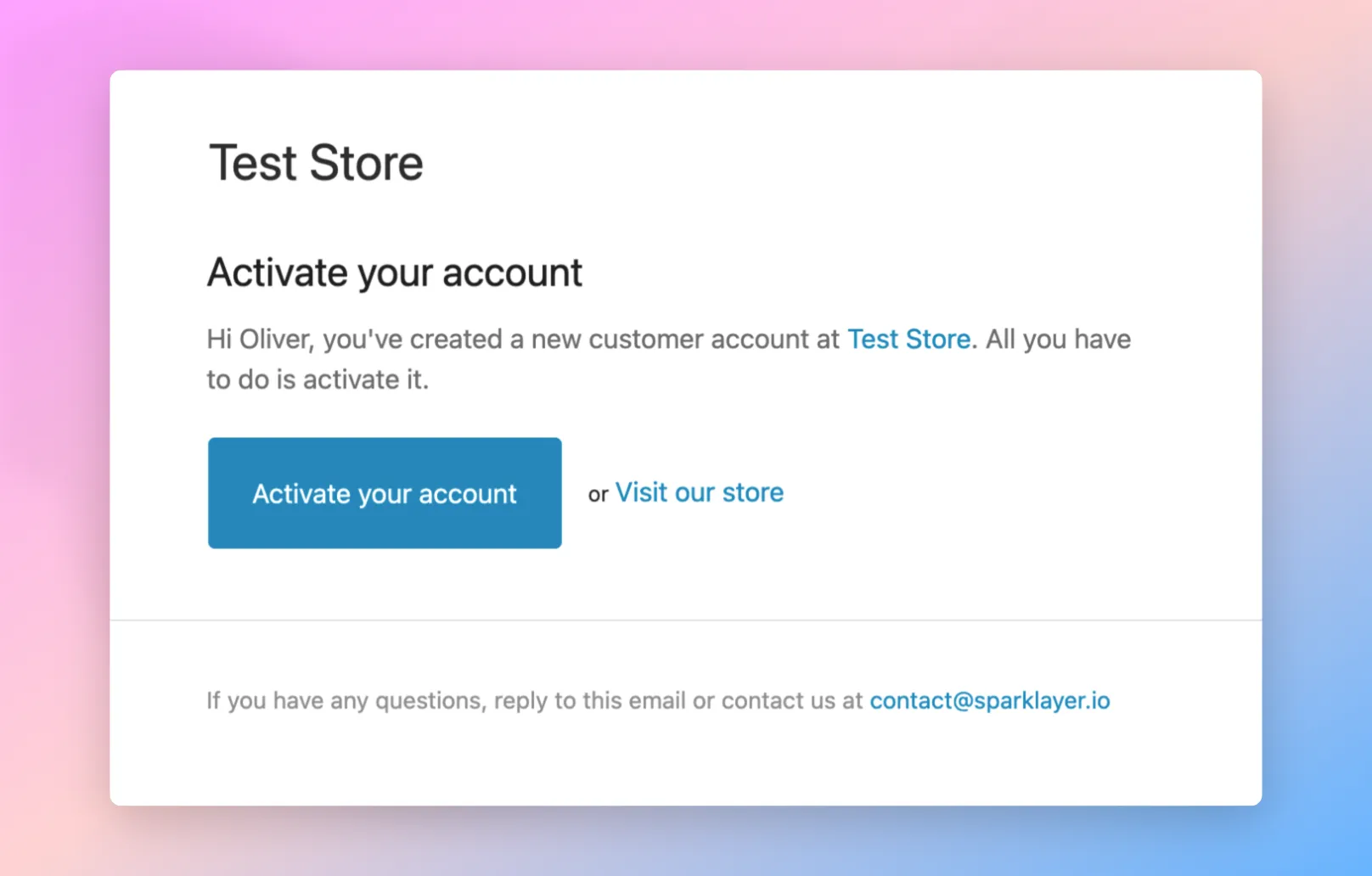
When new customer records are added to Shopify, they will by default be added as Pending customer accounts and receive an automatic email to enable their account by setting a password.
This uses the Customer account invite notification email which can be edited in the Notifications section within Shopify.
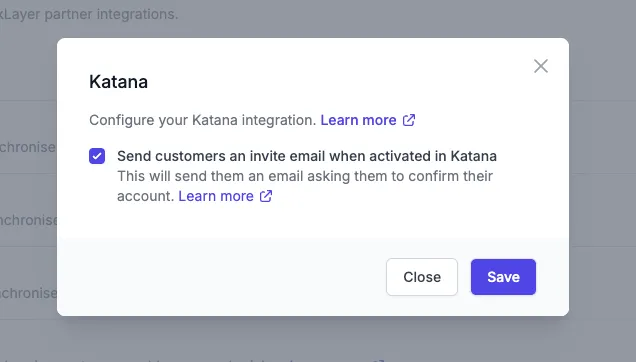
You can configure whether the email is sent or not from the SparkLayer Katana settings.
Configuring Product Pricing
Once customers are mapped between Katana and SparkLayer, the next step is to configure your B2B pricing. As with customers, Katana is your centralised source for managing your B2B pricing.
Within Katana, go to Price Lists. To add a new price list, click the Add new price list button and complete as necessary.
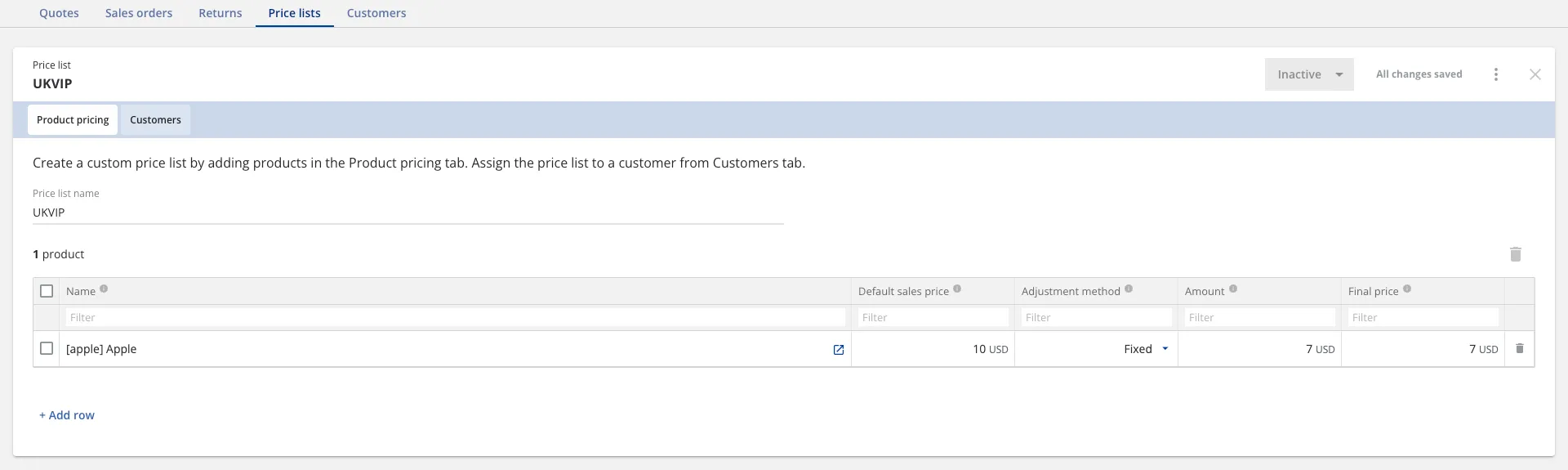
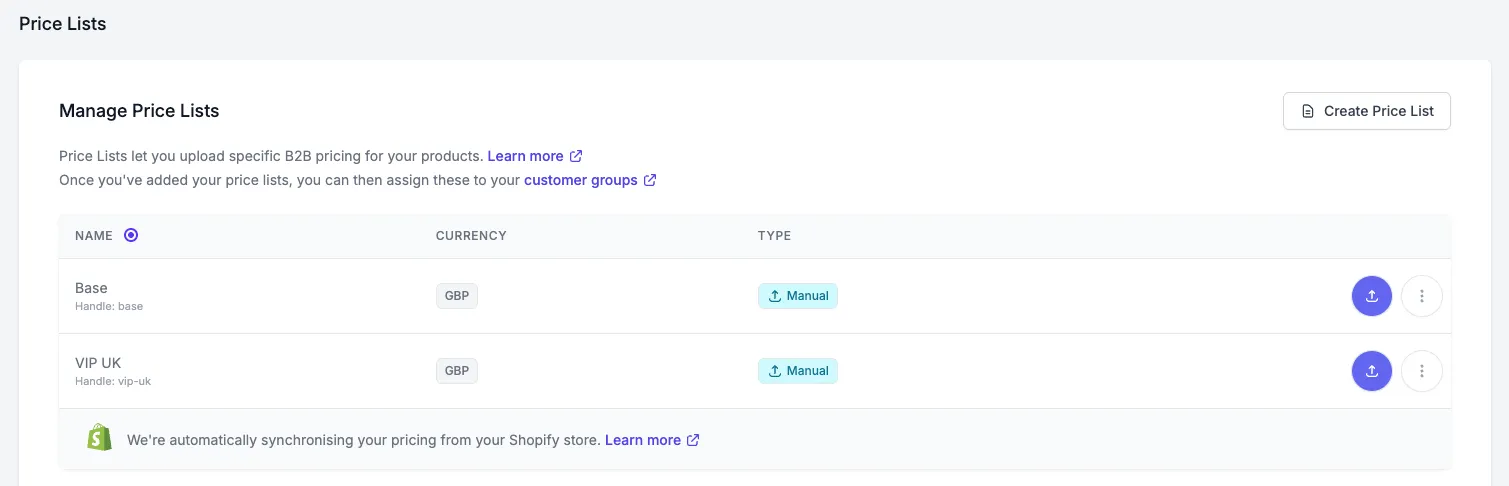
In the example above, we've created two price lists; B2B and UKVIP. When creating your price list(s) in Katana, you'll be able to add pricing rules for products. In the example below, you can see pricing for the UKVIP price list.
In order for SparkLayer to map this data, price list records are automatically imported each time you add a price list in Katana. The mapping works as follows:
Field name in SparkLayer
Field name in Katana
Handle / ID
Price list ID
Name
Price list name
Currency
Currency
Price lists will be made using the Katana's base currency. Automatic price lists with currency conversion will be created for customers that are given a different currency in Katana.
Known limitations
Please note the following:
Default addresses in Katana will be mapped to Shipping and Billing address in Shopify as Shopify doesn't support independent addresses.
A customer that is removed from the customer group will also need their allocated 'b2b' tag removed from their customer account in Shopfiy.
Addresses are a 1-way sync currently, from Katana into Shopify. Its recommended to not allow address editing in SparkLayer otherwise new addresses added won't appear in Katana.
Deleted pricing in Katana will not sync back to the Shopify. You will need to manually delete the pricing from the SparkLayer dashboard.
Troubleshooting
Confirm the primary email address is set in Katana; it's used for mapping.
Check that the SparkLayer integration has been authorised within Katana under Configuration > Integrations > Partners.
Address sync is one-way: from Katana to Shopify. Changes made in SparkLayer will not reflect in Katana.
To maintain data consistency, it's recommended to disable address editing in SparkLayer.
Make sure the Katana integration is active and authorised.
Ensure new customers have all required fields, especially the email.
Check Shopify’s Customer account invite email settings to ensure invites are sent or disabled correctly via SparkLayer settings.
Price lists must be created or updated directly in Katana.
Deleted pricing in Katana does not automatically sync — you must manually remove obsolete pricing from the SparkLayer Dashboard.
Double-check that the customer is correctly assigned to the right price list in Katana.
Verify that customer has the correct currency assigned if using a different currency than the base.
Confirm the price list has been properly saved in Katana.
Allow time for SparkLayer to auto-import the price list list.
Go to Shopify Admin > Settings > Notifications, and edit the Customer account invite email template.
SparkLayer uses this template when enabling new accounts created from Katana.