Product Detail Interface
Introduction
The Product Detail Interface lets your B2B customers quickly and easily add products to their order and automatically loads when a logged in B2B customer visits a product detail page on your website.
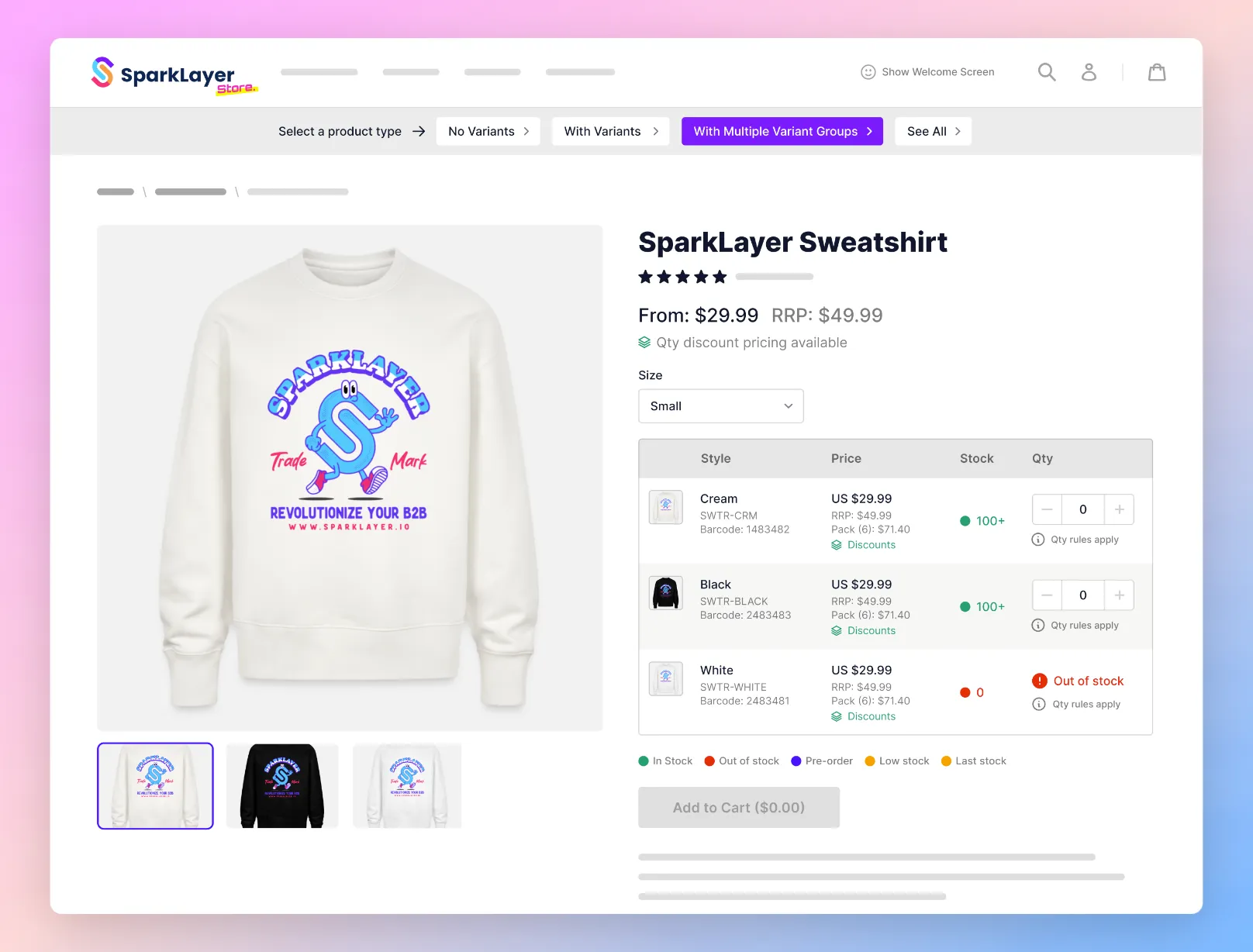
SparkLayer Interactive Demo You can explore how the SparkLayer Product Page Interfaces work in our interactive demo.
How it works
The Product Detail Interface replaces your existing website's pricing and "add to cart" area with a specially-optimised layout. It supports a variety of product types, from single variant products, to multi-dimensional products (e.g. colour and size). When a B2B customer visits a product detail page, they'll see this specially-optimised layout and can begin ordering.
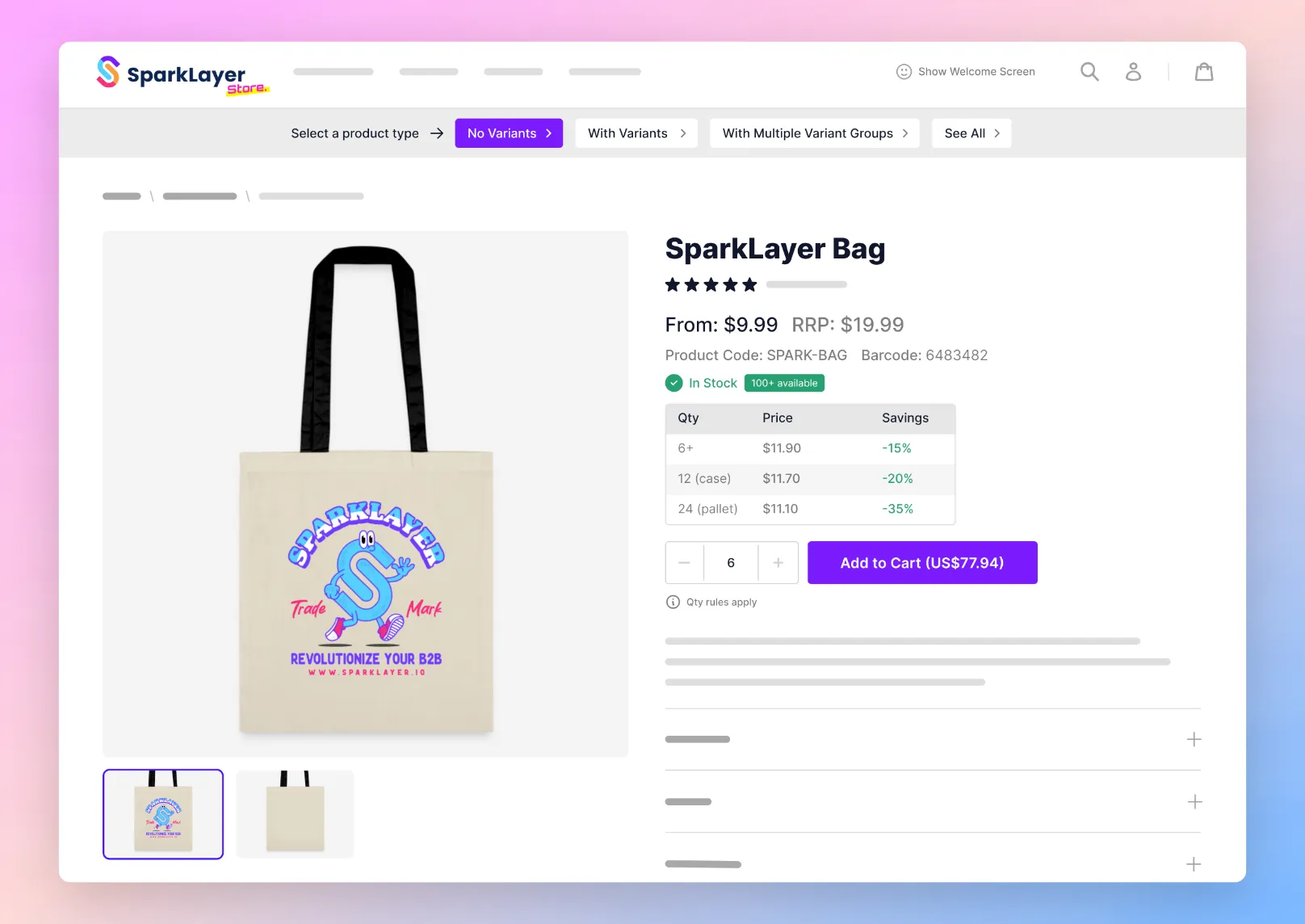
This interface will render for products that have variants (e.g. colour, size, etc). To make purchasing easy, the variants are displayed in a table format.
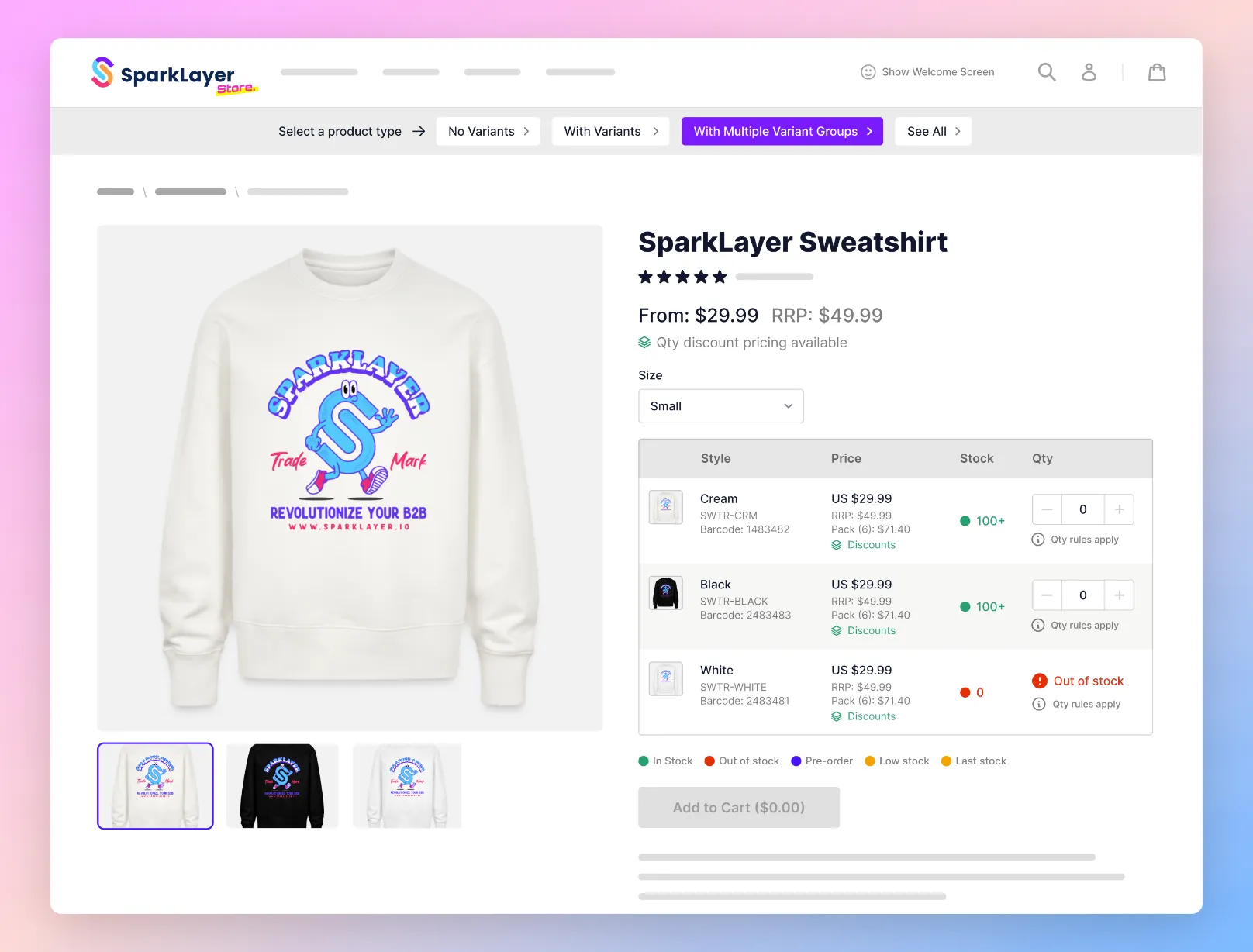
What SparkLayer displays
- Product price specific to the customer (including quantity pricing)
- RRP Price (if set)
- Variant list: primary variant (e.g. colour) and secondary variants that relate to them (e.g. size)
- Pack sizes (if available
- Variant specific price and RRP price
- Stock availability: if a variant isn't available, it will display accordingly. Note: unless the set up allows purchase of out of stock products, the product will display as unavailable if there is no stock
- Quantity, including quantity rules (e.g. pack-sizes)
- Add to Order button
Integrating the code
To add the Product Detail Interface to your website, you just need to add a single line of code to your product detail page template.
<spark-pdp parent-id="{{ product.id }}"></spark-pdp>One this is added, the interface will display for all logged in B2B customers and they can begin placing orders.
Please note Based on the platform you're using, the variable product.id will need to be adjusted to the appropriate setting.
SparkLayer's Product Detail Interface can be installed in three ways on Shopify:
- Automatic install - on supported themes, the interface is added automatically as a Shopify app block, no code changes required.
- Manual install via app block - on any Online Store 2.0 theme, you can add the SparkLayer Product Page app block directly through your Shopify theme customiser. Go to Online Store → Themes → Customize, navigate to a product page, and add the SparkLayer - Product Page app block where you'd like it to appear.
- Manual install via code - if your theme doesn't support app blocks, or you'd prefer a code-based install, add the code snippet above to your product detail page template.
Our team is also happy to install this for you - see the Theme setup page in the SparkLayer dashboard to request a free install.
Configurations
SparkLayer supports a wide range of configurations you can apply to the Frontend Interfaces. Please see our full guide here on what's possible!